
AI Agents Explained: How Do They Actually Think, Plan & Take Action
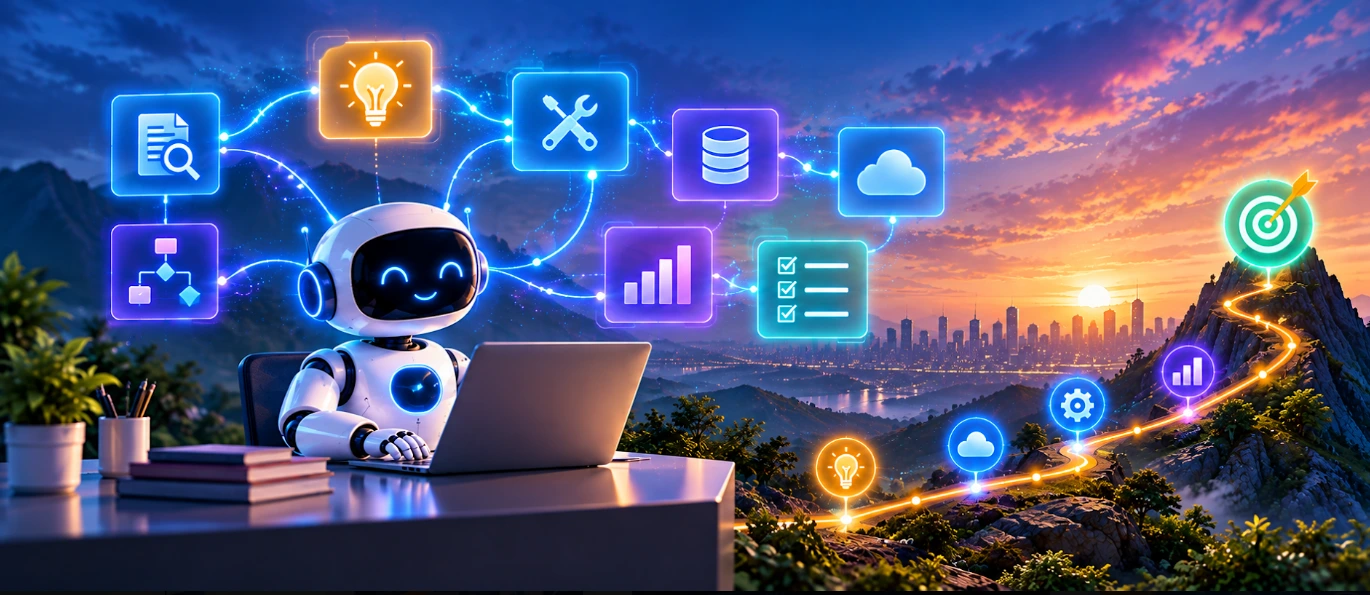
AI agents are AI-powered systems designed to work toward a goal by understanding a task, deciding what needs to be done, using available tools, observing the results, and taking further actions when required. Unlike a simple chatbot that mainly responds to a prompt, an AI agent can be part of a multi-step workflow where it retrieves information, interacts with external systems, evaluates results, and continues working until the task is completed or a defined stopping condition is reached.
For example, you can ask Generative AI to explain why a deployment failed based on a log you provide. An AI agent could be designed to retrieve the relevant logs, inspect deployment information, check approved monitoring systems, analyze the results, and prepare a report.
The AI model is an important part of an agent, but it is not the entire system. AI agent architecture typically combines an AI model with instructions, tools, context or memory, and an orchestration mechanism that controls how the system moves from one action to the next.
AI has moved beyond systems that simply generate an answer to a question. You may already use AI tools to write code, summarize documentation, explain an error, create test cases, or generate technical content. These are examples of tasks where an AI model produces an output based on the information and instructions it receives.
AI agents introduce another layer. Instead of only asking an AI system for an answer, you can give it a goal and allow the surrounding system to determine what steps may be required to achieve that goal. This makes the interaction more focused on completing a task rather than simply generating a single response.
So, how do AI agents actually think, plan, and take action? Consider a simple request:
“Find out why our latest application deployment failed and prepare a report.”
A basic Generative AI application could analyze logs provided by the user and explain possible causes. An AI agent could be designed to retrieve the relevant deployment logs, inspect monitoring information, compare recent deployment details, analyze the available evidence, and then prepare a report.
The important difference is that the agent is not limited to generating a single response. It is operating within a workflow where it can reason about the task, use tools, observe results, and determine what to do next. That is the basic idea behind AI agents.
Table of Contents
▼What Are AI Agents
AI agents are AI-powered systems designed to work toward a specific goal by making decisions, using available tools, and taking multiple actions as required. The important part is that an AI agent is not simply an AI model placed inside a chat interface.
An AI model can generate text, write code, summarize information, or answer questions. An agentic system adds the surrounding capabilities needed to work through a larger task. A simple AI interaction might look like:
Prompt → AI Model → Response
An agentic interaction can look more like:
Goal → Understand → Plan → Act → Observe → Decide Again → Complete
A Simple Example
Suppose you ask an AI system: “Find all failed builds from this week and summarize the common errors.” A normal AI model cannot automatically inspect your CI/CD platform unless the application provides the required information or tool.
An AI agent, however, could be connected to an approved CI/CD API. It could retrieve build information, identify failed builds, inspect the associated errors, group similar failures, and prepare a summary.
The difference is not necessarily the intelligence of the model itself. The difference is what the overall system allows the model to do.

How Do AI Agents Work
So, how do AI agents work behind the scenes? There is no single architecture that every AI agent follows. Different systems can use different models, tools, memory systems, orchestration approaches, and workflows.
However, many AI agents follow a general cycle:
Goal → Understand → Plan → Use Tools → Observe → Evaluate → Take the Next Action
The process usually begins when the user or another application provides a goal. The system first needs to understand what the user is trying to accomplish and determine what information would be useful.
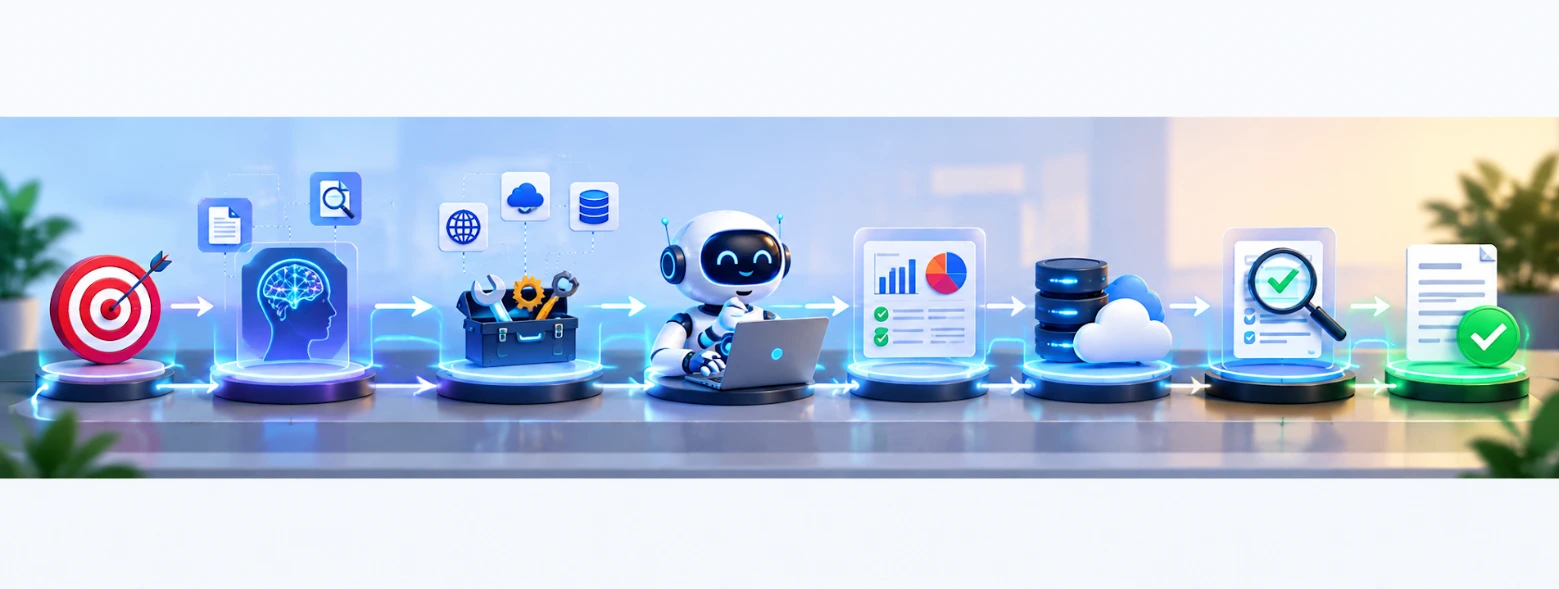
For example:
“Investigate why the payment service is returning errors.”
The agent needs to determine what information would be useful and what actions may be necessary. It may need application logs, monitoring information, deployment details, documentation, or database information.
The Agent Determines What to Do Next
Once the task is understood, the system can determine the next appropriate action. For a simple task, this might require only one tool call, while a more complicated task may require several connected actions.
For example:
Check monitoring → Retrieve logs → Compare deployment → Analyze error → Prepare report
The important point is that the workflow does not always have to be completely predefined. Depending on the system design, the agent can use the result of one action to determine what should happen next.
The Agent Uses Tools
Tools allow an AI agent to interact with external systems. An agent could potentially be connected to APIs, databases, search systems, cloud platforms, file storage, code execution environments, monitoring platforms, or business applications.
For example, a DevOps-focused agent might have access to:
- A log-search API
- A monitoring system
- A CI/CD platform
- A documentation database
The agent can use these tools to obtain information that is not available in its initial context. This expands what the system can do beyond the information directly provided in the original prompt.
The Agent Observes the Result
After a tool is used, the returned information becomes part of the agent's working context. Suppose the monitoring system shows that the application errors started immediately after a deployment. That information could lead the agent toward the deployment configuration rather than unrelated infrastructure components.
The agent can then decide what to investigate next. This repeated process of action, observation, and further decision-making is one of the key ideas behind how AI agents work.
What Does AI Agent Architecture Look Like
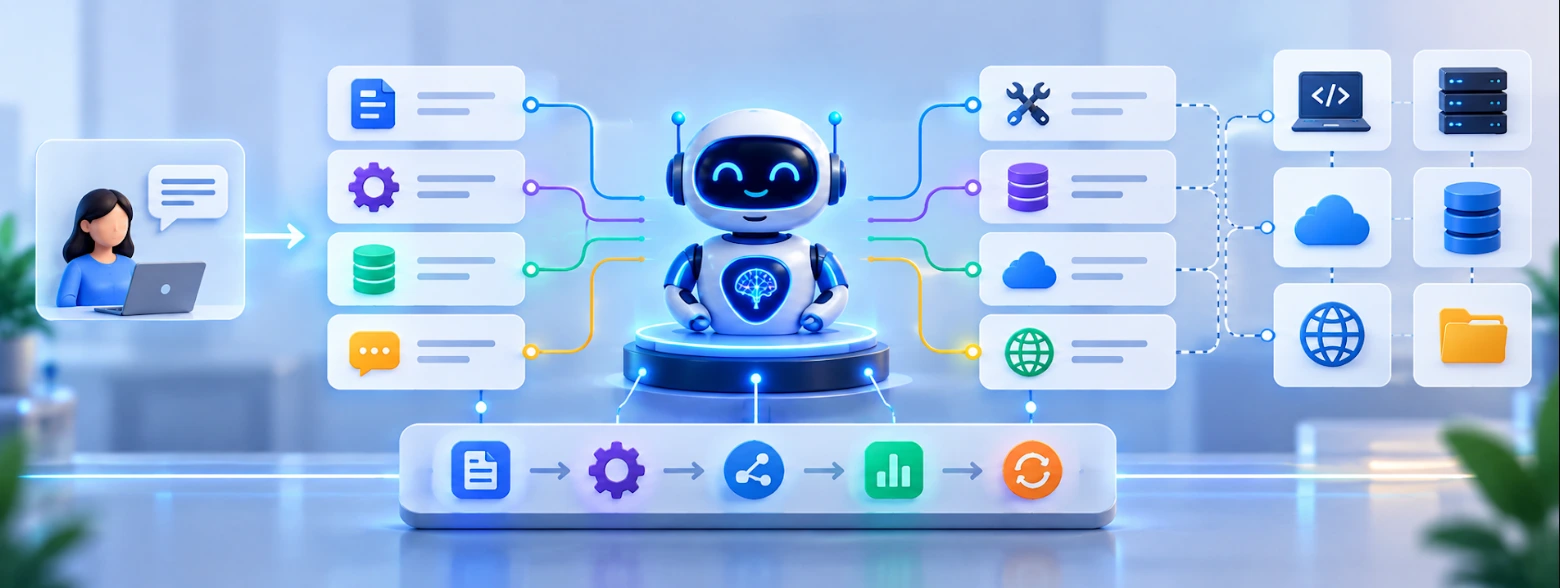
AI agent architecture refers to the components and connections that allow an AI system to understand goals, use tools, maintain context, make decisions, and perform actions. A simplified architecture can look like:
User Goal → AI Model → Tools → External Systems → Results → AI Model → Next Action
Several components work together to make this possible. The exact architecture can vary depending on the use case, tools, security requirements, and level of autonomy required.
AI Model
The AI model acts as the central reasoning and language-processing component. It can interpret instructions, understand information, generate responses, decide between available actions, and help determine what should happen next.
However, the model does not automatically have access to every system around it. The application needs to provide the appropriate tools and context so that the agent can interact with external systems.
Instructions
Instructions define what the agent is expected to do and what boundaries it should follow. For example, an IT operations agent might be instructed to investigate production incidents but never make production changes without approval.
These instructions help establish the agent's role and operational boundaries. They can also define which tools the agent should use, what information it can access, and when it should stop or request human approval.
Tools
Tools connect the agent to external systems. A tool could allow the agent to search a database, retrieve application logs, call an API, search documentation, execute code, or interact with another software system.
Without tools, an agent may be able to reason about what should happen but may not be able to perform the required external action. Tools therefore provide the connection between the AI model and the systems where real information or actions exist.
Memory and Context
Agents may also need access to information collected during the task. For example, if an agent has already checked application logs and discovered a specific error, it needs to retain that information while continuing the investigation.
Depending on the application, memory can also be used to store information across interactions. It is important to distinguish between context used during a task and longer-term memory because different AI agent systems implement these capabilities in different ways.
Orchestration
The orchestration layer connects the different components and controls the overall workflow. It helps determine which action happens next, how tool results are returned to the model, when the process should stop, and when human approval may be required.
This is what turns individual capabilities into an actual agentic workflow. Without orchestration, the model, tools, and other components may exist separately without a coordinated process for completing the task.
To understand how these concepts connect with modern AI development, you can also explore relevant practical learning resources through MicroDegree Learning
How Do AI Agents Plan and Take Action
One of the most interesting parts of AI agent planning is how a system moves from a broad goal to a sequence of smaller actions. Consider this request:
“Prepare a report explaining why our API response time increased this week.”
An agent could determine that it needs to investigate several areas. It might start by checking application monitoring data. If the monitoring information shows a significant increase after a particular deployment, it could then inspect deployment information.
If the deployment appears relevant, the agent could retrieve application logs and compare the errors before and after the deployment. The resulting information can influence the next action.
This means planning does not always have to be a fixed list of steps created before execution. Depending on the design, an agent can plan dynamically.
Planning Can Change Based on Results
Imagine that the first monitoring check shows that infrastructure resources are normal. Instead of continuing to investigate server capacity, the agent could shift its attention toward application-level errors.
This is different from a rigid automation script where every step is predetermined. The agent can use newly available information to determine what action makes sense next.
Taking Action Through Tools
Planning is only useful when the agent can actually perform the required operations. Suppose an agent decides that it needs deployment information. It could use an approved deployment-management tool to retrieve that information.
The result is then returned to the agent, which can use it as context for the next decision. The overall pattern becomes:
Goal → Plan → Tool → Result → Evaluate → Next Tool → Result → Complete
The number of steps depends entirely on the task. Some requests may require one action, while others may involve many connected operations.
Human Approval Can Remain Part of the Workflow
Autonomy does not mean that every action should happen without human involvement. For sensitive operations, an agent can investigate the problem and prepare a recommended action while leaving the final decision to a human.
For example:
“The agent identified a configuration issue and prepared the recommended change.”
A human can then review the proposed change before it is applied to production. This approach allows organizations to benefit from agentic workflows while maintaining control over important operations.

What Should IT Professionals Learn About AI Agents
If you are a Software Engineer, DevOps Engineer, Cloud Engineer, QA Engineer, Application Support Engineer, or another IT professional, learning AI agents does not mean that you have to start from zero. Your existing technical knowledge can actually provide a useful foundation.
Start with programming and APIs. Understanding how applications communicate with external services makes it easier to understand how AI agents interact with tools. Next, learn the fundamentals of Generative AI and large language models, including prompts, context, model limitations, structured outputs, and how models process information.
After that, move toward tool calling, RAG, AI agent architecture, memory, evaluation, and security. For Cloud and DevOps professionals, concepts such as Linux, APIs, containers, CI/CD, cloud services, monitoring, and automation can become particularly useful when building AI-powered workflows.
A practical learning path could look like:
Programming → APIs → LLM Fundamentals → Generative AI → Tool Calling → RAG → AI Agents → Evaluation → Security
You do not need to master every topic before moving forward. The goal is to gradually understand how these technologies fit together and eventually become comfortable designing and building AI-powered workflows.
If you want to strengthen these skills alongside your existing IT background, you can explore relevant practical learning resources through MicroDegree's FREE E-learning
How Can You Build Reliable AI Agents
- Not every problem needs an AI agent: If a workflow follows the same steps every time, traditional automation may be simpler and easier to maintain.
- Use AI agents for complex tasks: Agents are more useful when a task requires interpretation, decision-making, multiple tools, or adaptation to changing information.
- Start with one focused problem: Instead of building a general-purpose “DevOps AI agent,” start with a specific workflow, such as analyzing failed CI/CD builds and summarizing common errors.
- Connect only the required tools: Give the agent access only to the systems it needs, such as a CI/CD platform or documentation system.
- Limit permissions: Provide only the access required for the task to reduce the impact of incorrect decisions or unexpected behavior.
- Test and monitor the agent: Test normal requests, incomplete information, unexpected tool results, API failures, and ambiguous instructions, while using logging and monitoring to understand its behavior.
- Add human oversight where needed: For sensitive tasks, require human approval before the agent performs an action.
- Build incrementally: Start Small → Connect Tools → Test → Evaluate → Add Guardrails → Monitor → Expand instead of attempting to build a highly autonomous system from the beginning.
Practical Examples and Career Impact
Example 1: Application Troubleshooting
Basic Generative AI approach:
You provide an application error log and ask:
“What could have caused this error?”
The model analyzes the information and provides possible explanations.
Agentic AI approach:
You provide the goal:
“Investigate the application error and prepare a report.”
The system could retrieve approved logs, inspect monitoring information, check deployment details, compare the available evidence, and organize its findings.
The key difference is that the agentic system can participate in the investigation workflow instead of only analyzing information supplied in the prompt.
Example 2: QA Testing
Generative AI:
“Create test cases for a login page.”
The model generates test scenarios.
Agentic AI:
“Test the login workflow and prepare a report of failures.”
The system could be designed to read the requirements, generate appropriate test scenarios, execute approved tests, inspect the results, and organize failures. Again, the important difference is the workflow around the model.
Example 3: DevOps Incident Investigation
Generative AI:
“Explain this Kubernetes error.”
The model explains the error based on the information provided.
Agentic AI:
“Investigate why this Kubernetes workload is failing.”
An agent could retrieve approved logs and configuration information, analyze the available data, identify possible causes, and prepare recommendations.
Whether it is allowed to make an actual infrastructure change would depend on its permissions and the organization's approval process.
Career Impact
AI agents are creating new areas of work around AI application development, automation, orchestration, evaluation, and AI-assisted engineering. For existing IT professionals, this does not necessarily mean abandoning their current technical foundation.
A developer can combine software engineering with AI application development. A DevOps engineer can explore AI-powered operational workflows and automation. A QA engineer can learn how AI agents can support testing and result analysis.
A Cloud engineer can understand how AI applications interact with infrastructure, APIs, and cloud services. The useful approach is to build AI skills on top of your existing technical knowledge rather than treating AI as a completely separate career path.
Conclusion
AI agents extend Generative AI from simply producing responses to working through tasks using tools, context, planning, and actions. Their ability to observe results and decide what to do next makes them useful for workflows across software development, DevOps, QA, IT support, and other areas. Building reliable agents requires clear goals, appropriate permissions, testing, monitoring, and human oversight. For IT professionals, learning AI agents alongside existing technical skills can help in building practical AI-powered workflows.
FAQs
1. Why are AI agents becoming important for businesses?▼
AI agents can help businesses handle workflows that involve several connected tasks instead of individual responses. They can support areas such as customer support, information gathering, software development, and internal operations. Their usefulness depends on the workflow, available tools, data, and level of human oversight.
2. What skills are useful for working with AI agents?▼
Working with AI agents can require programming, API integration, AI fundamentals, automation, and problem-solving skills. Knowledge of databases, cloud platforms, software development, or DevOps can also be useful depending on the application. Communication and workflow-design skills help when defining what an agent should accomplish.
3. How are AI agents different from traditional automation tools?▼
Traditional automation generally follows predefined rules and steps created by developers. AI agents can interpret information and determine actions within the boundaries provided to them. This makes them useful for workflows where the required steps may change depending on the situation.
4. Can small businesses benefit from AI agents?▼
Small businesses can use AI agents for suitable repetitive or multi-step workflows. Potential applications include customer support, document processing, research assistance, and internal task management.
5. What challenges should organizations consider before adopting AI agents?▼
Organizations should consider accuracy, security, data privacy, tool permissions, monitoring, and human oversight when adopting AI agents. Agents connected to external systems can have a greater impact than systems that only generate text.
Ready to move from understanding AI concepts to building practical AI-powered workflows?
Explore MicroDegree's learning platform to develop practical skills in Generative AI, AI Agents, Cloud, DevOps, and related technologies.