
AI-Powered Cloud Infrastructure: Automating AWS & Azure Operations with AI
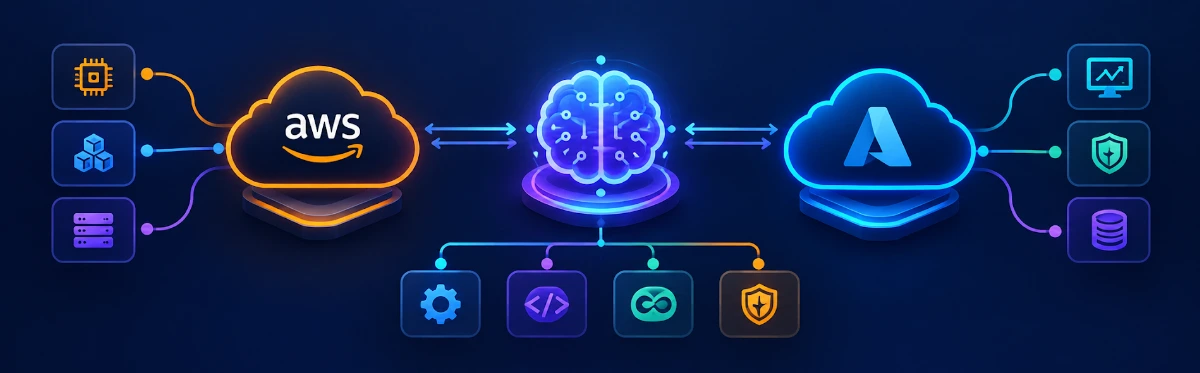
Cloud infrastructure is becoming more complex as organizations adopt containers, Kubernetes, serverless applications, distributed databases, multi-cloud environments, and automated deployment pipelines. Managing all of these components manually can take considerable time, especially when engineers need to investigate incidents or understand unexpected resource behavior.
This is where AI-Powered Cloud Infrastructure is becoming useful. AI can help cloud professionals analyze operational information, troubleshoot problems, generate infrastructure configurations, and automate repetitive tasks across platforms such as AWS and Azure.
The purpose is not to remove engineers from cloud operations. Instead, AI can work alongside them by reducing repetitive work and helping them understand complex infrastructure faster.
Quick Summary
AI-Powered Cloud Infrastructure combines artificial intelligence with cloud management and automation. AWS and Azure are integrating AI into areas such as troubleshooting, resource management, monitoring, infrastructure generation, and operational analysis.
Amazon Q Developer can help diagnose supported AWS errors and troubleshoot resources in the console, while Kiro assists with building and operating AWS applications from the IDE and CLI. Azure Copilot can assist with Azure operations, troubleshooting, networking, monitoring, and generating Terraform and Bicep configurations.
For IT professionals, this creates a new opportunity to combine traditional cloud knowledge with AI skills. However, AI-generated recommendations still need validation, appropriate permissions, and human oversight before they are used for important production changes.
Table of Contents
▼What Is AI-Powered Cloud Infrastructure?
Traditional cloud infrastructure is managed using monitoring dashboards, scripts, Infrastructure as Code, automation tools, and predefined policies. These technologies are still fundamental to cloud operations, but the amount of infrastructure organizations manage today can make manual investigation difficult.
AI-Powered Cloud Infrastructure adds an intelligent layer to these existing systems. Instead of requiring an engineer to search through different tools for every problem, AI can help interpret information and provide relevant recommendations.
For example, imagine that an application suddenly starts returning errors. An engineer may need to investigate logs, compute resources, network settings, permissions, recent deployments, and monitoring metrics before identifying the likely cause.
An AI assistant can help summarize available information and suggest where the engineer should investigate first. Amazon Q Developer, for example, can diagnose supported errors in the AWS Management Console, including issues involving permissions, configuration, and service limits.
The difference between traditional and AI-assisted operations can be understood through the following comparison.
| Area | Traditional Approach | AI-Assisted Approach |
|---|---|---|
| Troubleshooting | Engineers investigate manually | AI helps analyze the available context |
| Infrastructure | Configurations are written manually | AI can generate an initial configuration |
| Monitoring | Teams interpret dashboards and alerts | AI can help explain operational information |
| Documentation | Engineers search documentation manually | Natural-language questions provide guided answers |
| Automation | Mainly rule and script based | AI can assist with more flexible workflows |
AI therefore does not replace cloud infrastructure. It makes existing infrastructure easier to understand and operate.

Why AI Is Changing Cloud Operations
The main reason AI is becoming important in cloud operations is the growing complexity of modern environments.
A production application may depend on virtual machines, containers, Kubernetes clusters, databases, storage, APIs, networking, identity systems, monitoring tools, and multiple accounts or subscriptions. When something fails, the problem may involve several components at once.
AI can help engineers work through this complexity more efficiently.
On AWS, Amazon Q Developer can answer questions about AWS architecture, resources, best practices, documentation, and costs. It can also assist with troubleshooting supported errors and AWS resources.
Microsoft provides a similar experience with Azure Copilot. Its documented capabilities include understanding Azure resources, checking service health, analyzing costs, visualizing network topology, troubleshooting resources, working with AKS and storage, and generating scripts and infrastructure configurations.
This is an important shift because cloud engineers can interact with infrastructure using natural language rather than depending entirely on individual commands and dashboards.
For example, instead of manually searching for the reason behind a failed deployment, an engineer could ask an AI assistant to explain the likely causes and identify the information that should be checked next.
How AI Cloud Automation Works
AI cloud automation connects an AI model with cloud services, operational data, APIs, monitoring systems, and automation tools.
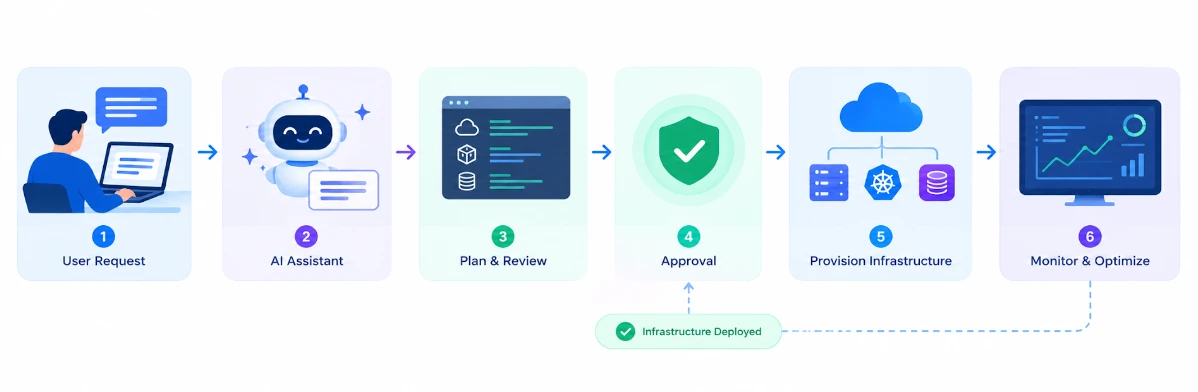
A simple workflow starts when an engineer describes a requirement or problem. The AI interprets the request and determines what information is relevant. It can then use available tools or cloud information to analyze the situation before returning an explanation or recommended action.
A typical workflow looks like this:
User request → AI model → Cloud data and tools → Analysis → Recommendation → Validation → Approved action
The validation step is particularly important for production environments.
For example, AWS documents Amazon Q Developer's ECS troubleshooting integration as a read-only capability. It can analyze certain issues involving containers, tasks, services, deployments, and task definitions and provide possible causes and remediation steps, but the integration itself does not make write changes to the resources.
This type of controlled approach reduces the risk of allowing AI to make unrestricted infrastructure changes.
A similar principle can be applied when organizations build their own AI automation workflows. AI can identify an issue, generate a proposed Terraform configuration, or suggest a command, while an engineer or approval system verifies the change before it reaches production.
AI for AWS and Azure
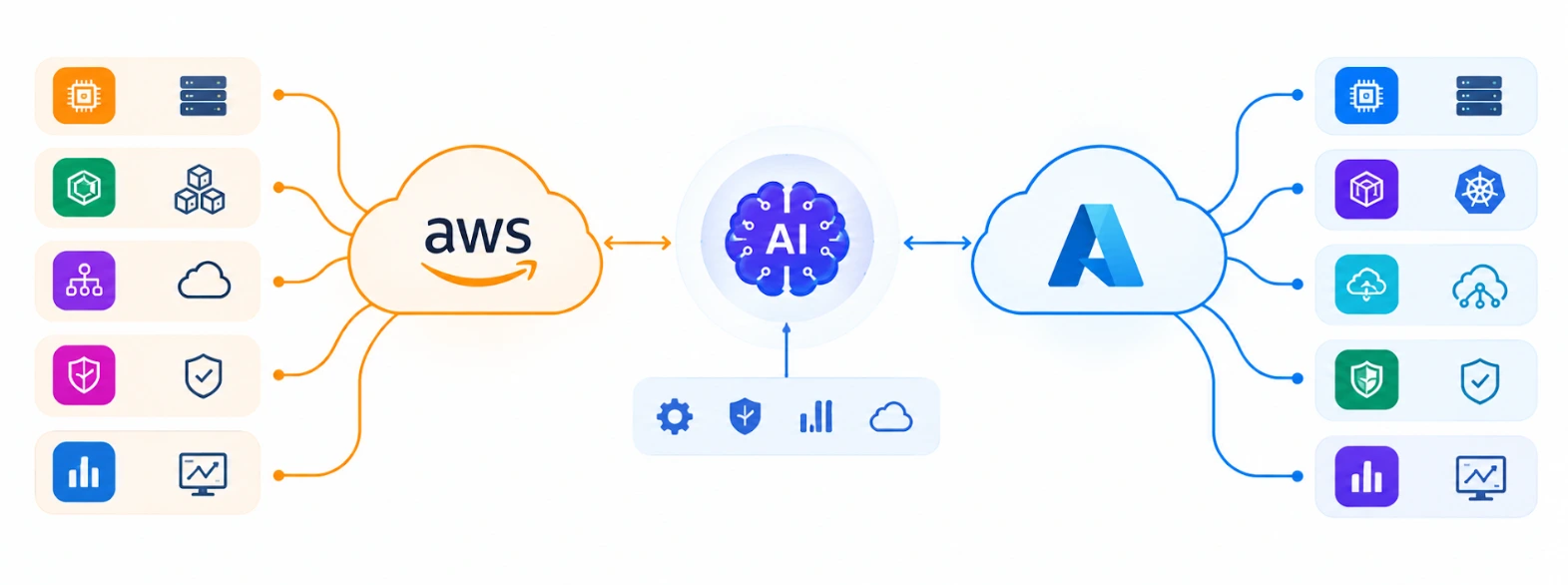
AWS and Azure are both integrating AI into their cloud ecosystems, although their tools and capabilities differ.
AWS. Amazon Q Developer in the AWS Management Console, documentation, mobile app, and chat apps (Slack and Microsoft Teams) helps users understand, build, and operate workloads on AWS, covering architecture, resources, costs, documentation, and supported troubleshooting. For hands-on coding, AWS has shifted to Kiro, its agentic, spec-driven development environment. Q Developer IDE plugins and paid subscriptions reach end of support on April 30, 2027, and the former Q Developer CLI is now part of Kiro.
Azure. Azure Copilot works as an AI assistant for Azure operations. Microsoft documents capabilities covering resource information, service health, cost analysis, network topology, troubleshooting, monitoring, VM management, AKS, storage, networking, and infrastructure configuration.
| Capability | AWS | Azure |
|---|---|---|
| AI assistant | Amazon Q Developer (console and chat), Kiro (IDE and CLI) | Azure Copilot |
| Troubleshooting | Supported AWS resources and console errors | Azure resources and workloads |
| IaC assistance | AWS architecture and development support, with Kiro for coding | Terraform and Bicep generation |
| Networking | AWS resource and service troubleshooting | Network design and troubleshooting |
| Developer support | AWS CLI and SDK help through Kiro | CLI, PowerShell and Kubernetes YAML |
| Cloud information | AWS resources, costs and documentation | Azure resources, health and costs |
Azure Copilot can generate Terraform and Bicep configurations from descriptions of the infrastructure an engineer wants to create. Its Deployment Agent (currently in preview) can also turn a deployment plan into IaC and open a pull request. These configurations should be customized and reviewed before deployment.
The important point is that these tools should be treated as engineering assistants rather than unquestionable sources of truth.
Real-World Use Cases
One of the strongest applications of AI in cloud infrastructure is incident troubleshooting. Engineers often spend significant time reviewing alerts, logs, configurations, and recent changes. AI can help summarize this information and suggest possible causes.
Another practical use is Infrastructure as Code generation. An engineer can describe the infrastructure required for an application and use AI to create an initial Terraform or Bicep configuration. This can reduce the amount of repetitive configuration work, although the generated code still needs technical and security review. Azure officially supports Terraform and Bicep generation through Azure Copilot.
AI can also assist with monitoring and cost analysis. Instead of looking through large amounts of cloud information manually, engineers can ask questions about resource behavior, service health, or unusual usage and use the responses as a starting point for investigation.
Network operations are another useful area. Azure Copilot provides capabilities for understanding network topology and helping users design, troubleshoot, and secure Azure networks.
| Use Case | How AI Can Help |
|---|---|
| Incident response | Analyze symptoms and suggest investigation steps |
| Infrastructure as Code | Generate an initial Terraform or Bicep configuration |
| Monitoring | Explain alerts and operational information |
| Cost management | Help investigate resource usage and spending |
| Networking | Assist with topology and troubleshooting |
| Security | Help investigate configuration and access issues |
These use cases show why AI cloud automation is becoming practical. The value comes from reducing repetitive work while keeping engineers involved in important decisions.
How to Implement AI in Cloud Infrastructure
Organizations should not begin by giving an AI system unrestricted access to production infrastructure. A safer approach is to start with tasks where AI provides assistance without directly changing resources.
Documentation searches, troubleshooting, log analysis, resource discovery, and configuration reviews are useful starting points. Once teams understand how the AI behaves, selected automation can be introduced with appropriate controls.
Identity and access management should be considered from the beginning. An AI system should receive only the permissions necessary for its intended task. Production changes should also pass through testing, approval, and monitoring.
AI-generated Infrastructure as Code requires the same level of review as manually written code. A generated configuration may contain incorrect resource dependencies, excessive permissions, unsuitable networking rules, or settings that do not match the organization's requirements.
The safest approach is therefore AI-assisted automation, where AI handles analysis and repetitive work while engineers remain responsible for validation and production decisions.
This approach also makes it easier to introduce AI gradually instead of replacing established cloud processes all at once.
Skills and Career Impact
AI does not make cloud fundamentals less important. In many situations, strong cloud knowledge becomes even more valuable because engineers need to understand whether an AI recommendation is technically and operationally correct.
Professionals preparing for Cloud, DevOps, Cloud Support, or Platform Engineering roles should build a foundation in AWS or Azure, Linux, networking, IAM, containers, monitoring, CI/CD, Infrastructure as Code, and cloud security.
GenAI can then be added to this foundation. Understanding how to use AI for troubleshooting, infrastructure generation, documentation, monitoring, and automation can help professionals work more efficiently.
A practical learning path can look like:
Cloud fundamentals → Linux and networking → DevOps → Infrastructure as Code → Cloud security → Generative AI → AI cloud automation
For professionals who want structured learning across these areas, MicroDegree’s FREE E-Learning provides technology-focused learning resources covering areas such as Cloud, DevOps, AI, and related technologies.
The important part is to combine AI knowledge with practical infrastructure skills. Knowing how to generate a Terraform file is useful, but knowing whether that Terraform file is secure, scalable, and suitable for production is much more valuable.
Future of AI-Powered Cloud Infrastructure
Cloud infrastructure is moving toward a model where engineers can interact with complex systems in more natural ways.
Instead of manually navigating several dashboards, searching documentation, and writing every command from scratch, engineers can increasingly describe a problem or requirement and receive relevant information, suggested configurations, or troubleshooting guidance.
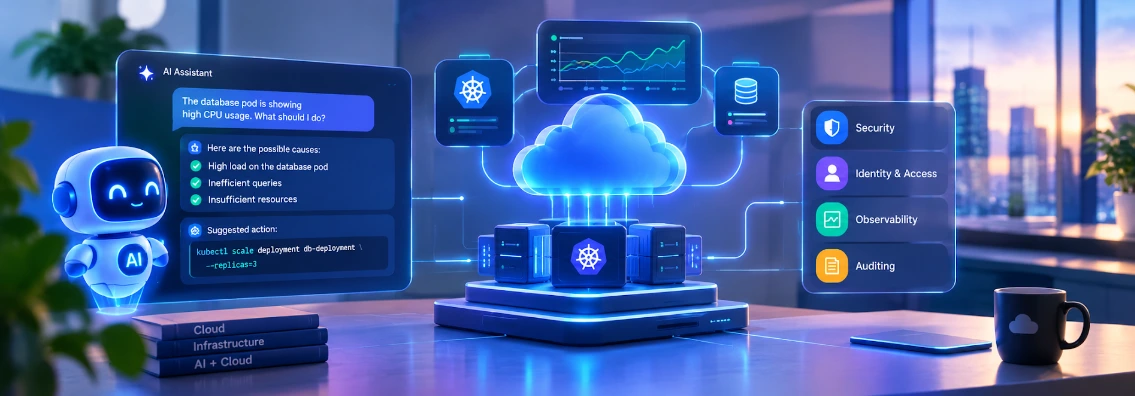
This does not mean that cloud engineering will become completely autonomous. Production environments still require security policies, identity controls, testing, observability, auditing, and human accountability.
The future of AI-Powered Cloud Infrastructure is therefore likely to focus on collaboration between AI and engineers. AI can handle repetitive analysis and provide recommendations, while engineers focus on architecture, reliability, security, governance, and validating important decisions.
For IT professionals, this creates an opportunity to develop a combination of cloud engineering and AI skills rather than treating the two areas separately.
Conclusion
AI is becoming a practical part of modern cloud operations. AWS and Azure are already providing AI-assisted capabilities for troubleshooting, resource understanding, infrastructure generation, monitoring, and other operational tasks.
The real value of AI in cloud infrastructure is not simply automation. It is the ability to help engineers understand complex environments faster and spend less time on repetitive operational work.
Organizations that combine AI with strong cloud foundations, Infrastructure as Code, security controls, and human review can introduce automation without losing operational control.
For cloud professionals, the direction is clear: understanding AWS or Azure is important, but knowing how AI can safely improve cloud operations is becoming an equally valuable skill.
Frequently Asked Questions
1. Is AI-Powered Cloud Infrastructure useful for small businesses?▼
Yes. Even small businesses can use AI tools to make everyday cloud work easier, such as checking resources, finding issues, or understanding cloud costs. They can start with simple use cases instead of automating everything at once.
2. What are the main benefits of using AI in cloud computing?▼
AI can take care of some repetitive tasks and help cloud teams find information faster. It can also help spot unusual activity, understand problems, and suggest possible solutions.
3. What are the risks of using AI in cloud infrastructure?▼
AI does not always get things right, so its suggestions should not be accepted blindly. Incorrect configurations, too many permissions, or automated changes can create security and operational problems.
4. How is AI cloud automation different from traditional automation?▼
Traditional automation usually works with fixed rules, scripts, and predefined workflows. AI-based automation can understand a request, look at the available context, and suggest what should happen next.
5. Can AI help reduce cloud costs?▼
It can. AI can help teams notice unusual usage, find resources that may need attention, and understand changes in cloud spending. However, cost-related changes should be reviewed before applying them.
6. What skills are needed to work with AI-powered cloud infrastructure?▼
A good starting point is to understand AWS or Azure along with Linux, networking, IAM, monitoring, DevOps, and Infrastructure as Code. Once those basics are clear, learning AI and automation tools becomes much easier.
7. Where can I learn Cloud, DevOps, and AI skills?▼
You can explore Cloud, DevOps, AI, and related learning resources through MicroDegree’s FREE E-Learning.
Start Building Your Cloud and AI Skills with MicroDegree
AI is becoming part of everyday cloud engineering, from infrastructure automation and monitoring to troubleshooting and DevOps workflows. Building practical knowledge of AWS, Azure, Linux, DevOps, Kubernetes, and Generative AI can help you understand how modern cloud environments are built and operated.
If you want to move beyond theory and develop practical technology skills, explore the available learning programs at MicroDegree.
Start learning and build skills for the next generation of cloud infrastructure.