
How Does AWS IAM Work? A Practical Guide to Users, Roles, Policies & Permissions
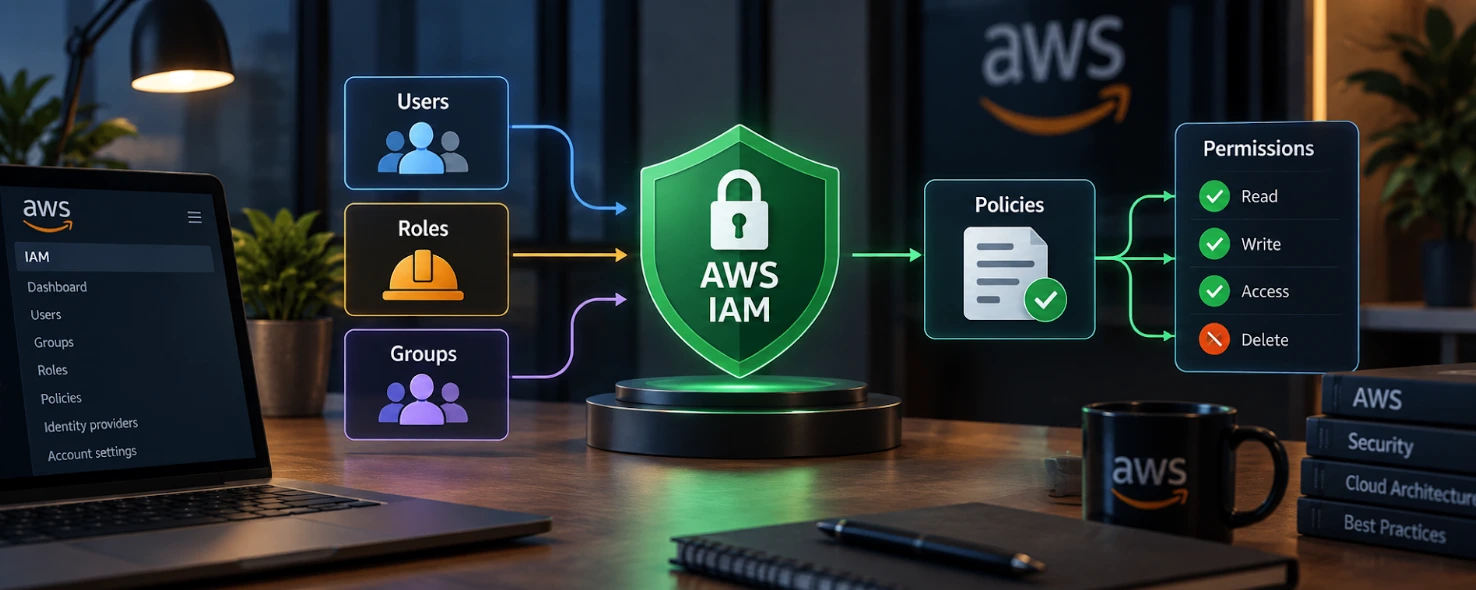
Every cloud security incident usually traces back to one thing: who had access to what. AWS IAM is the service that decides who can log in, what they can touch, and what they're blocked from doing across your AWS account.
This guide explains how AWS IAM works — users, groups, roles, and policies — with practical examples for setting AWS permissions correctly.
Table of Contents
▼What Is AWS IAM?
AWS IAM (Identity and Access Management) is the AWS service that controls who can access your AWS account and what actions they're allowed to perform. Instead of every user having full access to everything, IAM lets you define precise permissions for each person, application, or service.
IAM in AWS is a global service — it isn't tied to a specific region. An IAM user, group, or role you create is available across every region from a single control point, and IAM itself is free to use; you only pay for the AWS resources it controls.
IAM answers two questions for every request made to AWS:
- Who is making this request? (authentication)
- Are they allowed to do this specific thing? (authorization)
How Does AWS IAM Work?
AWS IAM works by separating authentication from authorization, then using policies to connect the two.
Authentication confirms identity, whether through a username and password or an application authenticating via a role. Authorization happens next — AWS checks whether that identity has permission to perform the specific action on the specific resource requested.
The connection between identities and actions is made through IAM policies — documents that state what's allowed or denied. You attach policies to users, groups, or roles, and AWS uses them to make an access decision on every request.
Underneath this sits the default deny model: an IAM identity has zero permissions until a policy explicitly grants them. You start locked down and open up access deliberately, one permission at a time.
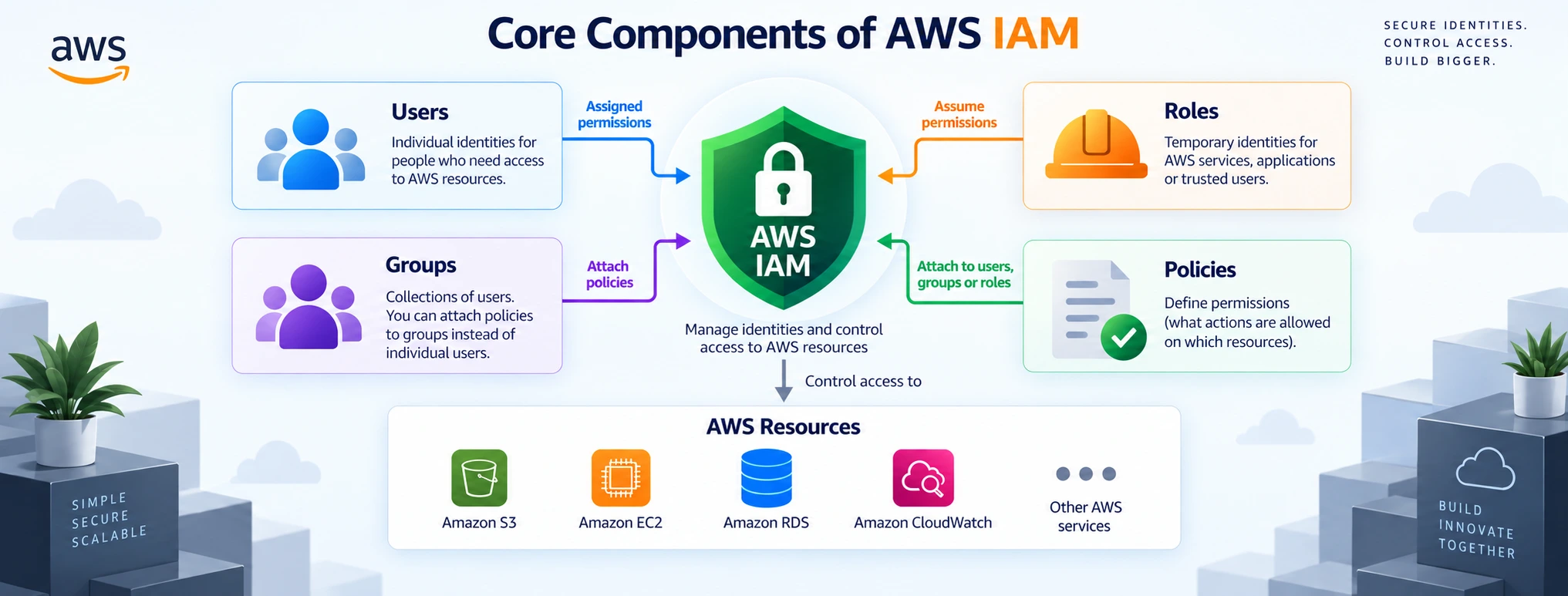
Core Components of AWS IAM
- IAM Users — Individual identities for people or applications that need long-term access.
- IAM Groups — Collections of users that share the same permissions, making bulk management easier.
- AWS IAM Roles — Identities with temporary credentials, typically assumed by services, applications, or federated users.
- IAM Policies — JSON documents that define exactly what actions are allowed or denied.
- Permissions and Permission Boundaries — The actual access granted through policies, with boundaries acting as a ceiling on the maximum permissions an identity can ever have.
Most real-world AWS permission issues come from mixing these up — like using a long-term IAM user where a temporary role would have been safer.
Understanding IAM Users and Groups
When to Create IAM Users
Create an IAM user when an application or service needs a standing identity that can't use temporary credentials — for example, a legacy tool that only supports static access keys. For people logging into the console day-to-day, AWS recommends IAM Identity Center (AWS SSO) instead, since it issues short-lived credentials tied to your existing directory. Reserve IAM users for cases where SSO isn't an option.
Why Groups Simplify Permission Management
Attaching policies to individual users doesn't scale. IAM groups solve this: attach a policy once to the group, then add users to it. Update the group when permissions change, and every member updates automatically — which also speeds up onboarding and offboarding.
Best Practice: Avoid Using the Root User for Daily Tasks
The root user has unrestricted access to everything, including billing and account closure. Reserve it for tasks that specifically require it, such as changing your support plan. Enable MFA on it, then use IAM users or roles for everything else.
What Are AWS IAM Roles?
AWS IAM roles provide temporary security credentials instead of permanent ones. A role isn't tied to one person and has no password or long-term access keys — anyone or anything trusted to assume it gets short-lived credentials that expire automatically.
Common IAM role use cases:
- EC2 accessing S3 — An IAM role attached to the instance provides temporary credentials, instead of storing access keys on it.
- Lambda accessing DynamoDB — A Lambda function assumes an execution role scoped to exactly what it needs.
- Cross-account access — Roles let an identity in one AWS account securely access resources in another, without duplicating IAM users.
- Federation and SSO — Roles let users authenticated through an external identity provider access AWS without a separate IAM user per employee.
How IAM Policies Control AWS Permissions
An IAM policy is a JSON document that defines what's allowed or denied. Every policy statement typically includes:
- Effect — Allow or Deny.
- Action — The specific API action, such as s3:GetObject or ec2:StartInstances.
- Resource — The AWS resource the action applies to, identified by its ARN.
- Condition — Optional rules that further restrict when the statement applies, such as requiring MFA.
Managed policies are standalone and reusable across multiple identities. Inline policies are embedded into a single user, group, or role and can't be reused — useful for one-off requirements, but harder to track at scale.
Here's a basic policy granting read-only access to one S3 bucket:
{
  "Version": "2012-10-17",
  "Statement": [
    {
      "Effect": "Allow",
      "Action": [
        "s3:GetObject",
        "s3:ListBucket"
      ],
      "Resource": [
        "arn:aws:s3:::project-reports-bucket",
        "arn:aws:s3:::project-reports-bucket/*"
      ]
    }
  ]
}
This allows the attached identity to list and read objects in project-reports-bucket only — no write, delete, or access to any other bucket.
Beyond identity-based policies like this one, resource-based policies (such as an S3 bucket policy), permission boundaries, and service control policies (SCPs) in AWS Organizations can also shape the final access an identity has.
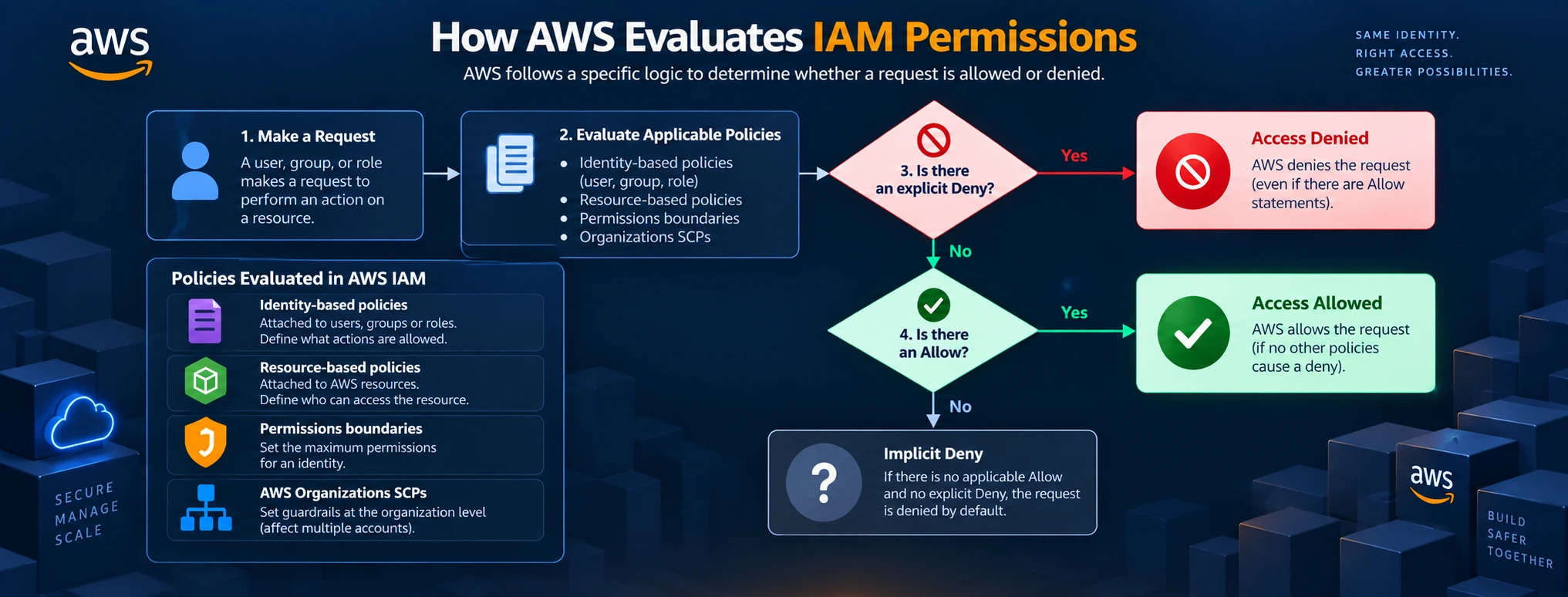
How AWS Evaluates IAM Permissions
- Default denial — Every request starts as denied.
- Explicit allow — A matching Allow statement moves access toward being granted.
- Explicit deny overrides allow — A matching Deny statement anywhere in the evaluation wins, regardless of any Allow.
- Multiple policies interact together — AWS evaluates all attached policies at once. Access is granted only if there's at least one explicit allow and no explicit deny anywhere.
This is why IAM troubleshooting often comes down to finding a hidden Deny statement somewhere in the policy chain.
Practical AWS IAM Example
Scenario: A developer needs read-only access to a single S3 bucket holding application logs.
- Create a group, such as LogsReadOnlyGroup, instead of attaching permissions to the user directly.
- Attach an IAM policy to the group granting s3:GetObject and s3:ListBucket, scoped to the ARN of the logs bucket.
- Add the developer's IAM user to the group.
- Test and validate — reading a file should succeed; deleting or uploading one should fail with an access denied error.
This keeps the setup reusable — the next developer who needs the same access just gets added to the group.
AWS IAM Best Practices
- Apply least-privilege access — Grant only the exact permissions a task needs.
- Enable MFA — On the root user and every IAM user with console access.
- Use roles instead of long-term access keys where possible, since credentials expire automatically.
- Rotate and remove unused credentials — Delete IAM users, keys, and roles no longer active.
- Review permissions with IAM Access Analyzer — It flags resources shared externally, such as public or cross-account S3 access.
- Monitor activity with CloudTrail, paired with AWS Config or Security Hub for ongoing compliance checks.
- Prefer IAM Identity Center for human access — Manage employee logins centrally with short-lived credentials.
Conclusion
AWS IAM ties your AWS account together: users and groups manage your people, roles provide safe temporary access for applications, and policies define exactly what's allowed. The evaluation logic — default deny, explicit allow, explicit deny overrides all — keeps that predictable and auditable.
Audit your AWS account's IAM setup this week: check who has access to what, and tighten anything broader than it needs to be.
FAQs
Q1: What is AWS IAM used for?▼
AWS IAM is used to control who can access your AWS account and what actions they're permitted to take. It manages authentication and authorization across every AWS service in your account.
Q2: How does AWS IAM work for users, roles, policies, and permissions?▼
IAM users represent people or applications needing long-term access, while IAM roles provide temporary credentials for services and cross-account access. IAM policies define specific AWS permissions, and AWS evaluates them on every request to allow or deny it.
Q3: What is the difference between an IAM user and an IAM role?▼
An IAM user has a permanent identity with a password or long-term access keys. An IAM role has no permanent credentials — it's assumed temporarily, making it safer for automated or cross-account access.
Q4: What is the difference between IAM policies and permissions?▼
An IAM policy is the document that defines rules — what's allowed or denied. Permissions are the actual access an identity ends up with after AWS evaluates all attached policies together.
Q5: Is AWS IAM free to use?▼
Yes. AWS IAM has no additional cost — you only pay for the AWS resources IAM identities interact with.
Q6: What happens if there's no explicit allow in an IAM policy?▼
The request is denied. AWS IAM follows a default-deny model, so nothing is permitted unless a policy explicitly allows it.
IAM is one of those AWS skills that separates people who can use AWS from people who can secure it. If you want to practice building IAM policies, roles, and permission structures hands-on, MicroDegree's AWS and Cloud courses walk through this with real-world labs.
Explore the program and take the next step toward your Cloud and DevOps career.