
Can You Learn AWS Without Programming?
This blog explains that you can start learning AWS without programming, as many core areas such as cloud administration, networking, IAM, security, and cost management rely more on configuration and troubleshooting than coding. It also explains which AWS areas, such as Lambda, automation, DevOps, and cloud development, require programming or scripting skills. The blog compares AWS job roles based on their coding requirements and provides a practical learning path for non-programmers. It also covers suitable AWS certifications, common mistakes, real-world career paths, and how programming can be added later as your career progresses.
Table of Contents
▼The Direct Answer is, you do not need to know programming to start learning AWS. Then what is that you should learn?
AWS is a cloud platform, not a programming language. It's a huge collection of services - storage, servers, databases, networking, security, that you configure, connect, and manage.
A lot of that configuration happens through:
- The AWS Management Console (a visual, click-based interface)
- The AWS CLI (commands, not full programs)
- Managed services that handle the technical heavy lifting for you
If you're coming from a background in IT support, system administration, networking, QA, or even a non-technical operations role, you can absolutely build a working knowledge of AWS without touching a programming language on day one.
Why People Assume AWS Requires Coding
This assumption usually comes from three places:
1. AWS is often taught alongside DevOps. Search for "learn AWS" and you'll find countless courses bundling in Python, Terraform, and CI/CD pipelines. That's DevOps content, not core AWS.
2. Cloud job listings mix requirements. A single job posting for "Cloud Engineer" might blend Solutions Architect duties with automation work — even though these are different skill sets.
3. Advanced AWS work does involve code. Infrastructure as Code (IaC), Lambda functions, and automation scripts are real and valuable. But they represent one branch of AWS, not the whole tree.
Understanding this distinction is the first step to building a learning path that actually fits you.
Which Parts of AWS Don't Require Programming
These areas are console-driven, configuration-based, and widely used in real IT environments with no code required to be productive.
Cloud Fundamentals and Architecture Concepts
Understanding regions, availability zones, the shared responsibility model, and core services (EC2, S3, VPC, IAM) is conceptual knowledge, not code.
Cloud Administration and Operations
Provisioning servers, managing storage, setting up backups, monitoring resource health with Amazon CloudWatch, and handling day-to-day operations are largely console and configuration tasks.
Identity and Access Management (IAM)
Creating users, groups, roles, and permission policies is done through the console or structured JSON policy templates — closer to configuration than programming.
Networking (VPC)
Designing subnets, route tables, security groups, and VPC peering is architectural and conceptual work, handled visually in the console.
Cost Management and Optimization
Using AWS Cost Explorer, setting budgets, and right-sizing resources involves analysis and decision-making, not code.
Basic Security and Compliance
Configuring security groups, enabling encryption, setting up AWS Config rules, and reviewing AWS Trusted Advisor findings are console-based tasks.
Cloud Support and Technical Account Management
These customer-facing roles focus on troubleshooting, documentation, and guiding customers through AWS services — communication and platform knowledge matter more than coding ability.

Which Parts of AWS Do Require Programming
Be upfront with yourself about these areas, because they're where "no-code AWS" reaches its limit.
| Area | Why Code Is Needed |
|---|---|
| AWS Lambda (Serverless) | Functions are written in Python, Node.js, Java, or similar languages |
| Infrastructure as Code (CloudFormation, Terraform) | Requires reading/writing YAML, JSON, or HCL templates |
| CI/CD Pipelines | Automating deployments typically involves scripting |
| AWS SDKs | Building applications that call AWS services from code |
| DevOps Engineering | Combines scripting, automation, and infrastructure logic |
| Custom Automation | Using AWS CLI scripts or Python (Boto3) to automate repetitive tasks |
Even here, the bar is often lower than people expect. Many professionals get productive with basic scripting — simple Python or Bash — rather than full software engineering skills.
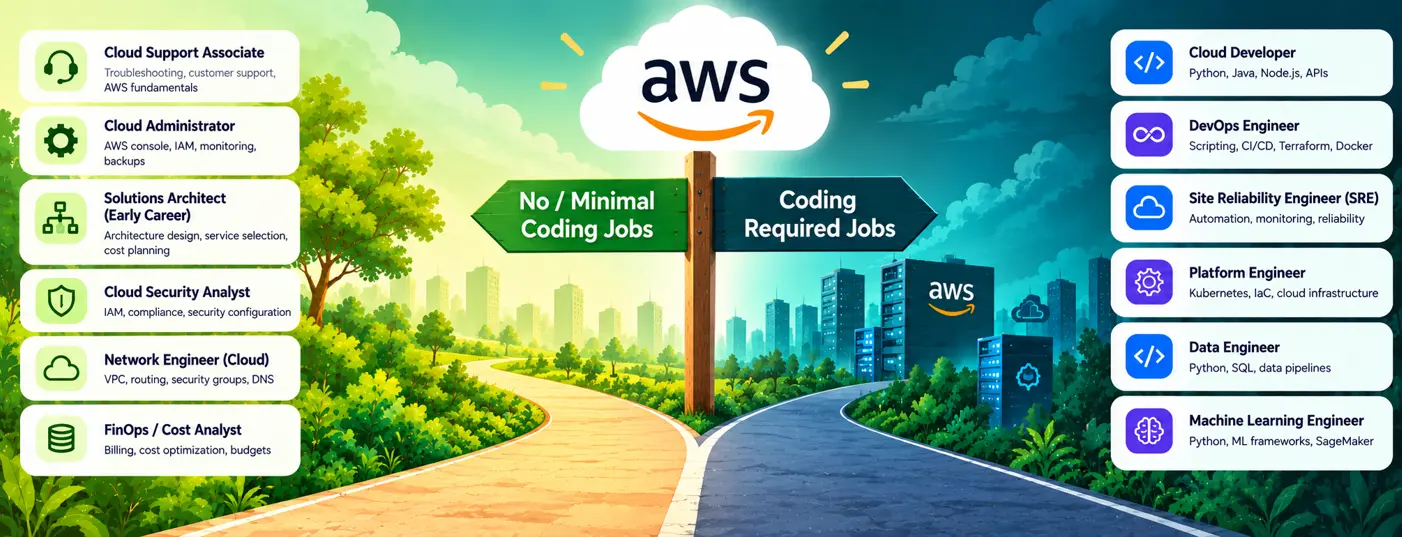
AWS Job Roles: Coding vs. No-Coding Comparison
Job requirements vary by company. But it reflects how these roles are actually structured in most organizations.
| AWS Role | Coding Level | Core Skills Needed |
|---|---|---|
| Cloud Support Associate | No Coding | AWS fundamentals, troubleshooting, customer support, networking basics |
| Cloud Administrator | No Coding | AWS Console, IAM, monitoring, backups, resource management |
| Cloud Consultant | No Coding | Cloud fundamentals, requirements analysis, migration planning, communication |
| FinOps / Cloud Cost Analyst | No Coding | AWS billing, cost optimization, budgets, reporting |
| Solutions Architect – Early Career | No Coding | AWS architecture, service selection, scalability, cost planning |
| Cloud Network Engineer | No Coding | VPC, routing, DNS, VPN, security groups, networking |
| AWS Technical Support Engineer | No Coding | Troubleshooting, Linux basics, networking, AWS services |
| Cloud Operations Engineer | Minimal | AWS operations, monitoring, incident management, Linux, AWS CLI |
| Cloud Infrastructure Engineer | Minimal | EC2, VPC, storage, networking, Linux, basic scripting |
| Cloud Migration Specialist | Minimal | AWS migration services, networking, databases, migration strategies |
| Cloud Security Analyst | Minimal | IAM, AWS security services, compliance, logging, security configuration |
| Cloud Database Engineer | Minimal | RDS, Aurora, DynamoDB, SQL, database administration |
| Cloud Engineer | Minimal | AWS services, Linux, networking, scripting, automation |
| Cloud Security Engineer | Minimal | IAM, encryption, security monitoring, compliance, AWS security tools |
| Solutions Architect – Experienced | Minimal | Architecture, networking, security, scalability, cost optimization |
| Cloud Developer | Required | Python/Java/Node.js, APIs, AWS SDK, application development |
| DevOps Engineer | Required | Python/Bash, CI/CD, Terraform, Docker, Kubernetes, automation |
| Site Reliability Engineer (SRE) | Required | Scripting, automation, monitoring, incident response, reliability engineering |
| Platform Engineer | Required | Kubernetes, Terraform, CI/CD, cloud infrastructure, automation |
| Cloud Automation Engineer | Required | Python/Bash, AWS CLI, SDKs, Infrastructure as Code |
| DevSecOps Engineer | Required | CI/CD, scripting, IaC, security automation, containers |
| AWS Data Engineer | Required | Python, SQL, ETL, data pipelines, AWS data services |
| Machine Learning Engineer | Required | Python, ML frameworks, SageMaker, data pipelines, model deployment |
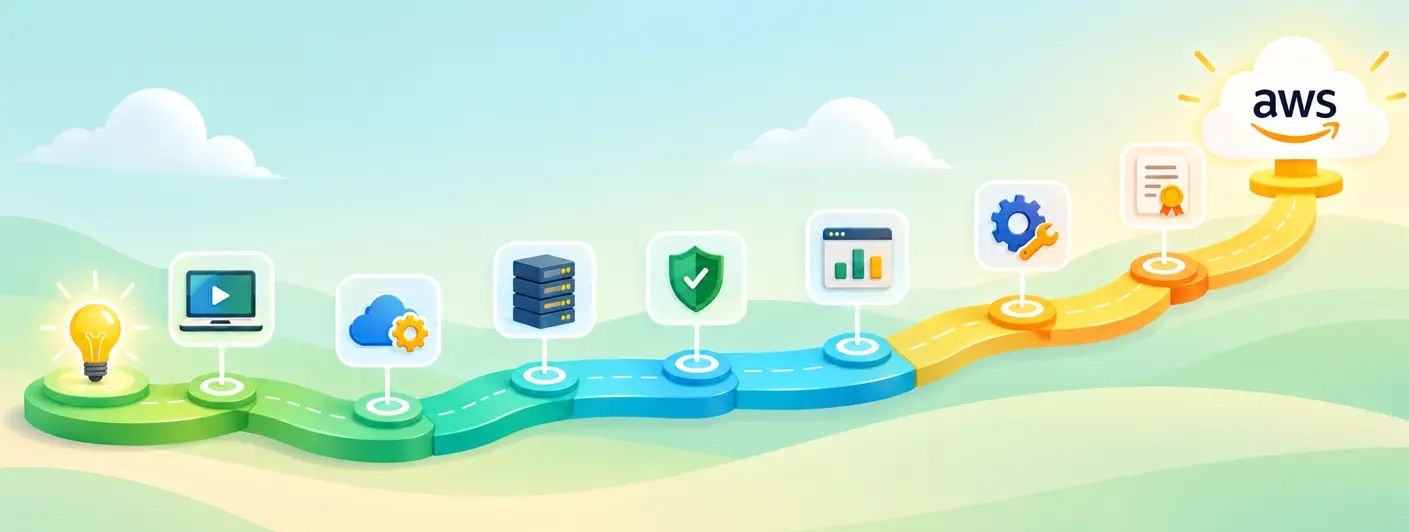
A Realistic Learning Path for Non-Programmers
Step 1: Learn Cloud Computing Fundamentals Understand what cloud computing is, why businesses use it, and how AWS fits in globally.
Step 2: Start with AWS Cloud Practitioner Concepts This is AWS's foundational certification — built specifically for non-developers, including business and operations professionals.
Step 3: Get Comfortable Inside the AWS Console Practice launching an EC2 instance, creating an S3 bucket, and setting up a simple VPC. Doing this hands-on matters far more than reading about it.
Step 4: Learn Core Services in Depth Focus on EC2, S3, IAM, VPC, RDS, and CloudWatch - these show up in almost every real-world AWS environment.
Step 5: Understand Security and Cost Basics Learn the shared responsibility model, basic IAM policies, and how AWS billing works.
Step 6: Pick a Direction Decide whether you want to stay on the operations/architecture side (little to no coding) or move toward development/automation (coding required).
Step 7 (Optional but Valuable): Learn Basic Scripting Even simple Bash or Python knowledge - enough to automate a repetitive task - makes you significantly more effective and employable, without requiring you to become a software engineer.
If you want a structured, hands-on way to work through these steps instead of piecing it together from scattered tutorials, MicroDegree's AWS learning path is built around exactly this kind of practical, job-focused progression.
AWS Certifications That Don't Demand Coding Skills
| Certification | Level | Coding Needed? |
|---|---|---|
| AWS Certified Cloud Practitioner | Foundational | No |
| AWS Certified AI Practitioner | Foundational | No |
| AWS Certified SysOps Administrator – Associate | Associate | Minimal |
| AWS Certified Solutions Architect – Associate | Associate | Minimal |
| AWS Certified Security – Specialty | Specialty | Minimal to moderate |
| AWS Certified Developer – Associate | Associate | Yes |
| AWS Certified DevOps Engineer – Professional | Professional | Yes |
AWS Certified Cloud Practitioner is the natural starting point if you have no coding background. It covers cloud concepts, core services, security, pricing, and support — with no programming involved.
From there, Solutions Architect – Associate and SysOps Administrator – Associate are the two certifications most non-programmers pursue next, since both emphasize architecture and operations over code.
Real-World Use Cases
Case 1: IT Support Professional Moving Into Cloud
An IT helpdesk professional with years of experience in solving problems but doesn't know how to code can move into a Cloud Support or Junior Cloud Administrator job by learning core AWS services and getting the Cloud Practitioner and SysOps Associate certifications.
Case 2: Network Engineer Expanding Into Cloud Networking
A network engineer who knows about routing, switching and firewalls and basic networking fundamentals can use that knowledge for designing AWS VPCs without having to write any code.
Case 3: QA Engineer Moving Toward Cloud Testing
A QA engineer can begin by learning how applications are set up on AWS, like EC2 load balancers and RDS before deciding whether to stay in a same testing job that doesn't involve code or move into test automation that does involve some scripting.
Case 4: Business/Operations Professional Entering Cloud Cost Management
A person coming from a finance or operations background can go into AWS cost optimization and governance. An area that is growing fast and depends on analysis of programming.
Common Mistakes Non-Programmers Make
- Trying to learn Python and AWS at the same time. This slows down both. Learn AWS fundamentals first, then add scripting later if your career path needs it.
- Skipping hands-on labs. Watching videos without practicing in the console leads to shallow, hard-to-retain knowledge.
- Assuming all cloud jobs require coding. This misconception discourages capable candidates before they even start.
- Ignoring networking concepts. VPC and subnetting come up constantly, even in non-coding roles.
- Chasing every certification at once. One clear certification path is more effective than collecting badges randomly.
Career and Business Impact
For working IT professionals, AWS knowledge - even without deep programming skills expands the roles you're eligible for: cloud support, cloud administration, junior solutions architecture, network engineering, and security operations.
For businesses, having team members who understand AWS operations and architecture (regardless of coding depth) improves day-to-day reliability, cost control, and incident response - these are operational skills, not development skills.
Programming ability becomes more relevant when you move toward roles that're heavy on automation or focus on development, but it is not a requirement for entering the AWS ecosystem or building a meaningful cloud career.
Conclusion
You don't have to be a programmer to begin learning about AWS or to create a job around it.
Cloud administration, the basics of architecture, networking, security and managing costs are all possible without writing any code. What is most important at the start is getting experience inside the AWS Console and knowing how the main services work.
Programming becomes valuable - sometimes essential - only when you move toward automation, DevOps, or development-focused roles. That's a decision you can make later, once you know how AWS actually works.
If you're ready to move from theory to hands-on skills, MicroDegree's AWS and cloud learning programs are built for working IT professionals who want practical, job-ready progress - no unnecessary coding detours required.
FAQs
Q1: Do I need a computer science degree to learn AWS?▼
No. You don’t need a computer science degree to learn AWS. AWS is about skills, not degrees. Employers and the certification exams care more about what you can do in practice than academic background.
Q2: Is AWS Certified Cloud Practitioner good for non-programmers?▼
Yes. The AWS Certified Cloud Practitioner is a starting point for people without a technical background. It covers cloud concepts, core services, security and pricing in a way that’s easy to understand without needing programming experience.
Q3: Do I need Python to learn AWS?▼
No, not to get started. No, you don’t need Python to start learning AWS. You can learn the core services. How to use the AWS console without writing any code. However, Python becomes helpful later if you want to work with automation, AWS Lambda or DevOps tools.
Q4: How much does it typically cost to start learning AWS from scratch?▼
Learning AWS from scratch can be very affordable. The AWS Free Tier lets you use core services for free for the first 12 months. After that the main costs are courses and the certification exam fee. Long as you stay within Free Tier limits you won’t pay for AWS usage.
Q5: Can I learn AWS while working a full-time non-IT job?▼
Yes, you can. Many people learn AWS while working full-time jobs in non-IT roles. You can make progress with consistent study sessions, like 15 to 30 minutes a day—especially by practicing in the AWS console. The basics don’t require uninterrupted study time.
Ready to build real, hands-on AWS skills without getting stuck on unnecessary coding requirements?
Build practical skills across Kubernetes, Linux, Docker, cloud platforms, DevOps, CI/CD, and infrastructure automation—all in one pack—so you can apply what you learn to real-world projects and job roles.
Checkout MicroDegree's AWS FREE E-learning path and start with practical, job-focused training designed for working IT professionals.