
Generative AI in DevOps: How AI Is Changing Software Delivery & Operations
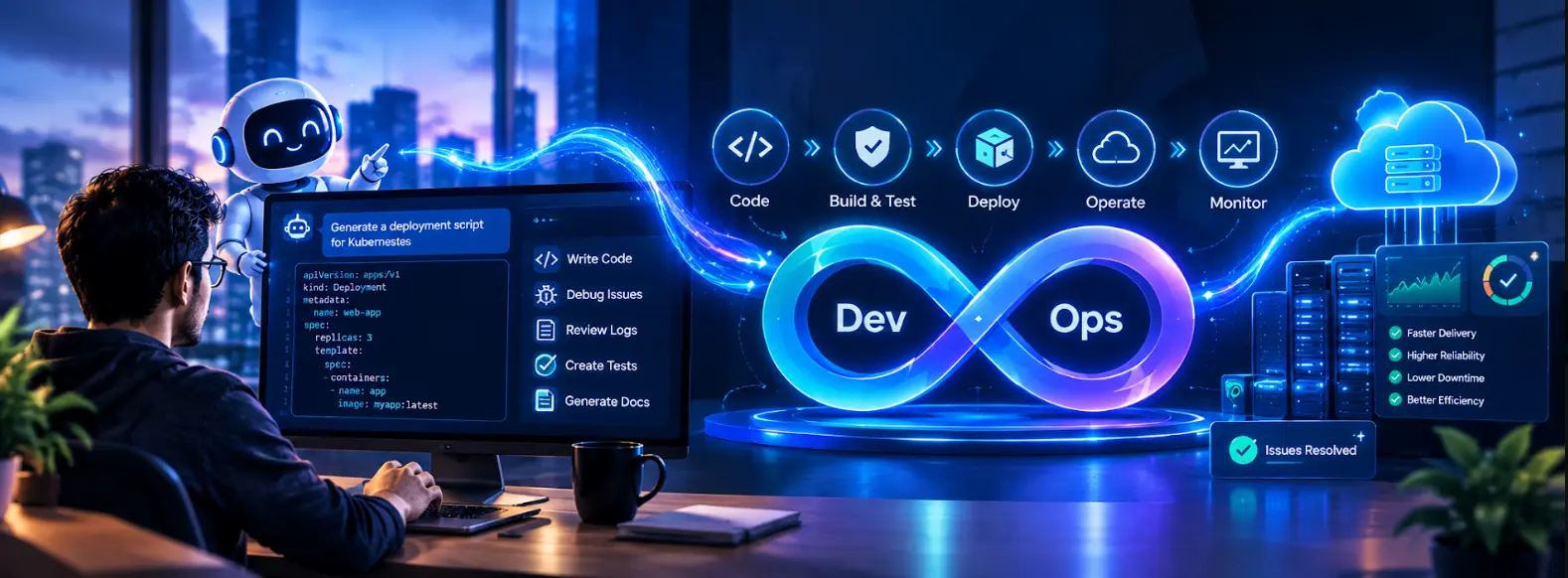
Software teams use AI more and more. AI saves them time on engineering tasks. Those tasks include writing scripts, making test cases, fixing pipeline problems, looking at logs and writing documents.
Generative AI goes further. It lets engineers create, explain, change and fix work by using plain language prompts. AI does not replace DevOps tools or engineering methods. Instead AI works next to technologies such as CI/CD pipelines, cloud platforms, infrastructure, as code, containers, monitoring tools, testing frameworks and security processes.
The real value appears when AI speeds up execution. At the time testing, validation, security and production decisions remain under human control.
Table of Contents
▼What Is Generative AI in DevOps
DevOps already depends heavily on automation. Teams use Git to keep track of changes. They use CI/CD pipelines to build and test applications. They use containers to package software. They use Infrastructure as Code to manage infrastructure. They use monitoring tools to keep track of production systems.
Generative AI gives a kind of help. By only following fixed rules a Generative AI model can listen to natural language and create code, configurations, explanations, test ideas or troubleshooting tips.
For example, a DevOps engineer might need to make a CI pipeline. By writing everything by hand the DevOps engineer can talk about the stages needed and ask a Generative AI coding assistant to draft an initial version.
The generated configuration is not ready for production. It must be seen as a starting point. The DevOps engineer must review it, test it and adjust it for the environment.
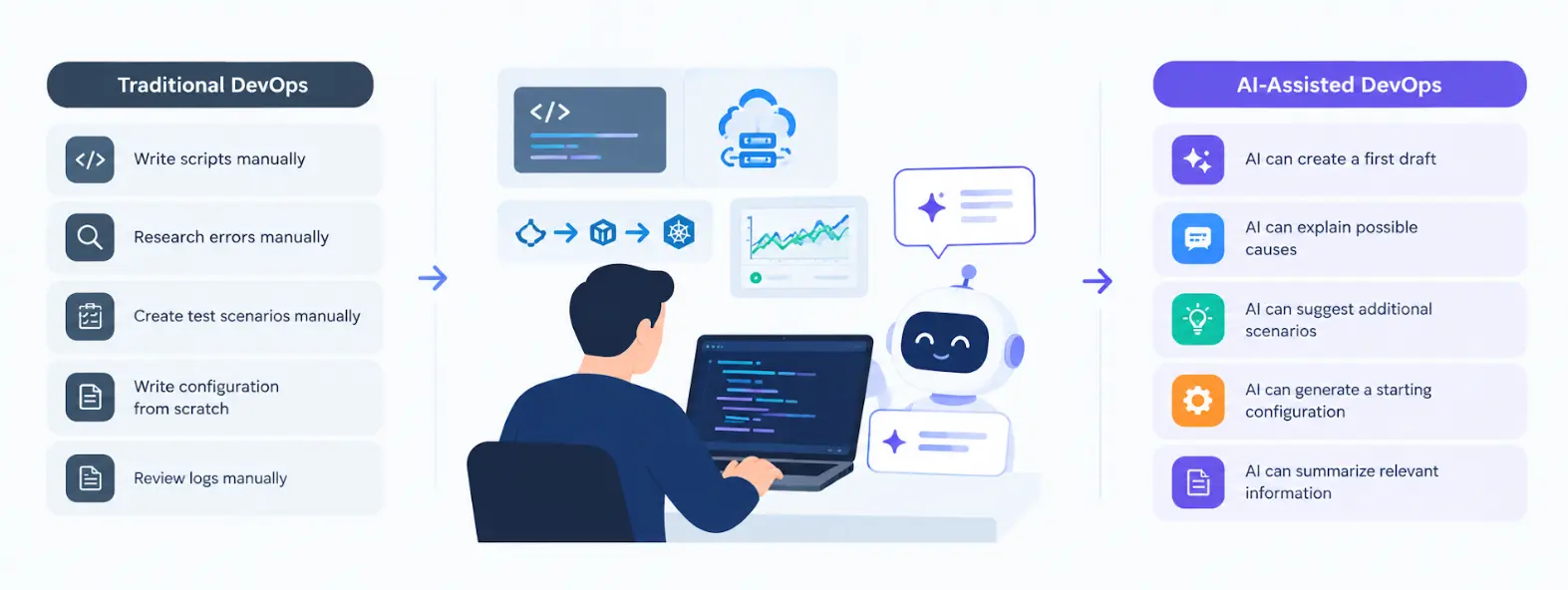
This is the difference between traditional automation and AI-assisted automation. Traditional automation runs steps that the DevOps engineer has already written. Generative AI can help the DevOps engineer create, explain or change those steps.
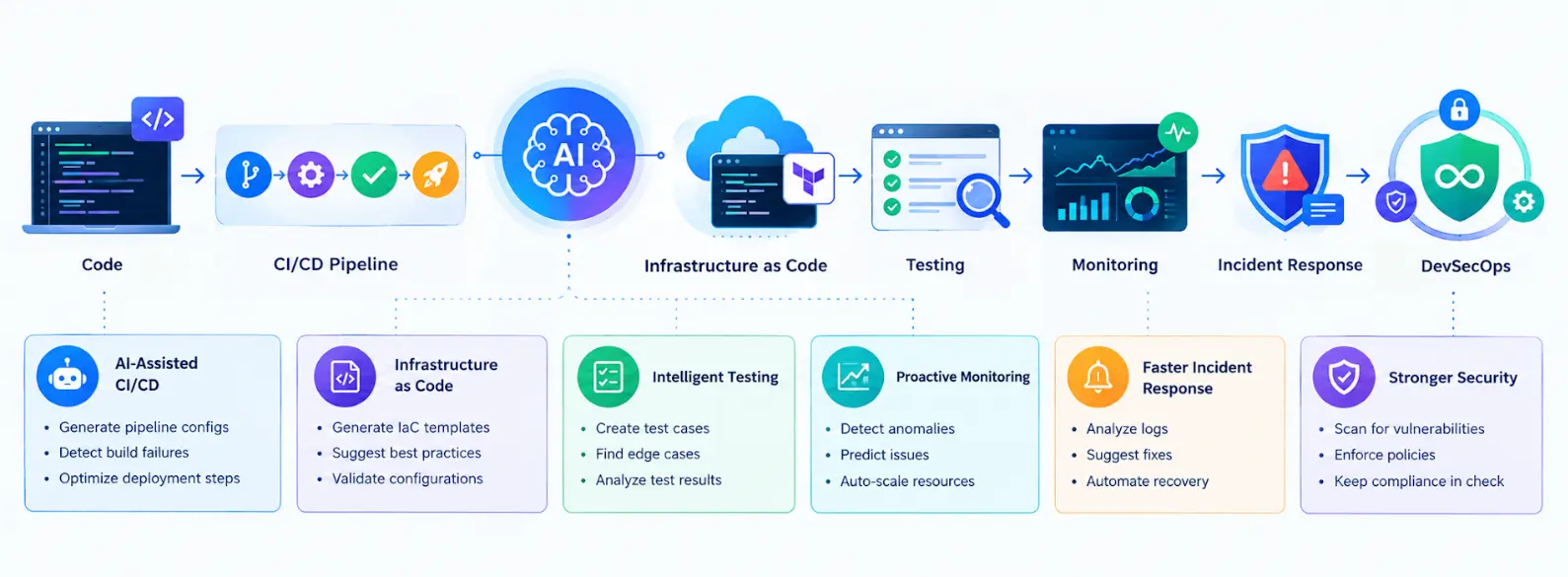
Traditional DevOps vs AI-Assisted DevOps
| Traditional Approach | AI-Assisted Approach |
|---|---|
| Engineer writes scripts manually | AI can create a first draft |
| Errors are researched manually | AI can explain possible causes |
| Test scenarios are created manually | AI can suggest additional scenarios |
| Configuration is written from scratch | AI can generate a starting configuration |
| Logs are reviewed manually | AI can summarize relevant information |

How Generative AI Is Changing Software Delivery
The effect of Generative AI becomes clearer when I look at the stages of software delivery. During development engineers can use AI to create scripts, explain existing code, suggest changes and generate configuration files. This is especially useful for DevOps tools such as Python, Bash, PowerShell, YAML and infrastructure configuration.
CI/CD is another area where AI can save time. A pipeline may contain stages for compiling code running tests, scanning dependencies, creating container images and deploying an application. An AI assistant can help create the configuration or explain why a particular stage failed. Infrastructure management is changing in a way. Tools such as Terraform let teams define infrastructure through configuration of building every resource by hand. AI can help engineers draft a version of this configuration from a description of the required environment. The engineer still needs to check permissions, networking, resource dependencies, security requirements and cost before applying the configuration.
Testing is another area. Given a feature or requirement AI can suggest scenarios, negative cases, boundary conditions and unusual inputs. A QA engineer can then review those suggestions. Decide which scenarios belong in the actual test plan. Documentation can help too. By spending a lot of time turning technical notes into a first draft engineers can use AI to organize information and then review it for accuracy. This creates a shift, toward AI-powered software delivery, where AI supports several connected parts of the engineering lifecycle instead of being limited to code generation.
Professionals who want to build these skills can explore the practical Cloud, DevOps, and GenAI learning resources available through MicroDegree’s FREE E-learning.
AI in DevOps Automation: Key Use Cases
One of the strongest applications of AI in DevOps automation is reducing repetitive work while helping engineers investigate technical problems faster.
Infrastructure and Configuration
Suppose an engineer needs a cloud environment containing networking, compute resources, and security controls. The engineer can describe the requirements and use AI to generate a starting Terraform configuration.
Terraform remains responsible for managing the infrastructure. The AI is helping the engineer write and understand the configuration rather than replacing the Infrastructure as Code tool.
The same approach can be used with Dockerfiles and Kubernetes configuration files. AI can generate an initial configuration or explain an existing file, while engineers remain responsible for checking whether the configuration actually matches the target environment.
CI/CD Troubleshooting
Pipeline failures are often caused by configuration issues. They can also happen because of missing dependencies. Sometimes the problem is environment variables. Times it's differences between development and production environments.
An engineer can share the error message. They can also provide the configuration. Then they can ask an AI assistant for causes. They can also ask for steps. This can cut down the time needed. It helps when trying to understand a failure.
The suggested explanation should still be checked against pipeline logs and the actual environment before changes are made.
Testing and QA
AI can help testers think about a feature from different angles.
For a user registration page, for example, AI could suggest scenarios involving invalid email addresses, missing fields, duplicate accounts, unexpected characters, password requirements, and boundary values.
The tester decides which scenarios are relevant and validates them. AI expands the starting point, but it does not replace the testing process.
Monitoring and Incident Response
Production systems generate a large amount of information through logs, metrics, alerts, deployment records, and configuration changes.
During an incident, AI can help summarize this information and suggest areas to investigate. This can be particularly useful when an engineer needs to quickly understand what changed before an issue appeared.
However, a suggested cause is not the same as a confirmed root cause. Engineers still need to verify the evidence before taking action in production.
DevSecOps
Security must stay a part of the delivery process when artificial intelligence is used.
Artificial intelligence can help explain security issues and offer solutions to fix them. The code and settings created by artificial intelligence should still follow regular steps, like checking the code looking for security problems, checking for dependencies, finding secrets and getting the right people to approve.
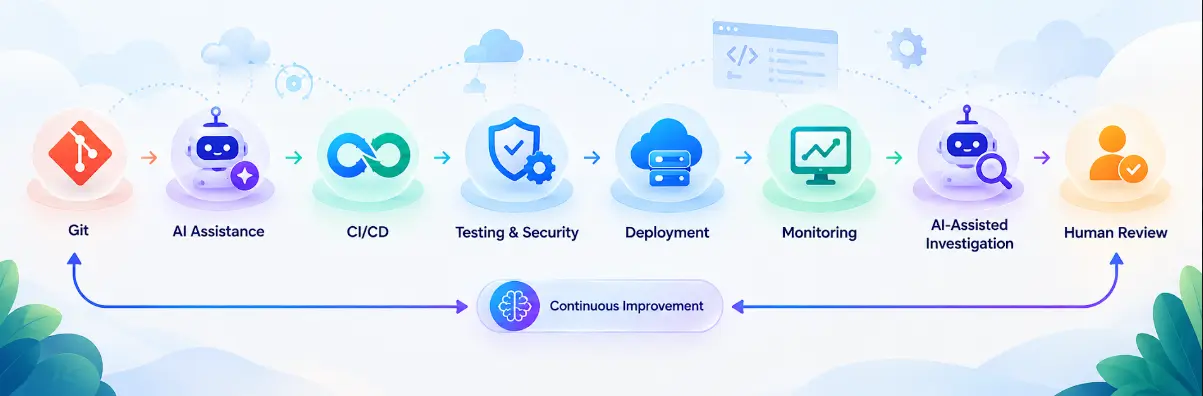
Practical AI-Powered DevOps Workflow
Consider a team developing a web application that runs in containers and is deployed to the cloud.
The development team starts by writing application code and committing it to Git. During development, an AI assistant can help create supporting scripts, explain errors, or suggest improvements.
Once the code is pushed, the CI/CD pipeline runs automated tests and security checks. If a test fails, the engineer can use AI to understand the error and investigate the relevant part of the application.
After the checks pass, the pipeline builds a Docker image. Infrastructure can be managed through Terraform, while Kubernetes can manage containerized workloads when that architecture is appropriate.
After deployment, monitoring tools collect application and infrastructure data.
Now imagine that users suddenly start receiving errors. Instead of manually going through every log, the engineer can provide relevant logs, deployment information, and error messages to an AI assistant. The AI can summarize the information and identify possible areas for investigation.
The engineer then checks those suggestions against the actual system before making any production change.
A simple view of this workflow is:
Code → AI Assistance → CI/CD → Testing & Security → Deployment → Monitoring → AI-Assisted Investigation → Human Review
The AI speeds up parts of the process, while existing DevOps controls remain responsible for executing, testing, securing, and validating the work.
What is the Best Practices for Using AI in DevOps
The quality of an AI response usually improves when the prompt contains useful technical context.
Compare these two requests:
"Fix my Kubernetes deployment."
with:
"My Kubernetes pod is restarting with CrashLoopBackOff after the latest deployment. Here are the pod events, application logs, and deployment YAML. Identify the likely causes and give me diagnostic steps before suggesting any changes."
The second request gives the AI something concrete to work with. It describes the problem, provides relevant evidence, and asks for diagnosis before modification.
Generated output should also pass through the same engineering process as manually written work. Keep it in version control, test it, scan it for security issues, review important changes, and follow the organization's deployment approval process.
For important technical decisions, official documentation should remain the final reference. AI is useful for explaining and exploring a problem, but documentation is more reliable for exact commands, supported features, configuration requirements, and version-specific behavior.
How to Learn Generative AI for DevOps
Learning Generative AI for DevOps does not require starting with complicated AI theory.
A stronger approach is to build the DevOps foundation first. Learn Linux, networking, Git, scripting, cloud computing, Docker, CI/CD, and Infrastructure as Code. Then move into Kubernetes, monitoring, and DevSecOps.
Once those concepts are familiar, start learning how Generative AI fits into them.
You can experiment by creating a small CI/CD troubleshooting assistant, generating Terraform configurations and reviewing them, asking AI to create test cases, or building a tool that summarizes application logs.
The goal is to understand both sides: how the technology works and where it actually helps an engineer.
For IT professionals moving toward Cloud, DevOps, or AI-focused roles, combining these areas can be more useful than learning AI tools in isolation.
MicroDegree FREE E-Learning provides learning resources across Cloud, DevOps, AWS, Azure, Kubernetes, Linux, DevSecOps, and Generative AI, helping working IT professionals build these skills progressively.
Conclusion
Generative AI is no longer a separate idea, it’s starting to fit right into DevOps workflows. Engineers are using it to write scripts, manage infrastructure build tests, fix problems, look at logs and metrics and even create documentation. It’s not replacing the core work. It’s helping make it faster and easier.
The real power happens when you combine AI with the established DevOps practices. Things like testing, version control, security scanning, monitoring, code reviews and human oversight still matter a lot. AI supports these steps. It doesn’t replace them.
For people who want to move into cloud, DevOps or AI jobs, learning how to work with AI tools, with Linux, Docker, Kubernetes, CI/CD pipelines and Terraform could be a smart move. It’s not about knowing the tools. It’s about knowing how to use them. That’s where the real strength comes from.
FAQs
1. Does Generative AI replace DevOps engineers or DevOps tools?▼
No. AI works alongside existing tools like CI/CD pipelines, Terraform, Kubernetes, and monitoring systems. It generates drafts and suggestions, but engineers still own the decisions, testing, and approvals.
2. Is it safe to deploy AI-generated code or configurations directly to production?▼
Not without review. AI output should go through the same pipeline as human-written work: version control, automated testing, security scanning, and peer review before it touches production.
3. What's the difference between Generative AI and AIOps?▼
Generative AI creates or explains things (code, configs, test cases, summaries) from natural language prompts. AIOps typically refers to systems that use machine learning to automatically detect anomalies, correlate alerts, or trigger responses in production monitoring. They can complement each other, but they solve different problems.
4. Do I need to be an experienced DevOps engineer before using AI tools?▼
It helps a lot. AI-generated suggestions are only useful if you can judge whether they're correct for your environment. Without a DevOps foundation, it's hard to catch a wrong Terraform assumption or an incomplete Kubernetes fix.
5. What are the biggest risks of using AI in DevOps?▼
The main risks are over-trusting incorrect output, applying suggestions without checking them against actual logs or documentation, and skipping security review because the code "looks fine." AI mistakes tend to look confident, which is what makes them risky.
Build Your Cloud, DevOps and GenAI Skills
AI is moving into everyday engineering workflows, so one of the most useful ways to understand it is to practice with real DevOps scenarios.
If you want to build practical skills across Cloud, DevOps, DevSecOps, Kubernetes, AWS, and Generative AI, explore the learning resources available through MicroDegree’s FREE E-learning.