
10 Networking Mistakes That Can Break Your Application (And How to Fix Them)
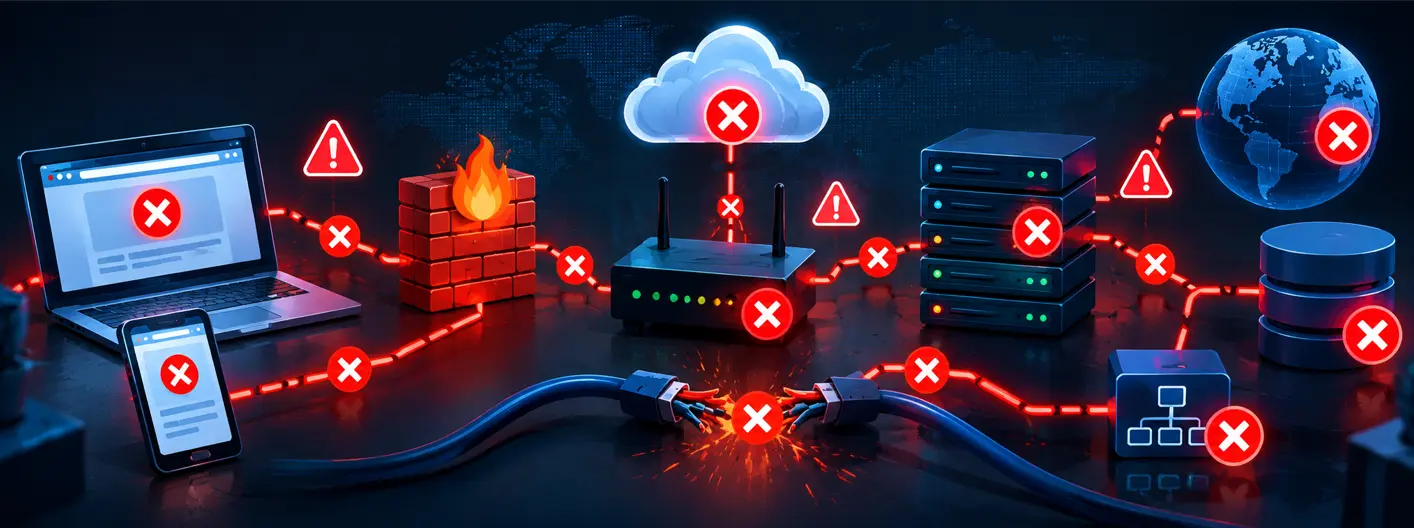
This article explains 10 common networking mistakes that can cause application failures, security issues, and performance problems. It covers issues such as hardcoded IPs, misconfigured firewalls, poor subnet planning, MTU mismatches, missing timeouts, and broken load balancer health checks. It also highlights the importance of network segmentation, latency management, and proper monitoring. Real-world examples show how these mistakes can lead to outages and failed applications. Overall, the article emphasizes building practical networking skills to prevent and troubleshoot production issues.
Table of Contents
▼Why Networking Mistakes Are So Easy to Miss
Application code gets reviewed. Networking configuration usually doesn't.
A firewall rule gets added under pressure to "just make it work." A subnet gets sized based on a guess. Nobody revisits it until the application breaks in a way that has nothing to do with the code itself.
That's the pattern behind almost every item on this list. These common networking mistakes aren't caused by carelessness — they're caused by networking being treated as a one-time setup task instead of an ongoing part of application design.
Let's go through each one.

Networking Mistakes That Can Break Your Application
1. Hardcoding IP Addresses Instead of DNS
Why is hardcoding IP addresses a problem?
Because IP addresses change. When you hardcode them into configuration files, connection strings, or application code, your app breaks the moment the underlying infrastructure changes - even if nothing about your code did.
This happens constantly in cloud environments. An EC2 instance restarts and gets a new private IP. A Kubernetes pod reschedules onto a different node. A database fails over to a replica with a different address.
If your application was pointing at the old IP, it just stopped working - and the error messages rarely say "hardcoded IP." They say "connection refused" or "timeout," which sends teams down the wrong debugging path.
The fix:
- Use DNS names or service discovery (Route 53, Azure DNS, Kubernetes Services) instead of raw IPs.
- In Kubernetes, always reference services by their DNS name (
service-name.namespace.svc.cluster.local), never by pod IP. - For databases, use a connection endpoint, not the instance IP.
If you're building hands-on skills in this area, MicroDegree's Kubernetes and container orchestration learning path covers service discovery patterns in practical, lab-based detail.
2. Misconfigured Firewalls and Security Groups
What's the most common firewall mistake in cloud environments?
Two mistakes happen at opposite extremes, and both are equally damaging:
- Too restrictive - blocking a port the application actually needs, breaking functionality that worked in a different environment.
- Too permissive - opening 0.0.0.0/0 to make something work quickly, then forgetting to lock it back down.
The first one breaks your application immediately. The second one breaks it later, usually through a security incident rather than an outage.
A very common version of this: a security group allows inbound traffic on port 443 but forgets the health check port the load balancer uses internally. The app looks "down" even though it's running fine - because the load balancer can't confirm it's healthy.
The fix:
- Follow least-privilege: open only the ports and IP ranges actually required.
- Document why each rule exists - a rule with no explanation is a rule nobody feels safe removing.
- Separate security groups by function (web tier, app tier, database tier) instead of one broad rule set.
- Audit security groups on a schedule, not just when something breaks.
3. Ignoring DNS TTL and Caching Behavior
Why did my failover not work even though DNS was updated?
Because DNS caching held onto the old record longer than expected.
Every DNS record has a TTL (Time To Live) - the amount of time resolvers are allowed to cache that record before checking again. If your TTL is set to something like 24 hours and you need to fail over to a new server in minutes, clients (and intermediate resolvers) may keep hitting the old, dead endpoint for hours.
This is one of the most misunderstood network configuration mistakes, because DNS quietly works until the one moment you actually need it to change fast.
The fix:
- Set shorter TTLs (60–300 seconds) for records tied to failover-sensitive services.
- Test failover behavior in staging, not just in theory.
- Be aware that not all clients respect TTL correctly - some cache more aggressively at the OS or application level.
4: Poor CIDR and Subnet Planning
What happens when a subnet runs out of IP addresses?
New instances, pods, or containers simply fail to launch - even though your application code and deployment pipeline are working perfectly.
This is extremely common in cloud environments where subnets are sized based on what seemed "enough" during initial setup, without accounting for autoscaling, multiple environments, or future growth.
| Subnet Size (CIDR) | Usable IPs (AWS) | Typical Use Case | Risk |
|---|---|---|---|
| /28 | 11 | Small test environment | Runs out almost immediately under autoscaling |
| /24 | 251 | Small production workload | Can exhaust during traffic spikes |
| /20 | 4,091 | Medium production workload | Safer buffer for scaling |
| /16 | 65,531 | Large VPC, multiple subnets | Rarely a constraint, but plan allocation carefully |
The fix:
- Size subnets for peak scale, not average load.
- Separate subnets by tier (public, private, database) rather than combining everything into one.
- Recheck subnet sizing before enabling autoscaling on any service.
5. MTU Mismatches and Silent Packet Loss
Why do large requests fail while small ones succeed?
This is a classic sign of an MTU (Maximum Transmission Unit) mismatching a limit on how large a single network packet can be.
If a packet is larger than what a network segment allows, it either gets fragmented or dropped, depending on configuration. Small API calls succeed because they fit. Large payloads — file uploads, big JSON responses, VPN-tunneled traffic - fail intermittently, which makes this one of the harder application networking issues to diagnose.
This shows up often in VPN and overlay network setups (like VXLAN in Kubernetes), where the effective MTU is smaller than the standard 1500 bytes because of tunneling overhead.
The fix:
- Confirm MTU consistency across all hops: client, load balancer, VPN, container network.
- In containerized environments, check the CNI plugin's MTU settings match the underlying network.
- Use tools like ping with the "don't fragment" flag to test the actual path MTU.
6: No Timeout or Retry Strategy
Why does one slow service bring down the entire application?
Because without timeouts, a single slow part of the system can keep connections open forever using up all the available thread pools and connection limits in the whole system. This is often called a cascading failure.
Another serious problem is the opposite mistake: trying again and again too quickly without waiting. If a service that is having trouble gets every failed attempt retried away, you are making the problem worse by adding more work to a system that is already struggling.
The fix:
- Set explicit timeouts for every network request, never trust the defaults.
- Use backoff with some random variation for retries, not the same time, between each try.
- Add circuit breakers, a service that is not working gets separated from the rest of the system instead of being hit over and over again.
7: Flat Network Architecture (No Segmentation)
What's wrong with putting everything on one network?
It removes your ability to contain problems.
In a flat network, a compromised or misbehaving service can reach every other service directly. There's no boundary between your public-facing web tier and your database tier. One misconfigured or exploited component puts the entire application at risk, this is one of the most serious networking troubleshooting challenges to untangle after the fact, because there's no clear line showing where a problem should have been stopped.
The fix:
- Segment networks by function: public, application, data.
- Use private subnets for anything that doesn't need direct internet access.
- Apply network policies (in Kubernetes, this means NetworkPolicy resources) to restrict pod-to-pod communication to only what's necessary.
If network segmentation and security groups feel unfamiliar, MicroDegree's AWS and cloud networking courses walk through VPC design with hands-on labs rather than just theory.
8: Broken Load Balancer Health Checks
Q: Why does my load balancer keep marking healthy instances as unhealthy?
It usually happens when the health check settings like path, port, or expected response code don't match what the application actually returns.
A common scenario: the application's /health endpoint requires authentication, but the load balancer's health check doesn't send credentials. Every check fails, the instance gets marked unhealthy, and traffic gets routed away from a perfectly working server.
The fix:
- Use a dedicated, unauthenticated health check endpoint that reflects real application health (not just "server is running").
- Double-check that the health check uses the protocol, port and path exactly as configured.
- Set timeouts and thresholds so that they don’t cause the instance to flip between healthy and unhealthy too quickly.
9: Ignoring Cross-Region and Cross-AZ Latency
Why is my application slow even though CPU and memory usage look fine?
Because the real problem isn’t the processing power—it's the distance data has to travel. When an app server in one region calls a database in another or when services in availability zones talk to each other every network hop adds delay. This kind of issue doesn't show up in CPU or memory dashboards, which is why it often gets missed during troubleshooting.
The fix:
- Keep services that depend on each other—like an app and its database—within the region and if possible, the same availability zone.
- Use read replicas or caching layers to reduce cross-region calls.
- Measure actual round-trip latency between components, don’t just check if they’re up—check how fast they respond.
10: Skipping Network Monitoring and Observability
How do I catch networking issues before they cause an outage?
You can't fix what you can't see, and most teams have strong application monitoring but weak network-layer visibility.
Without network monitoring, teams find out about DNS failures, packet loss, or latency spikes only after users complain. By then, the mistake has already cost uptime, trust, or revenue.
The fix:
- Monitor DNS resolution times, not just application response times.
- Track packet loss and retransmission rates, especially for cross-AZ or cross-region traffic.
- Set alerts on connection errors and timeout rates, not just on CPU/memory thresholds.
Practical Examples & Real-World Use Cases
Example 1: E-commerce checkout failing during a flash sale:
Autoscaling launched new instances, but the subnet ran out of available IPs (Mistake #4). New instances couldn't join the network, so the app couldn't scale - right when traffic peaked.
Example 2: File upload feature "randomly" failing:
Small form submissions worked fine, but file uploads over a certain size failed inconsistently. Root cause: MTU mismatch on a VPN-connected network segment (Mistake #5).
Example 3: Microservice outage cascading across the whole app:
One internal service slowed down. Because there were no timeouts configured on calls to it, every dependent service's connection pool filled up waiting on responses (Mistake #6), and the failure spread across the entire application.
What are the Career and Business Impact
For IT professionals, skills in networking, troubleshooting are what make the difference between someone who can create an application and someone who can make sure that application works without issues in a real-life setting. Jobs in cloud computing, DevOps and platform engineering now often require experience, with VPCs, subnets, load balancers and service discovery. Not just understanding the theory behind these things.
For businesses, these networking mistakes translate directly into downtime, lost transactions, and slower incident resolution - all of which are measurable costs, even without dramatic outage numbers attached.
Building this skill set is exactly what MicroDegree's Cloud and DevOps learning tracks are designed around - practical, lab-driven learning rather than slide-based theory.
Conclusion
Most of these networking mistakes aren't caused by a lack of skill, they're caused by networking configuration being set once and never revisited.
DNS, subnets, firewalls, health checks, and timeouts all need the same ongoing attention as your application code. The good news: once you know what to look for, most of these issues are straightforward to catch and fix before they cause an outage.
If you want to build these skills hands-on, configuring VPCs, subnets, load balancers, and Kubernetes networking in real lab environments.
MicroDegree's learning platform is built specifically for working IT professionals who need practical, job-relevant skills: explore MicroDegree's learning platform.
FAQs
Q: What is the difference between a networking issue and an application bug?▼
A networking issue occurs at the infrastructure layer, such as DNS, routing, firewalls or latency. An application bug is a flaw inside the code. Both can seem the same to users because they cause timeouts or failed requests. That is why many teams spend a lot of time debugging the code before they look at the network layer.
Q: Why does an application work locally but fail after deployment?▼
A problem usually comes from a networking or configuration difference, not from the code. Common causes are hardcoded IP addresses missing, DNS entries that are specific to the environment, firewall rules that are not present in the local setup or different MTU settings between a local machine and the cloud network.
Q: What certifications or skills help with networking troubleshooting for cloud roles?▼
Hands-on experience with VPC design, subnetting, load balancers and Kubernetes networking is often more useful than certificates when troubleshooting each day. Platforms like MicroDegree's FREE E-learning platform focus on this kind of lab-based, real-environment practice rather than exam-only preparation.
Q: What is the safest way to configure firewall rules?▼
Follow least-privilege access — open only the specific ports and IP ranges required, document each rule's purpose, and audit rules regularly.
Q: How do I know if latency is a networking problem or a database problem?▼
Check round-trip time (RTT) between the application and database independently of query execution time. If RTT is high even for a simple ping-style request, the issue is network distance or routing. If RTT is low but the response is still slow, the issue is likely the database query itself.
Networking mistakes are easy to make and often invisible until something breaks in production. Building real, hands-on skills in cloud networking, DevOps, and Kubernetes is the most reliable way to prevent them.
Start learning practical, job-ready networking and cloud skills today at MicroDegree's FREE E-learning platform.