
Why AI Hallucinates: 10 Reasons LLMs Give Wrong Answers
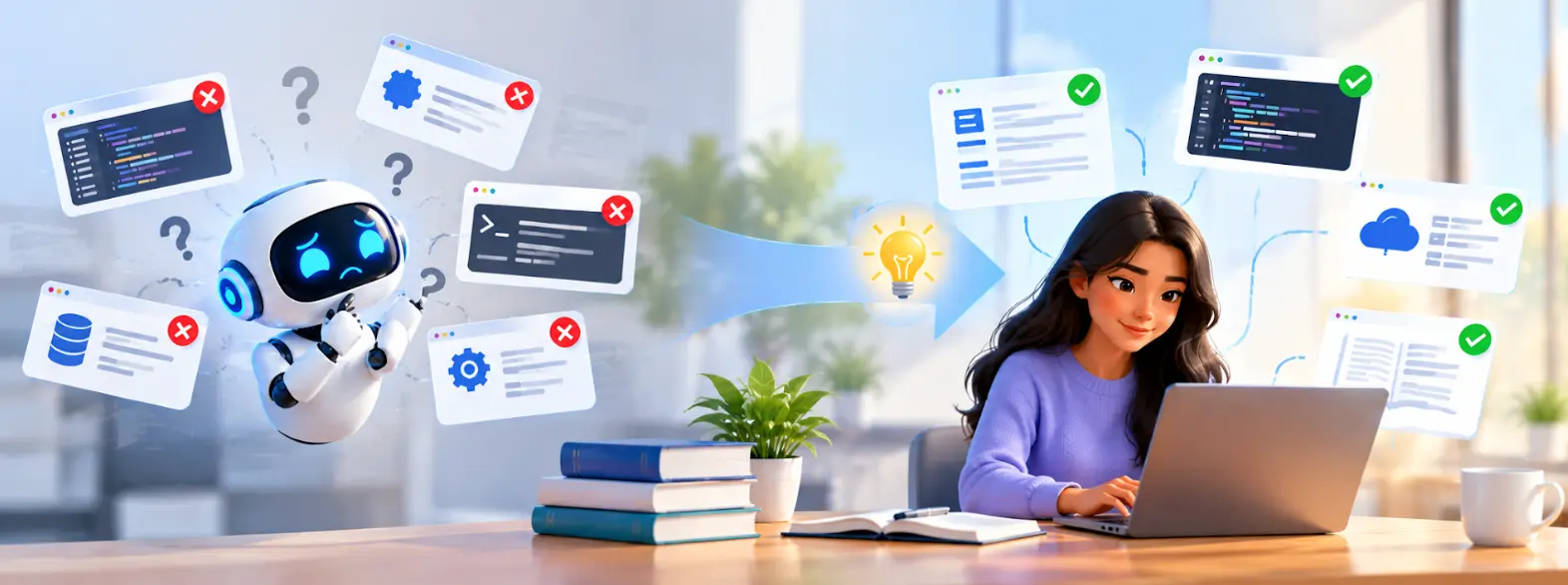
AI hallucinations are answers that look believable but contain false, incomplete, or unsupported information. An LLM can produce a detailed explanation, write code, or suggest a command without actually knowing whether every part of the response is correct. The result can be surprisingly convincing.
There are several reasons this happens. The model may be missing important information, working with an unclear prompt, relying on older knowledge, or trying to answer a question that requires several reasoning steps. For IT professionals, the safest approach is to treat AI output as a starting point, then check important details against documentation, source code, logs, or a test environment.
Ask an AI tool a technical question and you will usually get an answer almost immediately. That is useful when you are trying to understand an error, write a piece of code, or find a possible solution. The problem starts when the answer sounds right but isn't.
An AI assistant might invent a command, refer to a feature that does not exist, or give an explanation that mixes information from different versions of a product. This is what people commonly mean when they talk about AI hallucinations.
For someone working in IT, the issue is more than an incorrect sentence. A wrong command can waste time. A bad configuration suggestion can affect an application. In the wrong situation, an unverified answer can even create a production or security problem.
Table of Contents
▼What Are AI Hallucinations
An AI hallucination is information generated by an AI model that is wrong, unsupported, or made up, even though the response may sound completely normal. There may be no obvious warning that something is incorrect. The wording can be clear, the explanation can be detailed, and the answer can still contain a false claim.
This happens because an LLM is built to generate useful-looking language from patterns it has learned. It is not automatically opening an official website and checking every statement before replying. So when the model does not have enough information, it may still produce something that fits the question.
Think about a developer asking for a function from a particular library. The model might provide a function name that sounds realistic and even show an example of how to use it. A quick check of the actual documentation could reveal that the function never existed.
That is why a polished AI response should not be confused with verified information.

Why Does AI Hallucinate
There are several AI hallucination causes, and they do not all come from the same place. Sometimes the problem is the training information. Sometimes the question is too vague. In other cases, the model simply does not have the information required to answer accurately.
The model also has no direct understanding of a user's private environment unless that information is provided. If an engineer asks about an internal application without sharing its configuration or documentation, the model has to work with whatever general patterns it knows.
The prompt can make things better or worse. Compare “How do I fix my server?” with a prompt containing the operating system, error message, application version, recent changes, and relevant logs. The second question gives the model far more useful information and leaves less room for guessing.

10 Reasons LLMs Give Wrong Answers
1. LLMs Predict Language Instead of Checking Every Fact
An LLM is extremely good at producing a response that fits the conversation. That is not the same as checking whether every statement is true.
When a model generates an answer, it works from patterns in its training and the context it has been given. It does not stop after every sentence to confirm the claim against an official source. This is one of the basic reasons an answer can sound authoritative and still contain an error.
For an IT professional, this matters when the response contains a shell command, API method, configuration parameter, or troubleshooting instruction. Those details should be checked before they are used.
2. Training Data Can Be Wrong or Outdated
The information used to train an AI model comes from many sources. Some of that information can be incorrect, incomplete, or outdated. Technical content is particularly vulnerable because software and services change frequently.
A command shown in an old tutorial may no longer work. An API may have changed. A cloud provider may have introduced a new configuration method. If an older pattern influences the response, the model can give an answer that was once useful but is no longer appropriate.
This is why version information matters so much when asking technical questions.
3. The Model May Not Know the Information You Need
Not every answer exists in the information available to the model. This becomes obvious when the question involves an internal application, private documentation, company-specific process, or newly introduced feature.
Imagine asking an AI assistant how your organization's deployment pipeline works without giving it access to the pipeline documentation. It can describe a typical CI/CD process, but it cannot know whether your team actually uses that process.
The response may still sound convincing. That is where the risk lies.
4. Vague Prompts Create Room for Assumptions
A vague prompt forces the model to fill in missing details.
Take the question, “Why is my Docker container not working?” There are many possible reasons. The image could be wrong, the port could be misconfigured, the application could be crashing, or the container might not even be starting correctly.
If the prompt does not include the actual error, Docker version, operating system, configuration, or expected behavior, the model has to guess which situation applies.
A more detailed prompt gives it something concrete to work with and makes the answer easier to evaluate.
5. Too Much Context Can Also Become a Problem
More context sounds helpful, but a huge prompt can sometimes make things harder. Repeated instructions, unrelated information, and conflicting details can obscure the parts that actually matter.
This is especially relevant when working with technical documentation. One section might describe version 1 of an API while another describes version 2. If the distinction is missed, the generated answer could combine details from both. Good context is therefore not simply about quantity. It should also be relevant, current, and clearly organized.
6. Difficult Reasoning Can Lead to Errors
Some questions are straightforward. Others require several connected steps before a useful answer can be reached.
Consider a production troubleshooting problem involving an application, database, network, and cloud infrastructure. Getting one assumption wrong at the beginning can change the conclusion reached later. An AI response may still present the final explanation in a neat sequence, making the mistake difficult to notice.
For complicated technical tasks, testing matters. A suggestion should be checked in a safe environment before it becomes a production change.
7. Uncommon Information Is Harder to Generate Reliably
AI models tend to have more information to draw from for popular technologies and common problems. An obscure feature or unusual error is a different situation. If very little relevant information is available, the model may connect the problem to something similar. The answer can contain the right terminology while still describing the wrong feature or solution.
This is one situation where supplying documentation directly can make a major difference. Instead of asking the model to remember a niche detail, give it the source and ask it to work from that information.
8. The Answer May Not Be Grounded in a Trusted Source
Grounding gives the model something reliable to refer to while producing its response. That source could be official documentation, source code, configuration files, logs, or a trusted internal knowledge base.
Without that reference, an answer about a cloud service or software product may be based mainly on general patterns. Those patterns may not reflect the current version of the product.
Retrieval can help by bringing relevant information into the conversation before the answer is generated. It is still worth checking the retrieved material, particularly when the information is version-specific.
9. Some Prompts Encourage Guessing
The wording of a question can push the model toward giving a definite answer when the available evidence is weak.
For example, asking, “What is the exact cause of this error?” after providing only a short error message assumes that one cause can already be identified. In reality, several issues may produce the same message.
A better question could ask for the possible causes and what information would help distinguish between them. This gives the model room to express uncertainty instead of forcing a single answer.
10. A Confident Tone Does Not Prove Accuracy
This is probably the easiest mistake to make when using AI. The answer looks professional. It uses technical terms. The steps are neatly arranged. It feels like someone who knows the subject wrote it.
But tone is not evidence.
An AI model can confidently describe an API that does not exist or recommend a configuration that is unsuitable for the current version. For important technical work, check the documentation, test the code, and verify the recommendation before making the change.

How AI Hallucinations Affect IT Professionals
AI hallucinations can show up in everyday IT tasks. A developer may receive incorrect code. A DevOps engineer may get a command that does not work with the installed version. A support engineer may receive a troubleshooting suggestion that does not fit the customer's environment.
Sometimes the only consequence is lost time. You follow the suggestion, it fails, and you move on. The situation becomes more serious when the answer affects production infrastructure, security settings, databases, or customer-facing applications.
A simple workflow can help:
Generate → Verify → Test → Apply
Use AI to come up with a possible solution. Check the important details against a trusted source. Test the change somewhere safe. Only then apply it to the real environment.
The idea is not to remove AI from the workflow. It is to give AI the right role in that workflow.

How Can You Prevent AI Hallucinations
There is no single setting that completely stops AI hallucinations. What you can do is make unsupported answers less likely and easier to catch.
Start with the prompt. Include the technology, version, environment, error message, expected result, and any relevant constraints. If documentation is available, provide it. The model has more useful information to work with when the question contains actual evidence.
You can also ask the model to point out what it does not know. Instead of saying “Give me the exact cause,” ask it to separate confirmed information from possible causes and identify what needs to be checked.
For important tasks, verification should happen before implementation. Official documentation, source code, logs, test environments, and configuration files are more useful than relying only on the confidence of an AI response.
Best Practices for Reliable AI Outputs
- Provide enough context: Include the environment, version, error message, expected behavior, and relevant constraints instead of using a one-line prompt.
- Ask open-ended questions: When troubleshooting, ask about possible causes and what evidence can confirm each cause.
- Explain assumptions: For code-related tasks, ask the AI to state its assumptions and identify areas that need testing.
- Use reliable sources: Prefer official documentation for APIs, cloud services, commands, configuration settings, and version-specific behavior.
- Review before implementation: Do not treat the AI’s response as the final checkpoint. Review and test changes before applying them to a live system.
What Should IT Professionals Learn About AI Hallucinations
- Understand AI hallucinations: Knowing how hallucinations happen helps you recognize when AI-generated information needs verification.
- Learn key AI concepts: Prompting, retrieval, grounding, LLM fundamentals, and AI agents help explain how AI systems work and how additional information can improve their responses.
- Apply AI to your workflow: Professionals in Cloud, DevOps, development, QA, infrastructure, and support can learn how AI can fit into their existing workflows.
- Explore relevant learning resources: MicroDegree provides resources on GenAI, AI Agents, Cloud, DevOps, AWS, Azure, Kubernetes, Docker, Linux, and related technologies through its MicroDegree FREE E-learning platform.
- Verify important outputs: Use AI responses as a starting point, but look for stronger evidence before relying on them for important decisions or implementations.
Conclusion
AI hallucinations are not simply random mistakes. They can appear because the model is working with incomplete information, an unclear prompt, outdated knowledge, conflicting context, or a difficult reasoning task. The response can still sound completely believable.
For IT professionals, the safest habit is to separate generation from verification. Use AI to explore an idea, understand a problem, create a first draft, or suggest possible solutions. Then check the important parts before putting the answer into practice.
That approach becomes especially important for code, infrastructure, security, databases, and production systems. A few minutes spent checking an AI response can prevent much more time being spent fixing an avoidable mistake.
As AI becomes a regular part of technical work, learning how LLMs behave is becoming another useful professional skill. You can continue building practical knowledge in GenAI, AI Agents, Cloud, and DevOps through the MicroDegree FREE E-learning platform.
FAQs
1. What is the difference between an AI hallucination and a normal AI mistake?▼
An AI hallucination is information that the model presents as an answer even though it is false, unsupported, or made up. What makes it difficult is the presentation: the response may sound certain and contain plenty of technical detail. A normal mistake can be easier to spot, while a hallucination may need to be checked against documentation or another reliable source.
2. Why are AI hallucinations difficult to identify?▼
They often look like normal answers. The model may use the correct terminology, explain the idea clearly, and provide steps that appear logical. Someone without deep knowledge of the topic may not immediately notice that a command, API detail, or technical claim is incorrect.
3. Which types of information are more likely to cause hallucinations?▼
Rare, outdated, highly specialized, or version-specific information can be difficult for an AI model to answer accurately. The same applies when the information is private or has not been included in the conversation. Providing the relevant documentation and technical context gives the model a better basis for its response.
4. Can better prompts reduce the risk of wrong AI answers?▼
Yes. A detailed prompt gives the model fewer gaps to fill with assumptions. Include the software version, environment, error message, expected result, and relevant constraints when possible. You can also ask the model to identify missing information instead of guessing.
5. What should you do before using an AI-generated technical answer?▼
Check important information against a reliable source before using it. For code, commands, configuration changes, or infrastructure recommendations, test the result in a safe environment first. The more impact an answer could have on a production system, the more carefully it should be reviewed.
AI can save time, but it still needs human judgment. If you want to build practical skills around GenAI, AI Agents, Cloud, and DevOps, explore the MicroDegree FREE E-learning platform and apply those concepts to real-world technical workflows.