
How to Upskill from Technical Support to DevOps While Working in Bangalore

You close another ticket, hand over to the next shift and wonder how long you will keep resetting access and restarting services. Meanwhile the engineers who build the pipelines and run the cloud servers seem to be doing more interesting work. If you work in technical support in Bangalore, acting on that thought is realistic.
You can move from technical support to DevOps in Bangalore without quitting your job. Many of your skills carry over, the tools can be learned in a sensible order, and a 6-month plan can fit around shift work.
Table of Contents
▼Can You Move From Technical Support to DevOps in Bangalore?
Yes. Support engineers can move into DevOps without starting over, because they already work close to production systems. You have seen real outages, read logs and talked to unhappy users. What you usually lack is hands-on experience with the tools that build, deploy and automate systems.
Expect real effort. Most working professionals need several months of steady study and practice, and the time depends on how much Linux and scripting you already know.

Why Bangalore Is a Good Place to Make This Move
Bangalore has a large number of product companies, startups, service firms and global capability centres. Many of them run their software on the cloud, so they need people who can deploy, monitor and automate it. That gives you more teams to learn from, and more meetups and openings to look at.
It also has downsides that affect your plan. Commutes can be long, rent is high and shift timings vary. So the plan below uses short, regular study blocks instead of long weekend marathons that are hard to keep up.
If you want the wider picture first, our complete roadmap from tech support to DevOps covers the career path in general.
Skills You Already Have as a Support Engineer
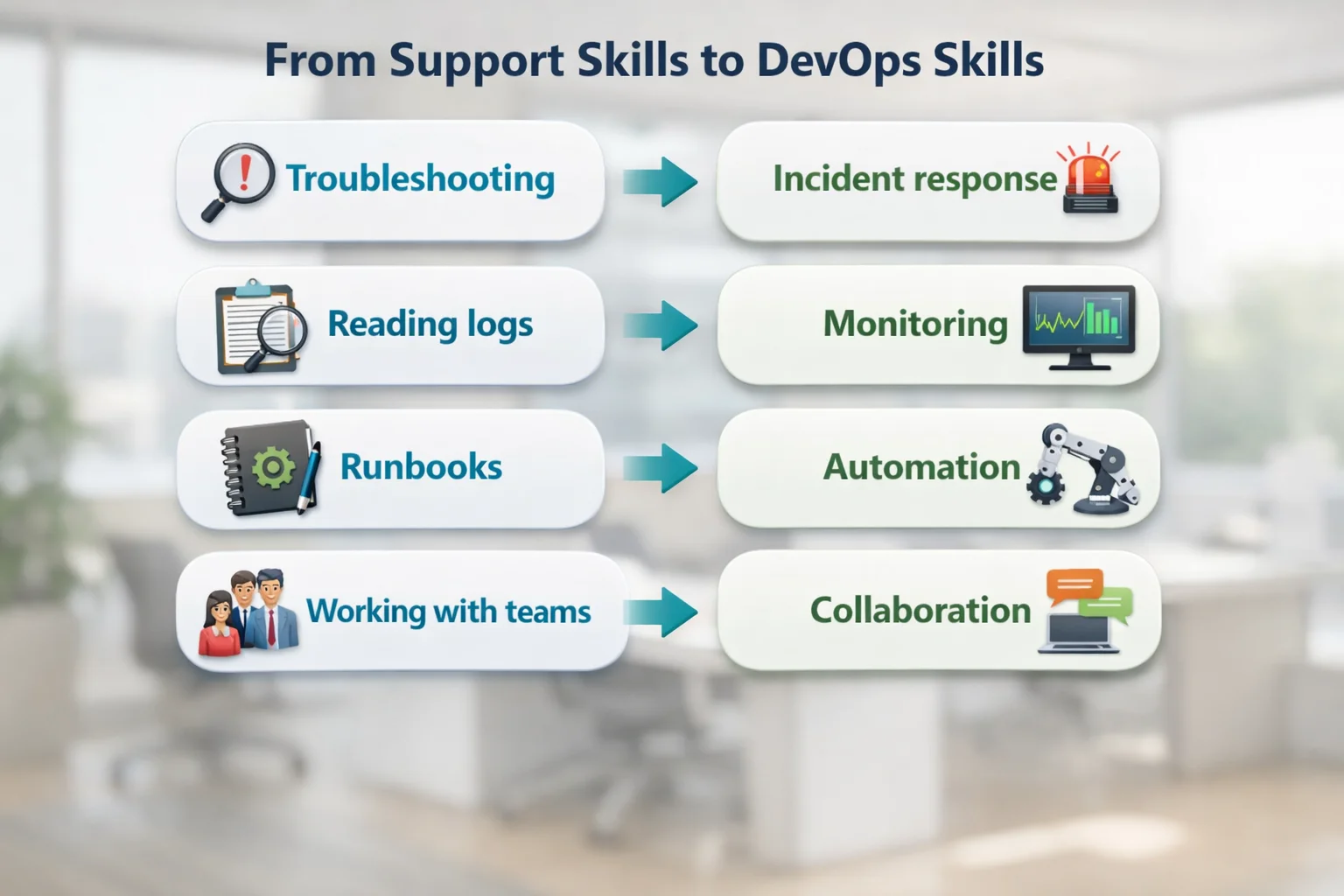
Much of what you do every day already helps in DevOps.
| What you do in support | Where it helps in DevOps |
|---|---|
| Troubleshooting tickets under pressure | Incident response and finding the root cause of production issues |
| Reading logs and error messages | Monitoring, alerting and debugging failed deployments |
| Following runbooks and escalation steps | Writing runbooks and turning manual steps into automation |
| Working with users and other teams | Collaboration between developers, testers and operations |
| Knowing how the product behaves in production | Deciding what to monitor and what to make more reliable |
DevOps Skills to Learn, in Order
Jumping straight to Kubernetes is a mistake. Learn the layers in this order, and each one will make the next one easier.
- Linux and the command line: files, permissions, processes, services and logs. Our guide to Linux for cloud and how IT professionals transition is a good place to start.
- Networking basics: IP addresses, DNS, ports, load balancers and firewalls. You have probably met these in support tickets already.
- Git and scripting: version control, plus Bash or Python to automate small tasks.
- One cloud platform: pick AWS, Azure or Google Cloud and learn its core services, such as servers, storage, networking and access control.
- CI/CD: how code is built, tested and deployed automatically. See CI/CD basics explained.
- Docker, then Kubernetes: package an application in a container first, and only then learn to run many containers.
- Infrastructure as code: Terraform or a similar tool, so servers are created from files and not by clicking.
- Monitoring and logging: metrics, dashboards and alerts, which is the part of the job closest to what you already do.
For a list of the tools you will meet along the way, see our top DevOps tools for beginners.
A 6-Month Plan While Working Full Time
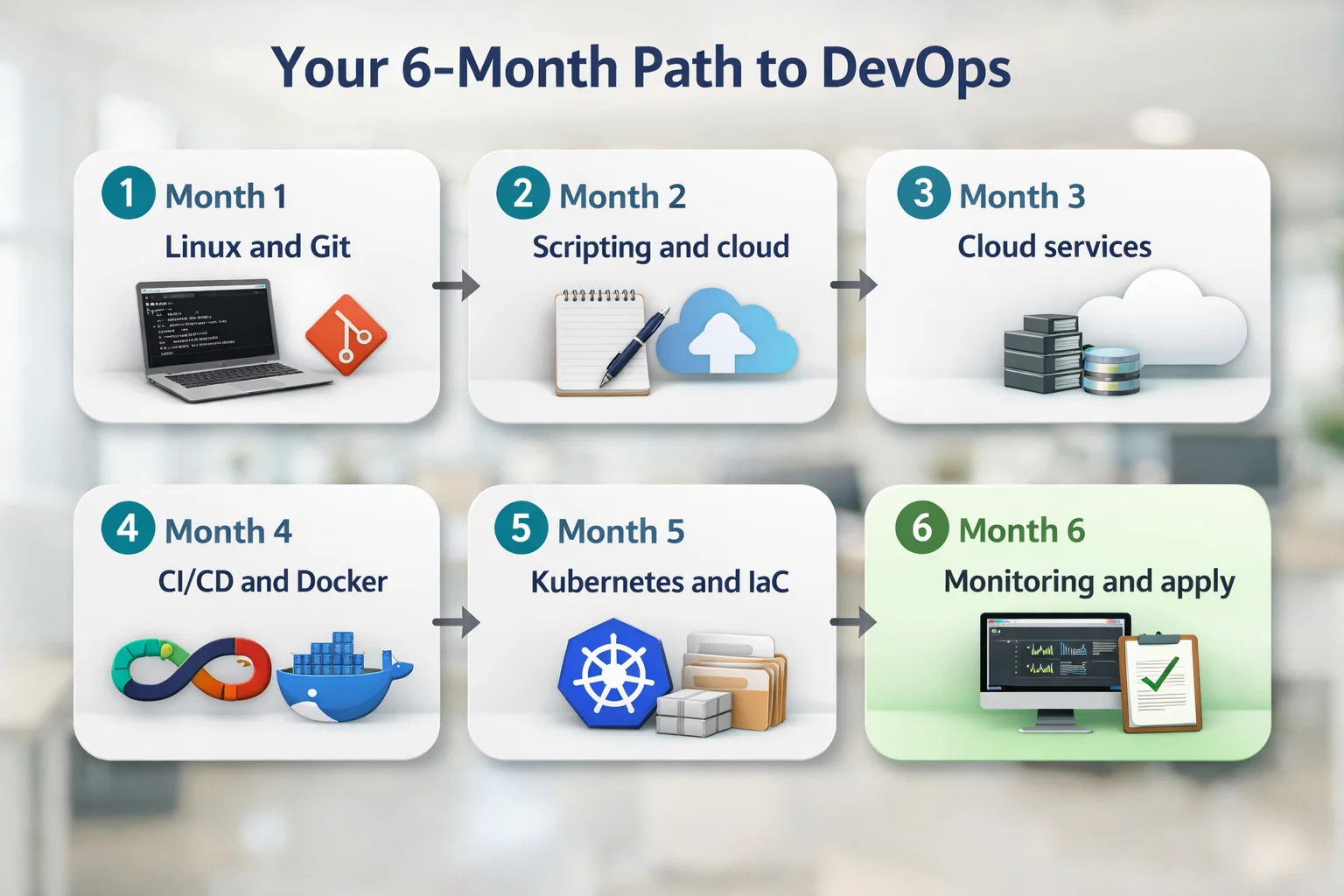
This plan assumes about 8 to 10 hours a week, split into short blocks. Treat the timings as a guide. If you already know Linux, you can move faster.
| Months | Focus | What you should have by the end |
|---|---|---|
| 1 | Linux, networking basics and Git | Comfort in the terminal and a Git repository with your practice scripts |
| 2 | Scripting and one cloud platform | A script that automates a task from your own job, and a free-tier cloud account you can use |
| 3 | Cloud services and a first certification | A server and network you built yourself, and an entry-level cloud certification if you choose to take one |
| 4 | CI/CD and Docker | A pipeline that builds and deploys a small application automatically |
| 5 | Kubernetes basics and infrastructure as code | The same application running on Kubernetes, with its servers created from code |
| 6 | Monitoring, portfolio and applications | Dashboards and alerts for your project, a written project summary and a CV that shows results |
Our 90-day cloud and DevOps learning plan for working professionals shows a faster version if you want a tighter schedule. If you would rather follow a guided path, MicroDegree's learning programs are one option.
How to Study Around Shifts and Bangalore Commutes
- Study in short fixed blocks, such as 45 minutes before work, instead of waiting for a free weekend.
- Use your commute for reading and videos, and keep hands-on practice for when you are at a laptop.
- Practise on your own tasks. If you restart the same service every week, write a script for it.
- Use free-tier cloud accounts and set a budget alert, so a forgotten server does not cost you money.
- Keep a simple log of what you learned each week. It helps you stay consistent and later becomes material for interviews.
- Tell your manager what you are learning. Some teams will give you access to automation or on-call work that counts as experience.
Build Proof Before You Apply
Hiring managers cannot see what you know, so they look for evidence. Two or three small projects you can explain usually count for more than a long list of tools on your CV.
- Deploy a small web application to the cloud with a CI/CD pipeline that runs on every code change.
- Containerise an application with Docker and run it on Kubernetes.
- Create the same servers from Terraform code, and keep the code in a public Git repository.
- Set up monitoring and an alert for your project, then break it on purpose and write up how you found the cause. This one uses your support experience directly.
When you describe the projects, explain the problem, what you did and what the result was. If you want to see what employers ask for, read about the DevOps roadmap for application support engineers.
Moving Inside Your Company or Switching Jobs
You have two routes, and you can try both. An internal move is often easier, because your manager already trusts you and knows the systems. Ask whether the infrastructure, cloud or SRE team has openings, and offer to help with a small automation task first.
If your company has no such team, apply outside once your projects are ready. Mention your support experience clearly, because teams value people who understand how real users and production systems behave. Expect to be asked practical questions, so be ready to explain what you built and why.
Common Mistakes to Avoid
- Learning tools in a random order. Linux and networking come before Kubernetes.
- Only watching videos. Without hands-on practice the knowledge does not stay.
- Collecting certificates without projects. A certificate helps, but a working project is stronger proof.
- Trying to learn all three cloud platforms at once. Go deep on one first.
- Quitting your job too early. You can build most of the skills while you earn.
- Hiding your support background. It is an advantage, so use it in your CV and interviews.
Conclusion
Moving from technical support to DevOps in Bangalore is a realistic goal if you treat it as a plan: build on the troubleshooting skills you already have, learn the tools in order, practise on real projects and show your results. You can start this week, with one hour on Linux. To compare what the role can pay, see our guide to the DevOps engineer salary in India.
FAQs
1. Can I move from technical support to DevOps without a computer science degree?▼
Yes. Companies often look at what you can do, such as the projects you built and how you solve problems, as well as at your degree. A support background with solid Linux, cloud and automation skills is a common route into DevOps.
2. How long does it take to move from technical support to DevOps in Bangalore?▼
A working professional can plan for about six months of steady study before applying, and some will need longer. It depends on your starting point, how many hours you can study each week and how quickly you build projects.
3. Which should I learn first, AWS or Linux?▼
Learn Linux first. Cloud servers mostly run Linux, so knowing the command line makes every later step easier, including cloud services, containers and automation.
4. Do I need a certification to get a DevOps job?▼
No certification is strictly required. An entry-level cloud certification can help you get shortlisted, but two or three projects that you can explain clearly usually count for more in interviews.
5. Can I learn DevOps while working night shifts?▼
Yes. Choose a fixed study block that suits your rest, keep sessions short and practise on tasks from your own job. Consistency over many weeks matters more than long sessions.
6. Should I switch jobs or move internally?▼
An internal move is often easier because your team already knows your work. If your company has no DevOps or cloud team, build your projects and apply elsewhere. You can pursue both at the same time.
Not sure it suits you yet?Click here to take a free Cloud & DevOps demo