
What Is GitOps and How Is It Different From Traditional CI/CD?
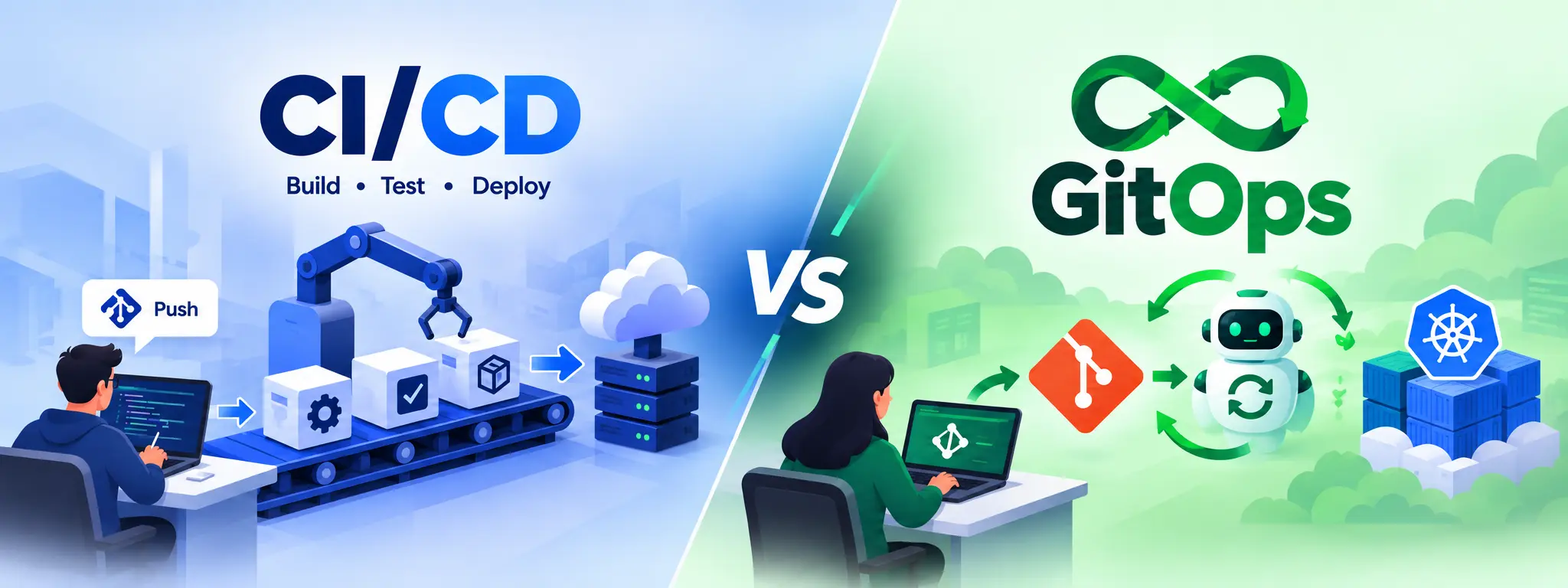
Table of Contents
▼If you have spent time managing Kubernetes clusters or deploying through Jenkins pipelines, you have probably hit this problem: your cluster's actual state and your documented configuration slowly drift apart.
Someone runs a manual kubectl application. Someone patches production during an incident. Months later, nobody is fully sure what is running or why.
GitOps was built to fix this problem.
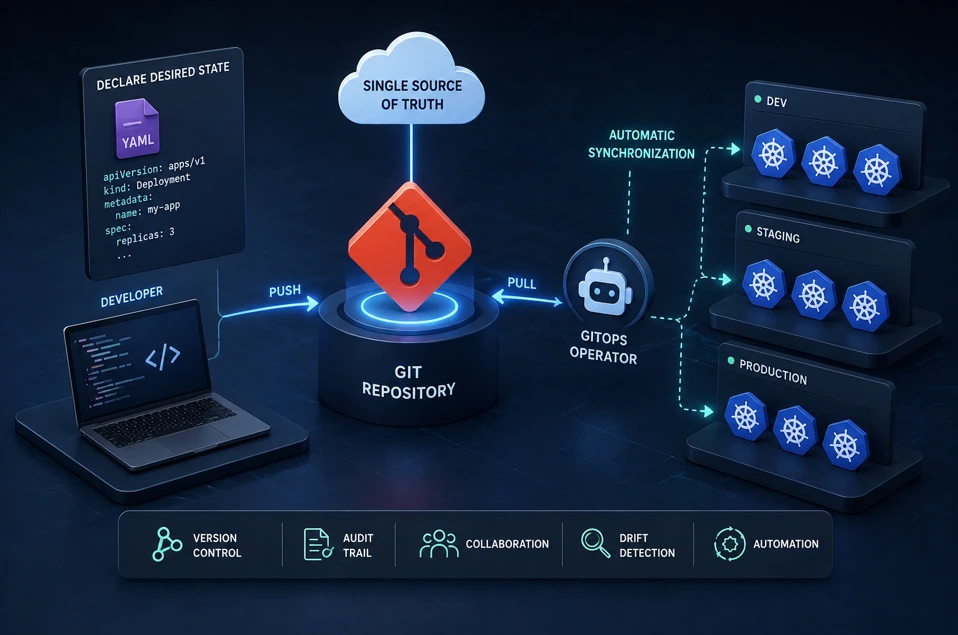
GitOps is a pull-based operational model that uses Git as the single source of truth for infrastructure and application state. Instead of pushing changes to your systems, an automated agent continuously pulls the desired state from Git and reconciles it with what is actually running.
This is a big change from old CI/CD, where pipelines push updates to servers or clusters. In this guide you will discover what GitOps really means, how it is different from CI/CD, how tools like Argo CD work with it and how you can tell if GitOps is right for your team.
1. What Is GitOps?
GitOps is a method to manage both infrastructure and application deployments using Git as the source of truth.
Every desired state — which application version should run, how many replicas it needs, what configuration it uses — lives in a Git repository. A controller inside your cluster watches that repository and continuously makes sure the live environment matches it.
If someone changes something manually in the cluster, the controller notices that the actual state does not match what is defined in Git. It then reverts the change to bring things in line with the Git configuration. This process is called reconciliation. It's the main feature that makes GitOps different from regular automation. In use, GitOps means that every update to your environment begins with a commit to Git. Then a controller running inside the cluster compares the setup to what Git says it should be and makes adjustments to keep them in sync.
Example: E-commerce on Kubernetes
Imagine an e-commerce company running its website on Kubernetes.
- Git contains the desired setup: "Run the website with 5 instances of version 2."
- A GitOps tool like Argo CD continuously checks Kubernetes against Git.
- If someone manually changes it to 2 instances, Argo CD detects the difference and automatically changes it back to 5.
- If the team changes Git from version 2 → version 3, Argo CD automatically deploys version 3.
In short:
- Git = What should be running
- Kubernetes = What is actually running
- GitOps = Continuously keeps them in sync
2. How GitOps Works
A typical GitOps workflow follows this pattern:
- A developer commits a change to a Git repository — for example, updating an image tag or a Kubernetes manifest.
- A pull request is reviewed and merged, just like application code.
- A GitOps controller (such as Argo CD or Flux) running inside the cluster detects the change.
- The controller pulls the new desired state and compares it against the live cluster state.
- It automatically applies the difference, bringing the cluster back in sync with Git.
- If drift happens later — someone manually edits a resource — the controller detects it and corrects it automatically.
Key idea: the cluster pulls from Git; nothing outside pushes credentials into it. This single design choice has significant security implications.
3. GitOps vs CI/CD: The Core Difference
This is the core of what people mean when they ask, "What is GitOps and how is it different from traditional CI/CD?"
| Aspect | Traditional CI/CD | GitOps |
|---|---|---|
| Deployment Direction | Push-based (pipeline pushes to environment) | Pull-based (controller pulls from Git) |
| Source of Truth | Pipeline scripts and manual configs | Git repository |
| Cluster Credentials | Stored in CI/CD tool, often external | Kept inside the cluster, not exposed externally |
| Drift Detection | Usually none | Continuous and automatic |
| Rollback | Manual or scripted redeployment | git revert; controller re-syncs automatically |
| Auditability | Scattered across pipeline logs | Full history available in Git commits |
| Best Suited For | Build, test, and general automation | Deployment and environment state management |
In short: CI still builds and tests your code. GitOps takes over from there, managing how that code actually reaches your running environment and stays there.
4. Where Argo CD Fits In
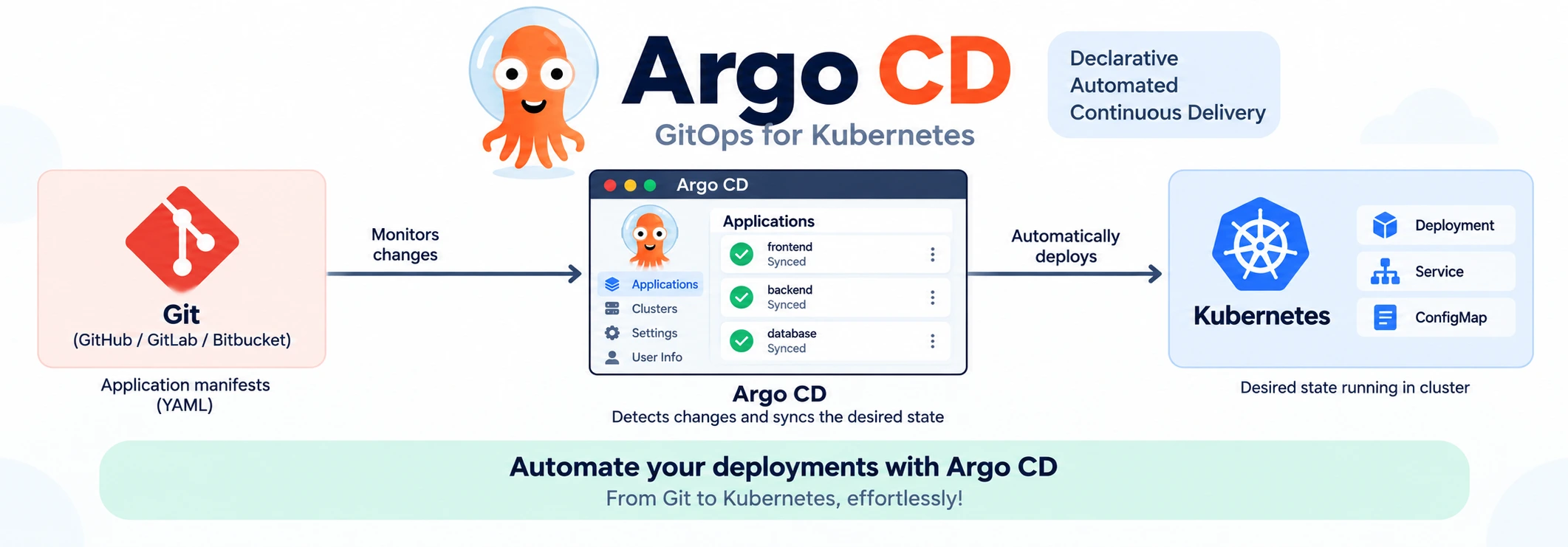
Argo CD is a Kubernetes-native GitOps controller that implements the pull-based continuous delivery model. It runs inside your cluster, continuously watches one or more Git repositories, and keeps your live Kubernetes resources synced with what is defined there.
Argo CD gives you:
- A visual dashboard showing sync status across applications and clusters
- Automatic or manual sync policies, depending on how much control you want
- Built-in rollback to any previous Git commit
- Support for multiple clusters and multiple teams from a single control plane
Flux is another popular alternative with a similar pull-based model, and both are part of the CNCF ecosystem. Many teams choose based on tooling preferences and existing Kubernetes stack rather than major functional differences.
5. Kubernetes GitOps: Why the Pairing Works So Well
Kubernetes is inherently declarative: you describe the desired state of a deployment or config map in YAML, and Kubernetes works to make that state real.
GitOps extends that same philosophy one layer up — instead of only Kubernetes reconciling resources against a manifest, GitOps reconciles the entire cluster against a Git repository.
Because Kubernetes resources are declarative YAML, GitOps tools can compute diffs and reconcile automatically — making Kubernetes GitOps a natural fit for production workloads.
6. Practical Example: A GitOps Deployment Flow
Imagine your team needs to deploy version 2.3 of a payment service.
Without GitOps: A pipeline builds the image, runs tests, and applies kubectl or runs helm upgrade directly against the cluster using stored credentials. If a problem occurs, you must dig through pipeline logs to discover what changed.
With GitOps: A pipeline still builds and tests the image, but instead of deploying it straight away, it changes the image tag in a Kubernetes manifest stored in a Git repository and opens a pull request. After the pull request is merged, Argo CD notices the change, downloads the manifest and updates the cluster. If the deployment creates problems, you revert the Git commit and Argo CD automatically restores the cluster to its state.
This pattern delivers deployment in a safer, auditable manner by moving the deployment decision into Git. GitOps provides a way for the deployment history to reside entirely in Git commit history, fully reviewable and auditable.
7. Career Impact for DevOps Professionals
GitOps skills are becoming a must-have for DevOps professionals in roles like Platform Engineering and Cloud Engineering. Many companies that run Kubernetes at scale now expect candidates to know GitOps. Being familiar with tools like Argo CD or Flux, understanding infrastructure and having a solid grasp of Kubernetes basics shows that you can work in modern high-performance environments. It's not about old-school CI/CD pipelines anymore.
For people who started in CI/CD, learning GitOps opens the door to more advanced paths, like Platform Engineering and Site Reliability Engineering. It's a step forward in career growth.
8. Conclusion
GitOps is not a replacement for CI/CD. It is the layer that traditional CI/CD pipelines have been missing. CI still builds, tests, and validates your code. GitOps uses Git as the source of truth and automatically keeps your live environment in sync with Git.
For teams running Kubernetes, this pull-based, auditable, and self-healing model solves real operational problems: configuration drift, unclear rollback paths, and scattered deployment credentials.
If you've been asking, "What is GitOps and how is it different from traditional CI/CD?"— the short answer is: CI/CD builds and tests; GitOps owns the safe, auditable, pull-based path to production. If your team is already using Kubernetes and CI pipelines, adding a GitOps controller like Argo CD is one of the highest-value next steps you can take toward a more secure and reliable deployment process.
9. FAQs
Q1: What is GitOps in simple terms?▼
GitOps is a practice where Git serves as the single source of truth for your infrastructure and application configuration. Instead of manually applying changes, an automated controller continuously watches the Git repository and keeps the live environment in sync with it.
Q2: Is GitOps only for Kubernetes?▼
GitOps is most commonly associated with Kubernetes because its declarative, YAML-based manifests map naturally to the Git-as-source-of-truth model. However, the underlying principles — declarative configuration, version control, and automated reconciliation — aren't inherently Kubernetes-specific.
Q3: What is the main difference between GitOps and CI/CD?▼
The main difference is that traditional CI/CD uses a pipeline to push changes directly into the environment, whereas GitOps uses a controller inside the environment to pull the desired state from Git and continuously reconcile it with the actual environment.
Q4: Is Argo CD required to do GitOps?▼
No, Argo CD is not mandatory. It's simply one of the most popular tools for implementing GitOps on Kubernetes, offering a UI, sync automation, and drift detection.
Q5: Does GitOps replace continuous deployment?▼
No, GitOps doesn't replace continuous deployment as a concept. GitOps is a disciplined way of implementing continuous deployment. Rather than eliminating CD, GitOps strengthens how deployments happen by adding version control, automated reconciliation, and drift correction.
If you want to build hands-on experience with GitOps, Kubernetes, and tools like Argo CD, MicroDegree's DevOps and Kubernetes learning tracks are designed for working IT professionals who want practical, job-ready skills. Explore MicroDegree's Kubernetes and DevOps courses to start applying GitOps concepts in real projects.