
How to Secure a CI/CD Pipeline: A Practical DevSecOps Guide
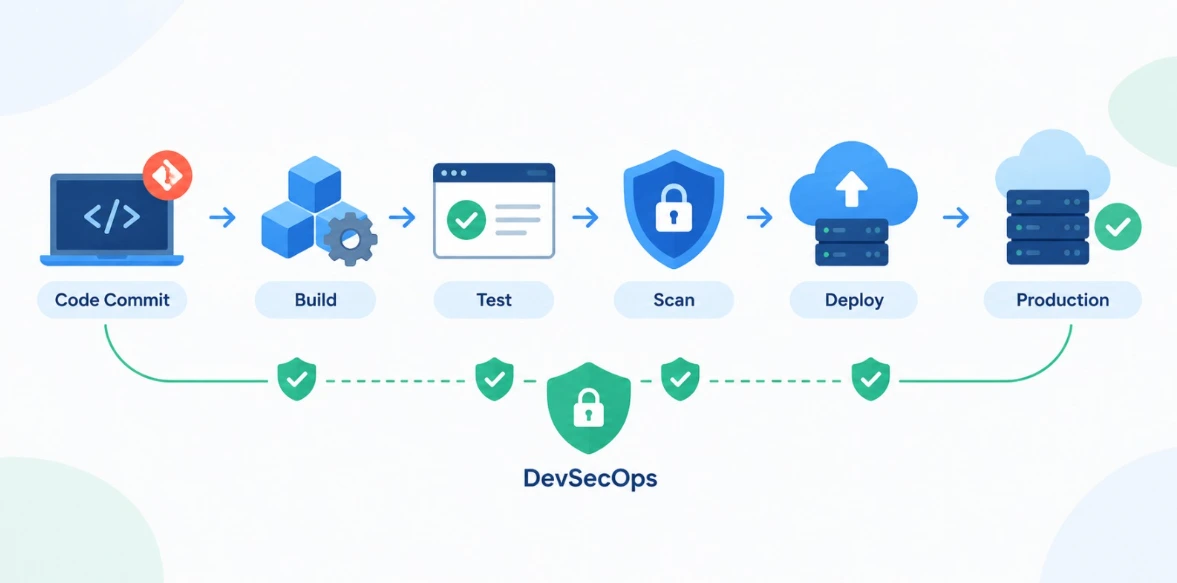
A CI/CD pipeline connects source code with the systems that build, test, package, and deploy an application. That connection makes software delivery faster, but it also creates a security boundary that needs attention.
If you want a broader look at the tooling landscape first, see our roundup of the top DevSecOps tools every DevOps engineer should learn.
A secure pipeline protects more than application code. It controls who can change workflows, how credentials are handled, what build jobs can access, which dependencies enter the project, and whether the artifact reaching production is the one that was actually built.
A practical security flow looks like:
Code → Check → Build → Verify → Deploy → Monitor
Security should be part of that flow rather than something added immediately before production.
A developer pushes code to Git. A workflow starts automatically, runs tests, builds a container, and eventually deploys it to the cloud.
From the developer's perspective, that may look like a simple automated process.
Behind the scenes, the pipeline could be holding credentials, downloading packages, running scripts, accessing cloud services, and communicating with production systems.
That changes the security question.
You are not only protecting the application. You are also protecting the machinery that builds and delivers it. If this idea is new to you, our guide on DevSecOps made simple breaks down why security has become essential to DevOps pipelines.
NIST describes CI/CD as a series of stages such as build, test, package, and deploy that form part of the software supply chain.
So, how do you secure a CI/CD pipeline?
The practical answer is to put controls around each stage rather than depending on one security scanner.
Table of Contents
▼What Is CI/CD Pipeline Security
CI/CD pipeline security is the practice of protecting the tools, configurations, identities, code, dependencies, artifacts, and environments involved in automated software delivery.
A typical pipeline might connect:
Git repository → CI server → build environment → package registry → container registry → cloud → production
Every connection creates another place where access needs to be controlled.
For example, imagine a deployment job that can modify an entire cloud account even though it only needs permission to update one application. The application may be secure, but the pipeline has unnecessary privileges.
That is the type of gap DevSecOps CI/CD aims to reduce.
Why Does a CI/CD Pipeline Need Security
A useful way to understand pipeline security is to follow a piece of code from the developer's laptop to production.
The code enters a repository. A workflow starts. A runner executes commands. Dependencies are downloaded. Tests run. An artifact is produced. That artifact may then be sent to a registry or deployment environment.
Every one of those steps creates a place where security controls can matter.
For example, a build job might need permission to publish a container image but have no reason to modify production infrastructure. A test job might need access to test data but should not be able to retrieve production credentials.
This is the practical side of DevSecOps CI/CD: security decisions are made as part of the software delivery process.
The aim is to make the pipeline trustworthy enough that automation can move quickly without giving every component unlimited access.

Common CI/CD Pipeline Security Risks
Understanding the common risks helps you identify where security controls are most needed in a CI/CD pipeline.
Exposed Secrets
API keys, passwords, tokens, and cloud credentials can accidentally be exposed in source code, configuration files, container images, or pipeline logs. Once exposed, these credentials could be misused to access connected systems.
Excessive Permissions
A pipeline does not always need access to every resource in an environment. Giving it unnecessary permissions can increase the damage if the pipeline is compromised.
Insecure Runners
Build runners execute pipeline commands and may have access to source code, credentials, and build artifacts. If they are outdated or poorly isolated, they can become a possible entry point for an attack.
Dependency Attacks
Modern applications depend on open-source packages, container images, plugins, and third-party CI/CD components. A vulnerable or compromised dependency can introduce unwanted code into the application during the build.
Artifact Tampering
Build artifacts can be changed or replaced before they reach the deployment stage. Integrity checks help the pipeline confirm that the artifact being deployed is the one that was originally built.
Unauthorized Code Changes
Weak repository permissions, unprotected branches, or missing code reviews can allow unwanted changes to enter the pipeline. Protecting important branches and reviewing changes helps reduce this risk.
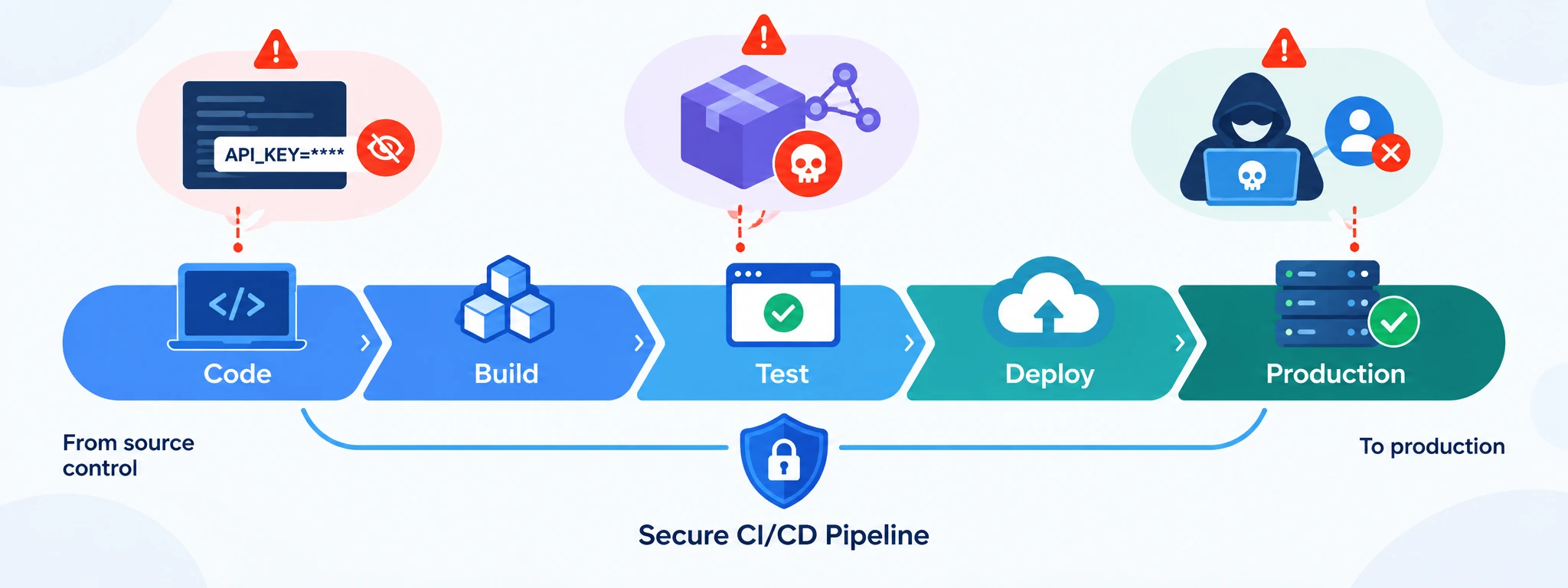
How to Secure a CI/CD Pipeline
The most effective way to secure a pipeline is to work through it from source control to production.
- Secure the Git repository
- Protect important branches.
- Review sensitive workflow changes.
- Limit access based on responsibilities.
- Enable multi-factor authentication (MFA).
- Protect secrets
- Never store credentials in YAML files, source code, Dockerfiles, or Git.
- Use protected secrets or a secrets-management system.
- Check pipeline logs for accidentally exposed secrets.
- Apply least privilege
- Give workflows only the permissions they actually need.
- Avoid unnecessary access to users, networking, or unrelated infrastructure.
- Secure build runners
- Keep runner software updated.
- Remove unnecessary access.
- Consider isolated or short-lived runners for sensitive workloads.
- Review third-party CI/CD actions
- Treat external actions as executable code.
- Don't automatically trust marketplace actions.
- Pin actions to full-length commit SHAs when immutable references are required.
- Protect build artifacts
- Use artifact provenance and attestations where appropriate.
- Consider Software Bills of Materials (SBOMs).
- Maintain confidence and visibility into how software was produced.
Security Tools and Checks to Add to Your Pipeline
Security checks can be placed at different points in a CI/CD workflow. The right combination depends on the application and its risk level.
| Security Check | Purpose |
|---|---|
| SAST | Finds security issues in source code |
| SCA | Identifies vulnerable dependencies |
| Secret Scanning | Detects exposed credentials |
| IaC Scanning | Finds insecure infrastructure configuration |
| Container Scanning | Identifies vulnerabilities in container images |
| DAST | Tests a running application for security issues |
| Artifact Verification | Helps confirm build integrity |
A practical flow could look like:
Code → SAST → SCA → Secret Scan → Build → Container/IaC Scan → Test → Artifact Verification → Deploy
Not every project needs exactly the same checks. Teams should choose controls based on their architecture, risk, and deployment process.
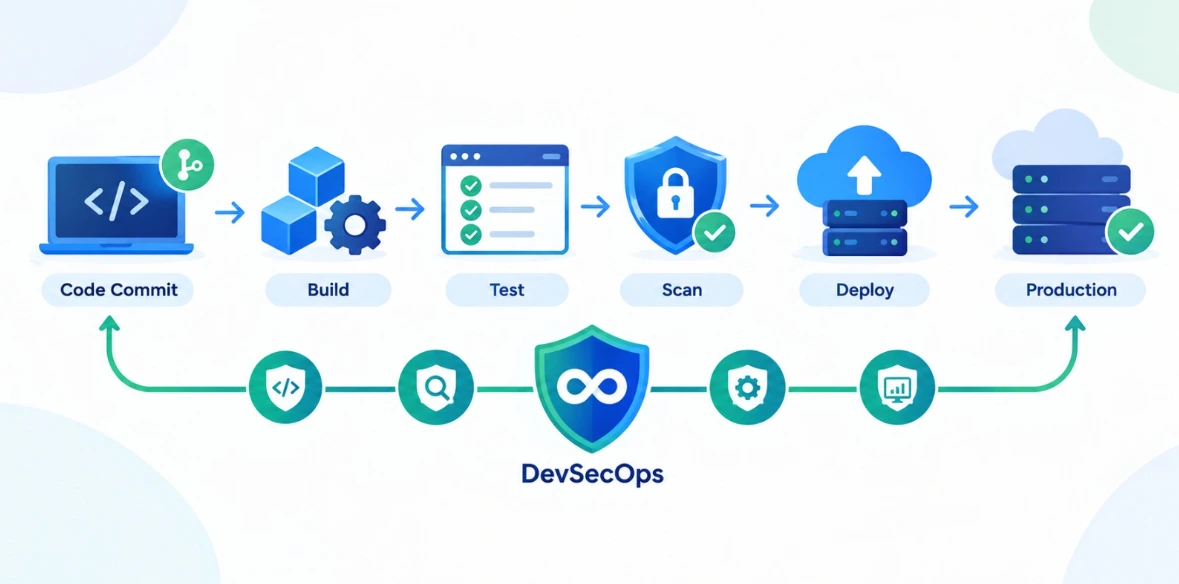
Practical DevSecOps CI/CD Pipeline Example
Imagine a team building a containerized application for a cloud environment.
The workflow might look something like this:
Developer → Pull Request → Security Checks → Build & Test → Container/IaC Scan → Artifact Verification → Staging → Production → Monitoring
The developer starts by pushing a change and opening a pull request. Repository rules can require a review before the change is merged.
The pipeline then runs the relevant checks. Source code, dependencies, secrets, the container image, and infrastructure configuration can all be checked before the application moves forward.
After the build succeeds, the resulting artifact is verified and sent to a staging environment. Production deployment can require an additional approval depending on the team's setup.
Once the application is live, logs and alerts provide visibility into what is happening.
The useful part of this approach is that security is not left until the final deployment. A problem can be caught at the point where it enters the workflow.
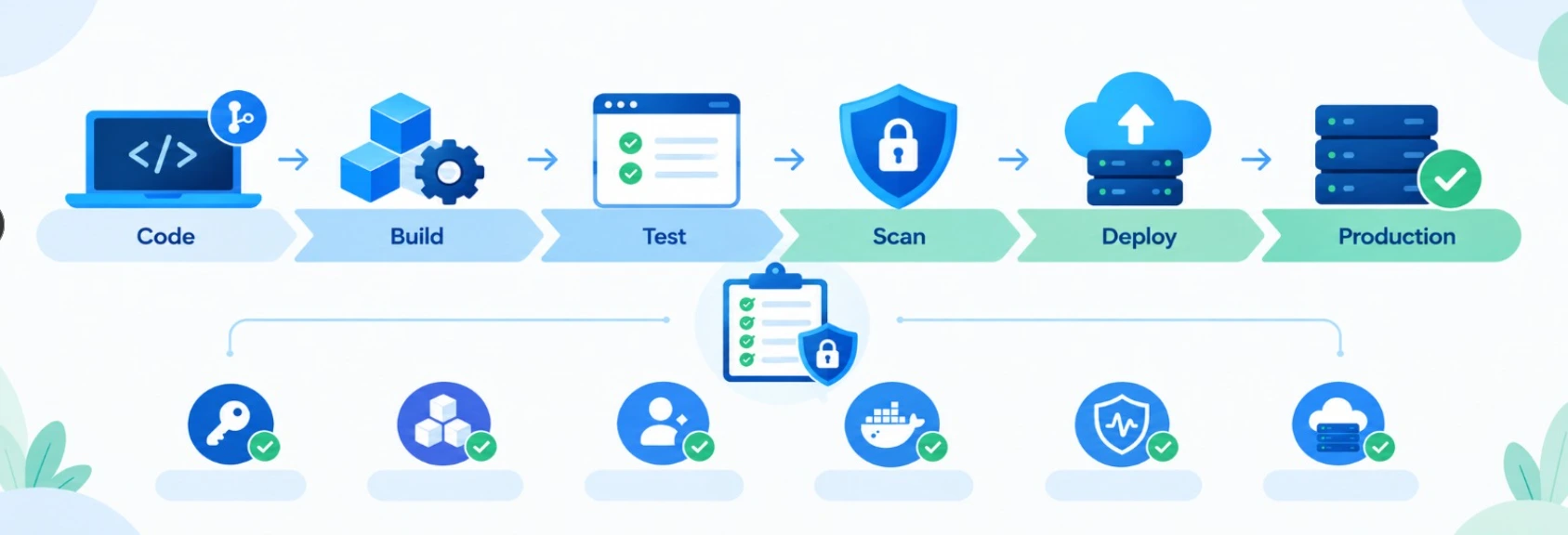
This approach shifts security closer to development while maintaining stronger controls around production.
Best Practices, Career Impact, and Next Steps
Good CI/CD security best practices are mostly about controlling trust.
Know which users can change the pipeline. Know which jobs can access production. Know where credentials are stored. Know which dependencies enter the build. Know which artifact is deployed.
That visibility becomes increasingly valuable as organizations adopt cloud platforms, containers, Kubernetes, Infrastructure as Code, and automated deployments. It's also the kind of depth that shows up in DevOps interview questions for working professionals.
For an IT professional moving toward Cloud, DevOps, or DevSecOps, learning CI/CD security also creates opportunities to practise several technologies together. You can build a small Git-based application, containerize it with Docker, create a CI/CD workflow, add security scanning, connect it to a cloud environment, and then apply IAM and monitoring controls.
This kind of hands-on learning is closely aligned with the practical Cloud and DevOps skills covered through MicroDegree Learning.
Once you've built that hands-on project, make sure it actually shows up on your resume — our guide on writing a DevOps CV that gets interview calls breaks down exactly how to present it.
Conclusion
A secure CI/CD pipeline is not created by adding one security scanner.
It comes from controlling the entire path that software follows from source code to production.
Protect the repository. Keep secrets out of code. Give pipeline jobs limited permissions. Maintain runners. Review dependencies and third-party actions. Scan containers and infrastructure. Verify important artifacts. Control production access and monitor what happens after deployment.
The exact tools will vary from one organization to another, but the principle remains the same: the pipeline should have enough access to do its job, and no more.
For IT professionals, learning CI/CD pipeline security also provides a practical way to connect Cloud, DevOps, Linux, Docker, Kubernetes, IAM, testing, and application security skills.
If you want to build those skills through structured technical learning, explore MicroDegree Learning.
FAQs
Q1: What can happen if a CI/CD pipeline is compromised?▼
A compromised pipeline could potentially expose credentials, modify source or build processes, alter artifacts, or deploy unauthorized changes. The actual impact depends heavily on the permissions available to the compromised component.
Q2: How often should CI/CD pipeline security be reviewed?▼
Review the pipeline whenever there are significant changes to repositories, permissions, cloud resources, deployment environments, or third-party components. Periodic reviews can also identify outdated dependencies and unnecessary access.
Q3: Can CI/CD security slow down software delivery?▼
Some checks add processing time, but many security checks can run alongside builds and tests. A well-designed pipeline can keep automated feedback fast while still blocking serious security issues before release.
Q4: What should I check first when securing an existing CI/CD pipeline?▼
Start with repository permissions, workflow changes, secrets, pipeline identities, and runner security. Then review dependencies, infrastructure configuration, artifact handling, and production access.
Q5: How does CI/CD security support software supply chain security?▼
The CI/CD pipeline brings together source code, dependencies, build tools, and artifacts before deployment. Checking and verifying these components during the delivery process can reduce the risk of compromised or tampered components reaching production.
Q6: Is CI/CD security part of DevSecOps?▼
Yes. DevSecOps brings security activities into the software development and delivery process instead of treating security as a separate final-stage activity. CI/CD pipelines provide one of the main places where these controls can be automated.
Ready to Build Practical Skills?
Want hands-on experience with Cloud, DevOps and CI/CD? Explore MicroDegree's learning programs and keep building skills across Cloud Computing, DevOps, AWS, Docker, Kubernetes and related technologies.