
Top Generative AI Tools Everyone Should Try
Generative AI tools for IT professionals fall into a handful of jobs: talking a problem through, reading and researching, writing code, making visuals, and building your own AI features. You don't need all of them. Most people get further by picking one tool for each job they actually do, and that's how this guide is organised.
It's written for engineers, testers, support staff and managers with a few years of experience who already know their field and want to know where these tools save time and where they don't.
Table of Contents
▼What do generative AI tools do, and how do they differ?
A generative AI tool takes a prompt (text, a file, sometimes an image) and produces new content: an answer, a summary, a block of code, a picture. It doesn't look the answer up in a table. It predicts a plausible response, which is why it can be fluent and still wrong. Treat its output as a draft from a fast junior colleague who never admits doubt.
The tools differ mainly in what they are built around:
- Chat and writing assistants answer open questions and draft or rewrite text.
- Research tools search the web or your own documents and show where an answer came from.
- Coding assistants work inside your editor and read your repository.
- Image and video tools turn a description into visuals.
- APIs and open models are the raw material you use to build AI features into your own software.
This guide covers tools you use directly. AI agents, which plan and carry out several steps on their own, are a separate topic: our guide to agentic AI versus generative AI explains the difference, and the AI agent frameworks guide compares the libraries for building them.

Which AI chat and writing assistants are worth using at work?
General assistants are the best first tool because they cover the widest range of daily tasks: explaining an unfamiliar error, drafting a runbook, rewriting a tense email, summarising a long thread, or talking through two ways to design something. The three below are the main ones. They overlap heavily, so pick by what your employer permits and what you find easiest to read.
ChatGPT
ChatGPT is OpenAI's assistant. It handles text, file uploads, image creation, voice and a deep research mode. It suits anyone who wants one all-round tool for drafting, explaining and brainstorming, from a support engineer writing a customer reply to an architect sketching options. Its range is the strength; the weakness is that it will answer confidently even when it shouldn't.
Free plan: yes. Text chats are described as unlimited, subject to abuse guardrails, while uploads, image creation, voice, deep research and memory are limited. Paid plans are Go, Plus and Pro. Official website: chatgpt.com.
Claude
Claude is Anthropic's assistant. On its free plan you get chat, web search, file creation, code execution and memory across conversations. People often reach for it for long documents and careful rewrites, which suits technical writing such as design notes, post-incident reviews and documentation edits. As with any assistant, check anything it states as fact.
Free plan: yes, with Sonnet and Haiku models and usage limited every five hours and every week. Opus, Claude Code and Research are not on the free plan. Pro is US$17 a month billed annually, or US$20 billed monthly. Official website: claude.ai.
Google Gemini
Gemini is Google's assistant, available with a Google account. It fits people who already live in Google's tools and want help summarising, drafting and answering questions there. Google also offers Gemini to developers through Google AI Studio.
Free plan: yes, ₹0 a month. Google doesn't publish a fixed free allowance; limits depend on prompt complexity, the features you use and the length of the chat, and refresh every five hours until a weekly limit applies. Paid plans on the India page are Google AI Plus at ₹399 a month and Google AI Pro at ₹1,950 a month. Official website: gemini.google.com.
Say you have a messy Slack thread and a pasted timeline from a failed deployment. Ask an assistant to turn them into a draft post-incident summary with a timeline, impact, cause and follow-up actions. You still check every timestamp and the stated cause against the real logs, but you're editing a draft instead of facing a blank page. Run the same task in two assistants once; the difference in tone and structure usually tells you which one to keep.
Which tools help with research and reading technical documents?
A chat assistant answers from what it learned in training, plus whatever you paste in. Research tools are built differently: one searches the web and shows its sources, the other works only from documents you upload. Both help with the same job: finding out something quickly and knowing where it came from.
Perplexity
Perplexity is an AI search tool: you ask a question and it answers with citations you can open. It suits questions where you need to see the source, such as comparing two services' limits, checking what a vendor announced, or getting a first overview of an unfamiliar technology. Open the sources before you rely on them, because a citation shows where it looked, not that the summary is right. Perplexity's Pro page lists 10 times as many citations per answer, extended research, increased uploads and enhanced image generation.
Free plan: yes, with limits. The allowance changes, so check the usage screen in your account. Official website: perplexity.ai.
Google NotebookLM
NotebookLM works from your own sources. You add documents, and it summarises and answers questions about them, which makes it useful for a long vendor whitepaper, a stack of runbooks or meeting notes you need to make sense of. Because it's anchored to what you uploaded, it's a better fit than a general chatbot when the question is "what does this document say". Google's support page now calls the product Gemini Notebook, so you may see either name.
Free plan: yes. The free plan allows 100 notebooks per user and 50 sources per notebook, and the paid Google AI plans raise those limits (Plus allows 200 notebooks and 100 sources). Official website: notebook.google.
Before a vendor call, you could upload the vendor's architecture guide and your own requirements document into one notebook and ask which requirements the guide doesn't mention. You get a list of questions for the call, and each answer points back to a passage you can verify.
Which AI coding assistants should developers and DevOps engineers try?
Coding assistants work with your files instead of a pasted snippet. They help with writing a function, explaining unfamiliar code, finding a bug and understanding how a repository fits together. The useful habit is the same for both tools below: ask for an explanation along with the change, and read the diff before you accept it.
GitHub Copilot
GitHub Copilot suggests code as you type, answers questions about files and repositories in chat, and can work through a multi-step goal in agent mode. GitHub's own documentation is clear on responsibility: you review and apply each suggestion. It suits developers and DevOps engineers who want help inside the editor they already use, for tasks like a Terraform module, a shell script or a unit test.
Free plan: yes, with 2,000 completions a month and limited chat and agent use. Pro is US$10 a month, and verified students can use a Student plan. Official website: github.com/features/copilot.
Cursor
Cursor is its own editor with an AI agent built in. Its documentation says it helps you understand a codebase, plan and build features, reproduce and verify bug fixes, and review changes, and it connects with GitHub, GitLab, Slack and Linear. It suits people who are happy to switch editors for tighter AI help, for example when picking up an unfamiliar codebase.
Free plan: yes. It includes Agent and Chat with limited usage, and no third-party models. Plus is US$8 a month. Official website: cursor.com.
Or suppose you inherit a 400-line deployment script with no comments. Ask the assistant to explain it section by section, list what it changes on the server, and flag anything risky. Then ask it to add a dry-run flag, read the diff and test it in a safe environment. If you work in operations, our guide to the best AI tools for DevOps engineers goes further on pipelines and incident work.
Which tools make images, slides and short videos?
Visual tools matter less for most engineers than the tools above, but they save real time when you need a diagram background, a cover for an internal talk or a short product clip. Treat them as a way to a first draft, and check any text in the image, since generated text is still error-prone.
Ideogram
Ideogram describes itself as a generative media platform known for legible text in images, with editable text layers for design work. That makes it a sensible first pick for slide covers, posters and banners where words need to be readable. It's less relevant if you want photographs or video.
Free plan: yes, with limits. The daily allowance changes, so check the current limits on its site. Official website: ideogram.ai.
Adobe Firefly
Firefly generates and refines images and video, with tools such as Generative Fill and Generative Expand to change part of an image. Adobe says its models are trained on licensed Adobe Stock and public domain content, that its output is safe for commercial use, and that it never trains on what you create or upload. That's a useful reason to consider it if your marketing or legal team asks where images come from.
Free plan: yes, with limited daily generations and limited credits. Firefly Standard is US$9.99 a month with 2,000 credits, and Pro is US$19.99 with 4,000. Prices on the page are in US dollars. Official website: adobe.com/products/firefly.
Runway
Runway offers video, image and audio generation and editing in one workspace. It suits short clips: an animated explainer intro, a product walkthrough background or a motion cover for a talk. It's the heaviest option here, and usage runs on credits.
Free plan: yes, with 125 one-time credits (not monthly) and 5GB storage. Standard is US$12 a month billed annually, with 625 credits and no watermarks. Official website: runway.com.
Canva's AI features
Canva adds AI writing and image generation to a design tool most teams already know, so it's the easiest route from a rough idea to a finished slide, social post or one-page handout. It's a good choice when the end product is a layout, not a single image.
Free plan: yes, with limited AI use. Check Canva's site for the current AI allowance and the India price. Official website: canva.com.
How do you build your own AI-powered applications?
Once you're comfortable using AI tools, the next step is to put a model inside something you own: a tool that summarises support tickets, answers questions about your internal docs, or tags incoming alerts. You don't need to know how models are trained, only where to get one and how to call it.
LLM APIs
A large language model (LLM) API lets your code send a prompt and receive a response, so any application you write can use a model. The main providers have documentation and keys at OpenAI's developer site, Google AI Studio and Anthropic's Claude documentation. OpenAI's API is priced per token, with separate rates for input, output and cached input, and its pricing page describes no general free tier. Google's Gemini API has a free tier with limited model access, and says free-tier content may be used to improve Google's products, so don't send anything confidential on it. Paid Gemini use is billed per million tokens, and its Batch tier costs 50% less.
Open-source models and model platforms
Open models can be downloaded and run on your own machine or servers, which matters when data can't leave your network. Hugging Face is the main hub for them: it hosts over 3 million models, along with datasets and hosted demo apps, and each model has a model card that describes its limitations and biases. Read the model card and licence before you build on one. Ollama is one way to try an open model on your own computer; its documentation says you can download it and run a model locally.
A small first project has the same shape whichever model you use:
- Pick one narrow task, such as summarising a ticket into three lines.
- Call a model from a short script and write down the prompt you used.
- Test it on twenty real examples and mark which answers are wrong.
- Add logging so you can see inputs, outputs and cost.
- Only then think about wrapping it in an app or an agent.
When that works and you want multi-step behaviour, the agent frameworks guide is the place to go next.
How do you choose the right generative AI tool?
Start from the job, then compare on ease of use, where it works, what it costs and what it can't do. The table below summarises the tools above. "Ease of use" and "best use case" are our judgement from reading the tools' own descriptions, not a benchmark.
| Tool | Best use case | Where you use it | Ease of use | Main limitation |
|---|---|---|---|---|
| ChatGPT | All-round drafting, explaining, brainstorming | Web and apps | Easy | Confident wrong answers; free uploads and deep research are limited |
| Claude | Long documents and careful rewrites | Web, desktop and mobile | Easy | Free usage limited every 5 hours and weekly; no Opus or Claude Code on free |
| Google Gemini | Everyday help if you use Google's tools | Web and mobile, Google account | Easy | No fixed free allowance published; limits vary with use |
| Perplexity | Questions where you need to see sources | Web search style | Easy | Citations still need checking; free allowance changes |
| NotebookLM | Questions about your own documents | Browser, Google account | Easy | Only knows what you upload; 50 sources per notebook on free |
| GitHub Copilot | Help inside your current editor | Editors and GitHub, depending on plan | Easy to start | Free plan: 2,000 completions a month and limited chat |
| Cursor | Understanding and changing a codebase | Its own editor | Moderate (new editor) | Free plan has limited usage and no third-party models |
| Ideogram | Graphics where text must be legible | Web | Easy | Free allowance changes |
| Adobe Firefly | Images and video with a clear licensing story | Web, Adobe tools | Easy | Credit-based; free generations limited per day |
| Runway | Short generated video clips | Web workspace | Moderate | Free plan is 125 one-time credits |
| Canva | Slides and handouts with AI help | Web and apps | Easy | Free AI allowance changes |
| LLM APIs and open models | Adding AI to your own software | Your code, your servers | Needs coding | You handle testing, cost and security yourself |
Check privacy before you paste anything
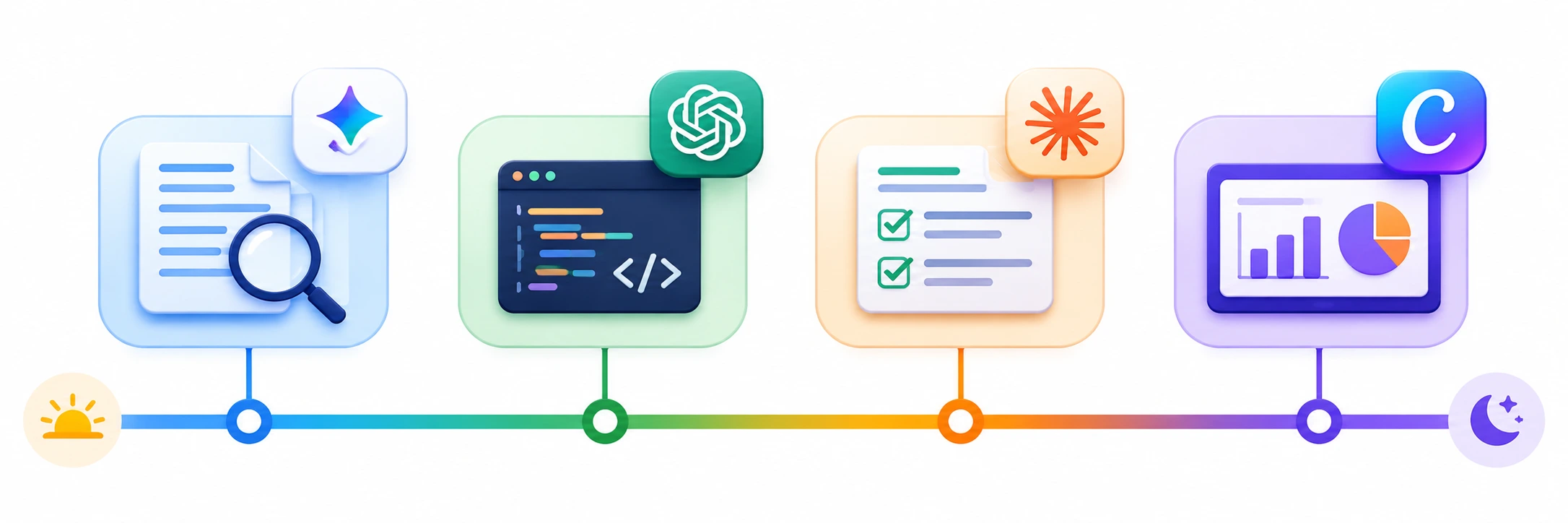
Never paste passwords, API keys, customer data or proprietary code into a consumer chatbot. Read your employer's AI policy first, and use the plan your company approves. The Gemini API's free tier, for example, says its content may be used to improve Google's products, while Adobe says Firefly never trains on what you create or upload. Data terms differ by tool and by plan, and we haven't compared them all here.
If you want structured practice rather than trial and error, MicroDegree's e-learning platform is one place to look for Generative AI and cloud courses alongside the tools above.
Conclusion
The best generative AI tools for IT professionals are the ones that fit a job you already do. Pick one general assistant and one task this week, such as summarising a long thread or explaining a script, and judge the result against what you'd have done yourself. Add a research or coding tool only when you hit a task the assistant handles badly. Read the free-plan limits before you rely on a tool, keep secrets out of prompts, and treat every output as a draft you are responsible for.
Keep Building Your GenAI Skills
Trying a tool is the easy part. Using it well on real work takes practice. MicroDegree's e-learning platform lets you explore Generative AI, Agentic AI and cloud courses in one place, so you can choose what fits where you are now.
FAQs
1. Which generative AI tool should a working IT professional try first?▼
Start with one general assistant: ChatGPT, Claude or Gemini. Pick the one your employer allows, then give it a real task such as summarising an incident thread. If two are allowed, run the same task in both and keep the one whose output you edit least.
2. Are there free generative AI tools for IT professionals?▼
Yes. ChatGPT, Claude, Gemini, GitHub Copilot, Cursor, NotebookLM, Adobe Firefly and Runway all have free plans, but each limits usage. The tool sections above give what each free plan includes. Free plans are enough to test a tool, not always to depend on it. Limits change often, so check the tool's site before you rely on one.
3. Is it safe to paste company code or logs into an AI chatbot?▼
Not by default. Check your employer's AI policy first, and remove passwords, keys, customer data and proprietary code before you paste anything. If your company provides an approved tool or plan, use that one. Data handling differs by tool and plan, so read the terms of the one you use.
4. GitHub Copilot or Cursor: which should a developer start with?▼
Start with Copilot if you want help inside the editor you already use, since you can add it without changing your setup. Try Cursor if you're happy to move to a new editor for deeper help with a whole codebase. Both have free plans, so test each on one real task.
5. Do I need to know coding to use generative AI tools?▼
No, not for chat, research or image tools. Writing, summarising and brainstorming need no code. Coding assistants and APIs are different: you need to read the code well enough to check it, because the tool can produce something that runs and is still wrong.
6. Will learning these tools raise my salary?▼
Not by itself. The salary data we found is for Generative AI engineer roles, which involve building AI systems, not just using tools. Tool skills can make you faster in your current role, which may help over time, but no source we read links tool use to a pay rise. See the LLM engineer salary guide for the building route.