
What Is Amazon Bedrock? A Guide to Building Generative AI Applications on AWS
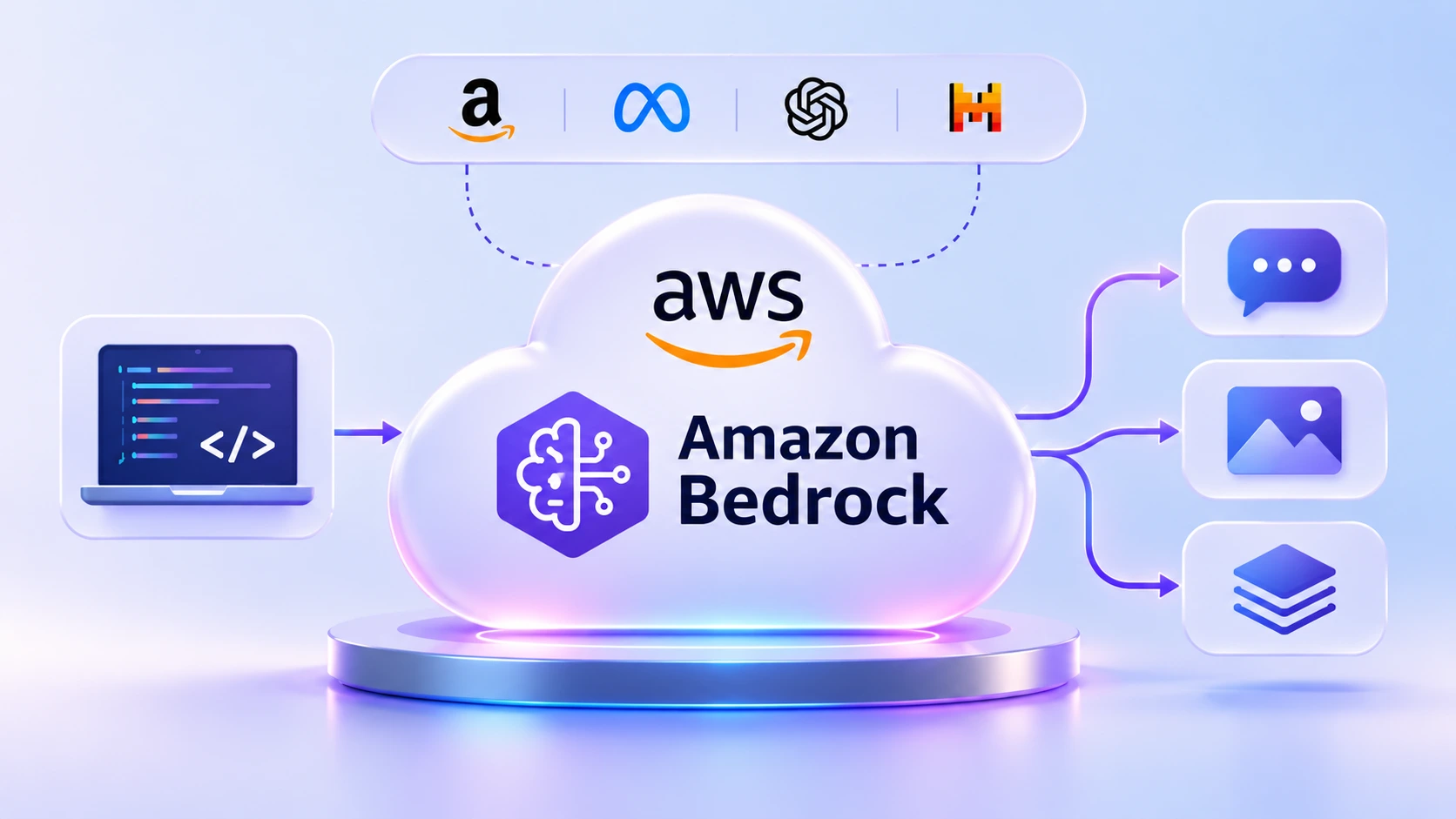
Amazon Bedrock is the AWS service that lets your applications call generative AI models through one managed API, without you hosting or scaling the models yourself. If you already work with AWS and can write a short script, you can send a first prompt to a model on Bedrock in a few minutes.
Features such as summarising tickets, answering questions about internal documents and drafting replies are moving from demos into ordinary applications. This guide covers what Bedrock is, how a request flows through it, the three features worth knowing first (Knowledge Bases, Agents and Guardrails), what drives the bill and how to run a first project. It stays on the service itself. For a full retrieval-augmented build, see our RAG architecture guide for AWS.
Table of Contents
▼What is Amazon Bedrock?
AWS describes Amazon Bedrock as a fully managed service that gives secure, enterprise-grade access to high-performing foundation models from leading AI companies, so you can build and scale generative AI applications. A foundation model is a large model trained on broad data that can be pointed at many tasks, such as writing, summarising, answering questions or generating images.
The problem it solves is operational. Running a large model yourself means GPU capacity, scaling, patching and a different API for each model. Bedrock puts models from many providers behind one service, and AWS says you can swap models in and out without rewriting code, so trying a different model is usually a settings change, not a new deployment.
Developers use it in two ways: the console, where a model catalog and playground let you try a prompt with no code, and the Bedrock Runtime API, called from an SDK such as boto3 in Python. AWS recommends the bedrock-runtime endpoint for new applications.

How does Amazon Bedrock work?
Every Bedrock application follows the same four steps:
- Your application builds a request: a prompt, the ID of the model to use and optional settings such as a maximum response length.
- It sends the request to the Amazon Bedrock API, authenticated with IAM credentials or a Bedrock API key.
- Bedrock runs the chosen foundation model. If you attached a guardrail, it checks the prompt and the model's reply.
- The generated response comes back to your application, along with token counts you can use to track cost.
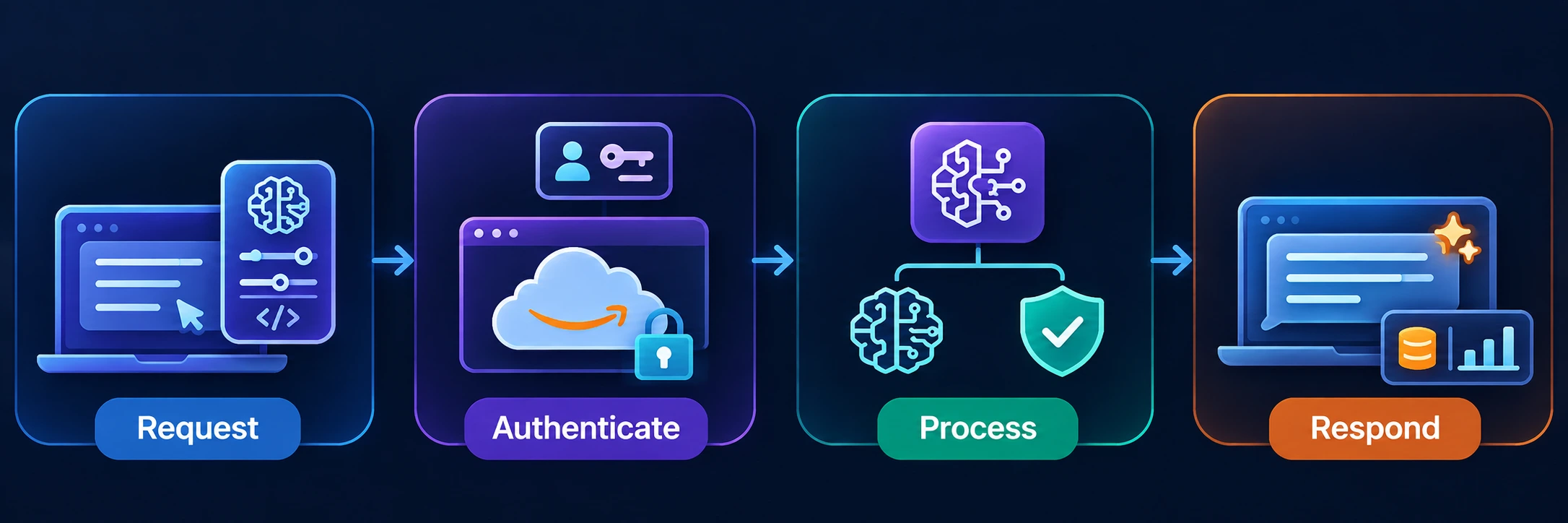
Say a support team wants a three-line summary of every long ticket. The helpdesk app sends the ticket text with the instruction "Summarise this in three lines" to a model through the Converse API, which gives one consistent request format across Bedrock models that support messages. The reply appears on the ticket screen, and the usage field in the response tells you how many tokens the call used.
Why do developers use Amazon Bedrock?
- Model choice: AWS says Bedrock supports 100+ foundation models from several providers, so you can compare models on your own task.
- Managed infrastructure: for on-demand use you don't provision or patch servers. If you need dedicated capacity, Provisioned Throughput is billed by the hour.
- AWS security tooling: calls use IAM and TLS 1.2 or higher, and CloudTrail records API activity. AWS also says model providers have no access to Bedrock logs or to customer prompts and completions.
- One request format: the Converse API works across supported models, so changing models rarely means rewriting your application.
- Features around the model: Knowledge Bases, Guardrails and customization options such as fine-tuning are part of the same service.
Data retention depends on the model and the retention mode you set, so read AWS's data retention page before sending anything sensitive.
Key features of Amazon Bedrock
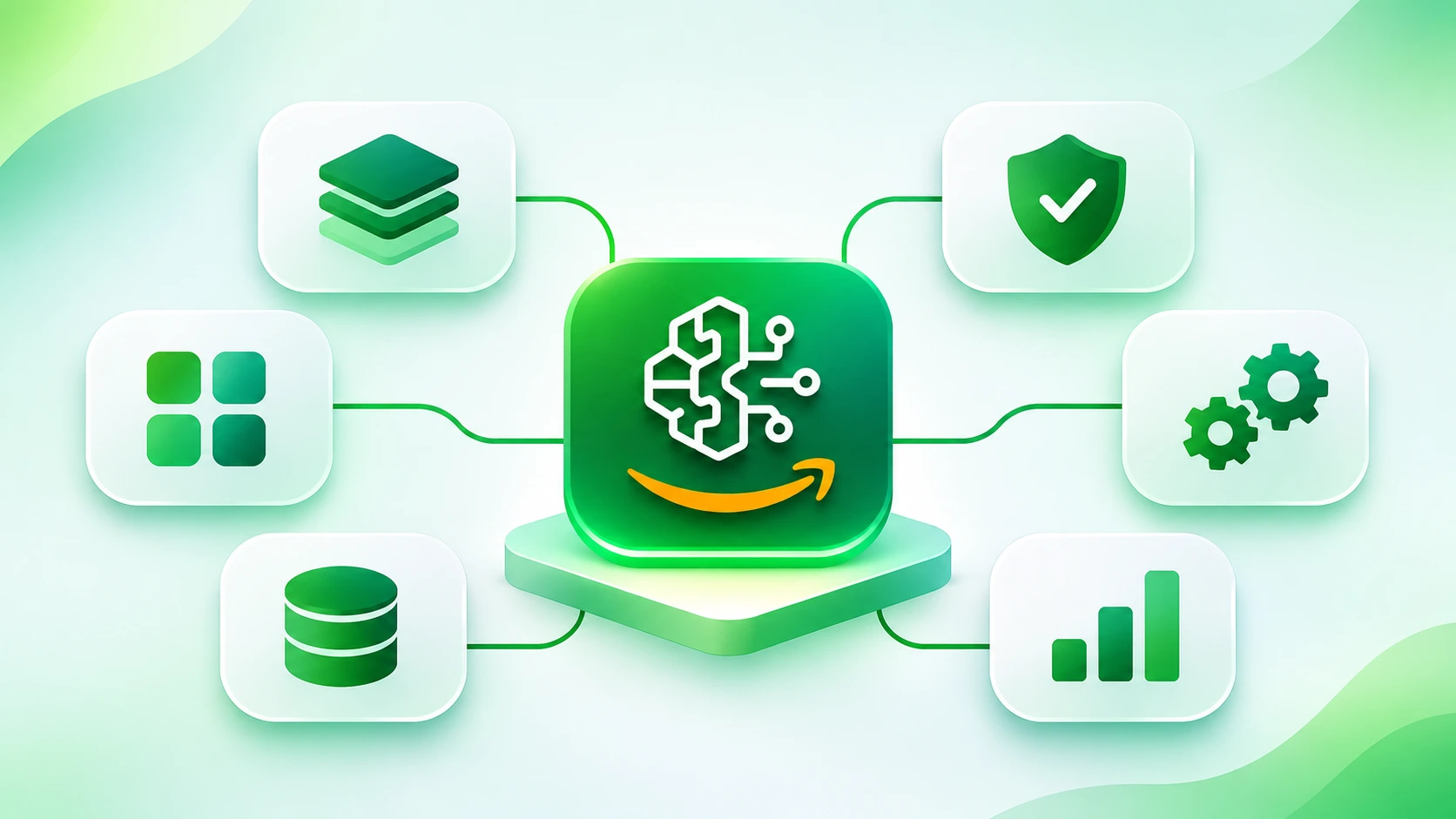
Three features come up in almost every Bedrock project. Each gets a short introduction here.
Amazon Bedrock Knowledge Bases
Knowledge Bases let a model answer from your own data. They use retrieval augmented generation (RAG): the service searches your documents for relevant passages and adds them to the prompt, and the response can include citations so you can check the source. AWS offers a managed type, where Bedrock handles ingestion, indexing and retrieval, and a customer-managed type where you run your own vector store. Connectors include Amazon S3, SharePoint, Confluence, Google Drive and OneDrive.
It's useful when the answer lives in your documents, for example an HR assistant that reads policy PDFs in S3. For the full pipeline and trade-offs, read our RAG architecture guide, and see RAG versus fine-tuning if you're unsure which approach fits.
Amazon Bedrock Agents
An agent breaks a request into smaller steps, asks the user for missing details, calls your APIs to take actions and queries knowledge bases when it needs information. AWS's own examples are an agent that helps customers process insurance claims or make travel reservations.
One caution for new learners: AWS now calls the original service Amazon Bedrock Agents Classic and says you can no longer sign up for it, although existing users can continue. For new agent work, AWS points to code-defined agents built with the Strands Agents SDK and Amazon Bedrock AgentCore. For the wider picture, see our posts on agentic AI on AWS, AWS agentic engineering and Model Context Protocol.
Amazon Bedrock Guardrails
Guardrails add configurable safeguards around a model. They include content filters, denied topics, word filters, sensitive information filters that block or mask personal data, contextual grounding checks that flag answers not supported by the source, and Automated Reasoning checks. A guardrail evaluates the prompt and the reply, and the ApplyGuardrail API can check text without calling a model at all.
A call-centre app that summarises transcripts could use a guardrail to mask customers' personal details before the summary is stored. Guardrails reduce risk, but they don't guarantee safe output, so keep testing with your own examples.
What can you build using Amazon Bedrock?
- AI chatbots: an internal assistant that keeps a conversation going over several turns, using the Converse API.
- Document question-answering: staff ask a question and get an answer with a citation from a Knowledge Base built on S3 files.
- Customer support assistants: draft replies, summarise long threads and suggest next steps for an agent to approve.
- Enterprise knowledge assistants: one search box over wikis, SharePoint and Confluence, with permissions respected where the connector supports them.
- Content generation: first drafts of release notes, product descriptions or images, reviewed by a person before publishing.
Amazon Bedrock vs Amazon SageMaker AI
The two services are often mentioned together but serve different needs. Bedrock is for using ready-made foundation models in applications. SageMaker AI is a managed machine learning service where data scientists and developers build, train and deploy models.
| Factor | Amazon Bedrock | Amazon SageMaker AI |
|---|---|---|
| Primary purpose | Build generative AI applications with managed foundation models | Build, train and deploy ML models and foundation models |
| Target users | Application developers, cloud and DevOps engineers | Data scientists and ML engineers, as well as developers |
| Model usage | Call models from many providers through an API | Bring your own algorithms and frameworks, or deploy models you train |
| Customisation | Prompting, Knowledge Bases, fine-tuning, continued pre-training and other options | Full control over training and tuning workflows |
| Infrastructure management | AWS runs the model for on-demand use; you choose a model and call it | Managed service, with more control over how training and hosting are set up |
| Suitable use cases | Chatbots, document Q&A, summaries, content generation | Custom model training, specialised models, end-to-end ML pipelines |
A reasonable rule: if you can build the feature by calling an existing model, start with Bedrock. Reach for SageMaker AI when you need to train or host a model that isn't available as a managed one.
Your first hands-on Amazon Bedrock project
A good first project is a small question-answering script: you type a question, a Bedrock model answers and the script prints the reply and the token count.
- Prepare access. You need an AWS account and permission to use Bedrock. For testing, generate a short-term API key in the Bedrock console. It lasts up to 12 hours. AWS recommends IAM roles or temporary credentials for production and long-term keys for exploration only. If you use the AWS_BEARER_TOKEN_BEDROCK variable, you need boto3 1.39.0 or later.
- Choose a model. Open the model catalog, pick an available text model and copy its model ID. Check that it's supported in the Region you'll call.
- Enable access. For many models access is on by default, but the first use of a third-party model can start an AWS Marketplace subscription, so your IAM role needs the Marketplace permissions. Anthropic models earlier than Claude Opus 4.7 also need a one-time first-use form.
- Send a prompt. Call the Converse API, as in the code below.
- Show the response. Print the text and the token usage.
- Check cost and security. Cap the response length, keep keys out of your code and never send confidential data in a test prompt.
import boto3

MODEL_ID = "your-model-id"  # copy it from the model card in the Bedrock console
client = boto3.client("bedrock-runtime", region_name="us-east-1")  # use a Region where your model is available

question = "Explain the difference between a security group and a network ACL in three sentences."

response = client.converse(
    modelId=MODEL_ID,
    messages=[{"role": "user", "content": [{"text": question}]}],
    inferenceConfig={"maxTokens": 300},
)

print(response["output"]["message"]["content"][0]["text"])
print(response["usage"])
Once this works, you can turn it into portfolio work. Our guides to generative AI projects for a resume and a GenAI developer portfolio have ideas for what to build next.
What should you learn before Amazon Bedrock?
- AWS fundamentals: IAM roles and policies, Regions and billing matter more than any single service.
- Basic Python: enough to run a script, read a JSON response and handle an error.
- API fundamentals: requests, JSON, authentication and rate limits.
- Generative AI and LLM basics: tokens, context windows and why models can be wrong. Our guide on why AI hallucinates is a good start.
- Prompt engineering: giving a model clear instructions, context and an output format.
If you'd like a structured path, MicroDegree's e-learning platform teaches in Kannada first, and its tracks include AWS, DevOps and Generative AI.
Conclusion
Amazon Bedrock is a managed way to use foundation models from many providers inside your own AWS applications. Start small: pick one model, send one prompt with the Converse API and read the token counts before you add Knowledge Bases or Guardrails. Check model availability, cost and data handling for your own Region and use case, because those details change faster than the core idea.
Build Your AWS and GenAI Skills in Kannada
If you want to practise cloud and generative AI skills alongside your job, MicroDegree's e-learning platform teaches in Kannada first, with AWS, DevOps, Generative AI and Agentic AI among its tracks. You can explore them in one place and pick what fits where you are now.
FAQs
1. Is Amazon Bedrock easy to start with?▼
Yes, if you know basic AWS and can run a short Python script. The console playground lets you try a model without code. Expect the first hurdles to be IAM permissions, picking a model that's available in your Region and keeping an eye on cost.
2. Is Amazon Bedrock an LLM?▼
No. Bedrock is a service, not a model. It gives you access to many foundation models, including large language models, from several providers through one API.
3. Is Amazon Bedrock the same as ChatGPT?▼
No. ChatGPT is OpenAI's chat product. Bedrock is an AWS service for building your own applications, and AWS lists OpenAI models among the many it offers, next to models from Amazon, Anthropic, Meta and others.
4. What is the difference between Amazon Bedrock and SageMaker AI?▼
Bedrock gives you managed access to ready-made foundation models through an API. SageMaker AI is a managed machine learning service for building, training and deploying models. Start with Bedrock if an existing model can do the job.
5. Can Amazon Bedrock be used to build AI agents?▼
Yes, with a caution. Bedrock models can power agents, but AWS now calls the original Bedrock Agents service Agents Classic and has closed sign-ups to it. For new work, AWS points to code-defined agents with the Strands Agents SDK and Amazon Bedrock AgentCore. Our guide to agentic AI on AWS explains the options.