
What Is FinOps? Why Cloud Engineers Need to Learn It

A developer deploys an application on AWS. It works perfectly, and then the monthly bill arrives much higher than anyone expected. The causes turn out to be ordinary: an EC2 instance two sizes bigger than the workload needs, EBS volumes nobody remembers creating, a test environment that ran all weekend and a bucket full of logs nobody reads.
So what is FinOps, and why does it keep coming up in cloud engineering? It's the practice of making cloud spending visible, shared and deliberate, so the people who create the cost understand it. This guide covers the FinOps lifecycle, the AWS tools for cloud cost management, four practical examples, the skills to build and where certification fits.
Table of Contents
▼What Is FinOps in Cloud Computing?
FinOps is short for Finance plus DevOps. The FinOps Foundation, the non-profit that maintains the FinOps Framework, calls it an operational framework and cultural practice that maximizes the business value of technology. It supports timely, data-driven decisions and builds financial accountability through collaboration between engineering, finance and business teams.
That differs from traditional IT budgeting, where hardware was bought up front on an annual plan. In the cloud, an engineer can create spend with one API call or one Terraform apply, so cost follows technical decisions daily and someone has to see it daily.
FinOps is also not a billing dashboard or a cost-cutting drive. A dashboard shows numbers. FinOps is the habit of asking who owns each number, why it changed and whether the spend is worth it.
A simple example: the bill rises after a release. Tags show which service grew, its owner explains that a new feature stores more data, and the team decides whether to keep it, change the storage class or set a budget for it. Nobody argues about whose fault it is, because the data already says.

Why Is FinOps Important for Cloud Engineers?
Because most cloud costs start as engineering choices. The AWS Well-Architected Framework has a Cost Optimization pillar for that reason: a cost-optimised workload fully uses its resources and meets its functional requirements at the lowest possible price. These decisions move the bill:
- Compute: choosing an EC2 instance type and size, or whether Lambda fits better.
- Storage: how much you provision, which storage class you pick and when old data is cleaned up.
- Network: data transfer charges between regions, Availability Zones and the internet. Our AWS VPC guide shows where traffic flows.
- Idle infrastructure: volumes, snapshots and environments that outlive their purpose.
- Billing literacy: knowing what a line on the invoice actually measures.
- Trade-offs: extra replicas for reliability and faster instances for performance cost more, so make that a conscious choice.
Not every cloud engineer needs to become a FinOps specialist. But an engineer who can say what a design will roughly cost, and why, is easier to plan with than one who can't.
Understanding the FinOps Lifecycle
The FinOps Foundation describes FinOps as work done iteratively through three phases: Inform, Optimize and Operate. They're a loop, not a checklist you finish once, because cloud usage and prices keep changing.
| Phase | What the team does | Typical engineering work |
|---|---|---|
| Inform | Gets visibility into cost, usage and efficiency; allocates spend to teams; forecasts and reports | Tagging resources, separating accounts, setting budgets, reading Cost Explorer and billing reports |
| Optimize | Finds ways to improve efficiency through usage changes and rate changes | Right-sizing instances, deleting idle resources, choosing storage tiers, reviewing Savings Plans and reservations |
| Operate | Puts the changes in place, builds accountability, then returns to earlier phases | Cost alerts, ownership per service, regular cost reviews, automation, cost checks in delivery pipelines |
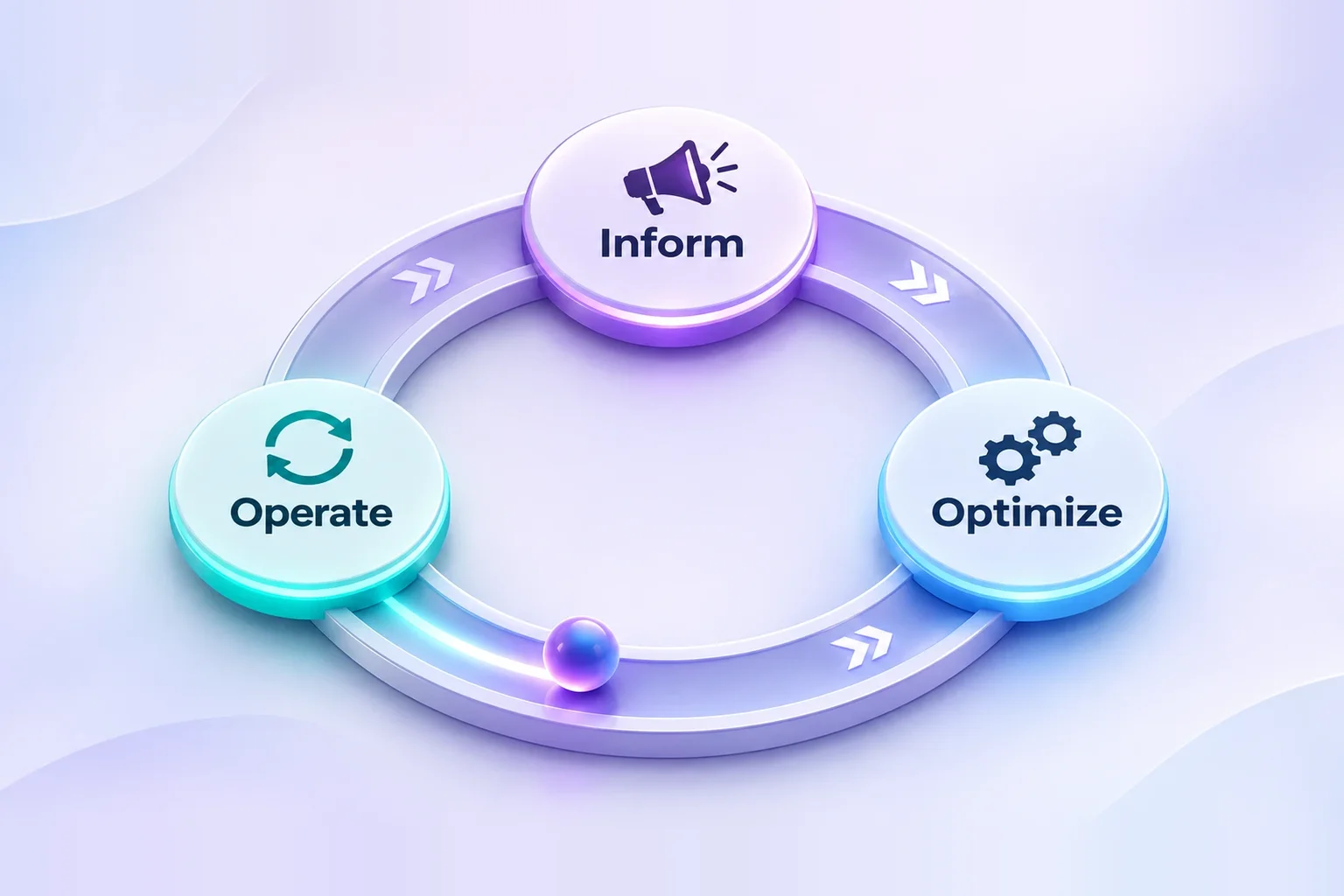
Here's how one team might move through all three. In Inform, they tag every resource with an owner and an environment and add a budget per account, which shows staging costs almost as much as production. In Optimize, they find staging runs around the clock on oversized instances, so they right-size it and switch it off at night. In Operate, a monthly cost review and a budget alert keep it from drifting back, and the loop starts again with new data.
What Does a Cloud Engineer Actually Do in FinOps?
Day to day, it's a handful of small habits: tagging resources, watching spend, finding idle resources, right-sizing, setting budget alerts, checking storage, data transfer and utilisation, and joining cost reviews. Four AWS tools cover most of them.
| AWS tool | What it's for | When you'd open it |
|---|---|---|
| AWS Cost Explorer | Analyses cost and usage with visuals, filtering and grouping, and forecasts spend | When the bill rises and you need to see which service, account or tag caused it |
| AWS Budgets | Sets custom cost and usage budgets and alerts you when thresholds are exceeded | Before a project starts, so the first overspend triggers an email instead of a surprise |
| AWS Cost and Usage Reports | Delivers the most detailed cost and usage data to an S3 bucket you own, which you can query with Athena | When you need line-item analysis or your own dashboards |
| AWS Compute Optimizer | Analyses configuration and utilisation metrics to recommend right-sizing and flag idle resources | When you want evidence for resizing an instance instead of guessing |
Two details help. Compute Optimizer needs you to opt in, and by default it looks at the last 14 days of metrics. Tags also have to be activated for cost allocation before they appear in Cost Explorer. Azure and Google Cloud have the same ideas under different names: Microsoft Cost Management offers cost analysis and budgets, and Google Cloud Billing offers reports and budgets with alerts.
Practical AWS FinOps Examples Every Cloud Engineer Should Understand
Each example follows the same pattern: a problem, a decision and the tool that backs it. None uses invented savings figures.
Example 1: Oversized EC2 instances
A web service launches on a large instance type "to be safe", and CPU never gets near the limit. You're paying for capacity the workload doesn't use. Compute Optimizer compares the instance's configuration with its recent utilisation and suggests a smaller size or a different family, and you test the change in staging before touching production. Right-sizing lowers the hourly cost, but the recommendation covers only the metrics it can see, so check memory and peak traffic first.
Example 2: Unused cloud resources
After a team terminates an instance, its EBS volume stays behind unattached. AWS bills EBS storage for the GB you provision until you release it, whether or not an instance uses it, and snapshots are billed for the data they store. Left alone, volumes, old snapshots and idle instances become steady, quiet spend. Review them regularly, confirm nobody needs them, snapshot if necessary and delete. Cost Optimization Hub and Compute Optimizer both flag idle resources.
Example 3: Storage cost management
An application writes logs to S3 Standard forever. Old logs are rarely read, but they sit in the most expensive class. S3 Lifecycle rules can move objects to cheaper classes or expire them after a set age, and S3 Intelligent-Tiering shifts objects between access tiers automatically, moving objects not accessed for 30 days to the Infrequent Access tier. Choose by access pattern: predictable logs suit a fixed lifecycle rule, unpredictable data suits Intelligent-Tiering. Some classes add retrieval charges, so read the pricing page first.
Example 4: Budget alerts and cost monitoring
A team starts a proof of concept with no budget. A forgotten load test runs for days and nobody notices until the invoice. With AWS Budgets, you set a monthly cost budget for the project's account or tag and attach alerts at the thresholds you pick, such as 50% and 80%, so the owner hears about it in time to act. An alert nobody reads has the same effect as no alert.
Which FinOps Skills Should Cloud and DevOps Engineers Build?
Cloud engineers need the foundation. Dedicated FinOps practitioners go deeper into forecasting, commitments and reporting. Here's the foundation:
| Skill | Why it matters |
|---|---|
| Cloud billing fundamentals and AWS pricing basics | You can't explain a cost line without knowing what is charged and how |
| Resource tagging and cost allocation | Without owners on resources, nobody can be accountable for spend |
| Budget monitoring | Catches overspend while it is still cheap to fix |
| Right-sizing and infrastructure optimisation | Matches capacity to the workload instead of to a worst-case guess |
| Usage analysis | Shows whether a resource is used before you resize or remove it |
| Basic financial awareness | Lets you talk with finance about budgets, forecasts and trade-offs in plain terms |
| Automation and reporting | Scheduled shutdowns and regular reports keep savings from fading |
FinOps Certification: Is It Worth Learning?
The FinOps Foundation runs the official training and certification programme. Its catalog lists FinOps Certified Practitioner, FinOps Certified Engineer and FinOps Certified Professional. Practitioner is the foundation course on the fundamentals of FinOps, the Engineer course is aimed at people who build and run cloud infrastructure, and the Professional course is the advanced one.
Requirements, fees, exam format and validity change over time, so check the FinOps Foundation website before planning. A certification helps most after hands-on work: it gives a recruiter or manager a quick signal and gives you a shared vocabulary. It can't replace reading a Cost Explorer report and explaining a spike.
Common Cloud Cost Mistakes Engineers Should Avoid
- Leaving development and test resources running. Schedule them off outside working hours or tear them down after use.
- Deploying oversized compute instances. Start modestly, then right-size using real utilisation data.
- Ignoring resource tagging. Agree a short tag policy (owner, environment, project) and enforce it in your infrastructure code.
- Forgetting budget alerts. Set a budget the day you create the account.
- Ignoring storage lifecycle management. Add lifecycle rules when you create the bucket, not after it has grown.
- Overlooking data transfer charges. Check architecture diagrams for traffic that crosses regions, zones or the internet.
- Treating cost optimisation as a one-time task. Put a recurring cost review on the calendar.
How to Start Learning FinOps as a Cloud Engineer
Use your own AWS account or a sandbox and follow this order. It stays on cost; for the wider AWS path see AWS: Essential Services Every Cloud Engineer Should Know.
- Learn AWS pricing and billing basics: what is charged for compute, storage and data transfer.
- Explore Cost Explorer and AWS Budgets on a real account.
- Practise tagging and cost allocation until you can group the bill by owner.
- Find unused resources in a lab account and decide what to remove.
- Study right-sizing and storage tiering with Compute Optimizer and S3 lifecycle rules.
- Read the FinOps Foundation framework and the AWS Well-Architected Cost Optimization pillar.
- Add cost monitoring to a small project, with tags, a budget and a monthly review note.
Is FinOps a Useful Career Skill for Cloud Engineers?
For most cloud engineers, FinOps complements the main job. Cost awareness improves design decisions, and it makes conversations with finance and product teams easier because you can answer "why did this go up?" with data. Some companies have dedicated FinOps practitioners, while others expect engineers to cover it, so read the job description, not just the title.
A cloud engineer with FinOps knowledge makes cost-aware decisions inside their own work. A dedicated practitioner runs the practice across teams, with forecasting, commitments and reporting. India-specific pay for FinOps roles couldn't be verified, so none is quoted here; for general cloud pay, see our highest paying cloud jobs guide. To see where cost skills sit next to other work, read cloud administrator vs cloud engineer and in-demand cloud skills in Bangalore.
Conclusion
A well-designed cloud environment should perform reliably and use its resources responsibly. FinOps gives cloud engineers a way to see the financial effect of technical choices and to talk about it with the rest of the business. Start small: tag what you create, set one budget and read one cost report a month. Our AWS Well-Architected guide is a useful companion.
If you want structured practice, MicroDegree teaches Cloud and DevOps in Kannada first, with instructor-led live online classes, practical capstone projects and morning and evening batches for working professionals. It's one option; the habits above work in any account you already have.
Continue Learning with MicroDegree
Cost awareness sits best next to solid cloud and DevOps fundamentals. You can browse MicroDegree's e-learning courses in one place and pick the ones that strengthen your cloud skills.
FAQs
1. What is the difference between FinOps and DevOps?▼
DevOps joins development and operations to ship and run software reliably. FinOps borrows that collaborative idea for money: engineering, finance and business teams share responsibility for cloud spend. They overlap in automation and feedback loops, but they answer different questions.
2. Do cloud engineers need to learn FinOps?▼
They need the basics: how billing works, tagging, budgets and right-sizing. You don't need to become a specialist, and how much depth you need depends on your team and employer.
3. Is FinOps only relevant to AWS?▼
No. The FinOps Framework is cloud-agnostic. Azure has Microsoft Cost Management and Google Cloud has Cloud Billing reports and budgets, so the habits transfer even though the tools differ.
4. Do I need financial knowledge to learn FinOps?▼
Not to begin with. If you can read a bill, understand a budget and a forecast, and ask who owns a cost, you can start. Finance vocabulary comes with practice and with the conversations you have with finance colleagues.
5. Is FinOps a separate career or a skill for cloud engineers?▼
Both exist. Some organisations hire dedicated FinOps practitioners, and in others the practice sits with cloud and platform engineers. Check job descriptions for the actual duties rather than relying on the title.